


iceroadlegend
Members
-
Joined
-
Last visited
-
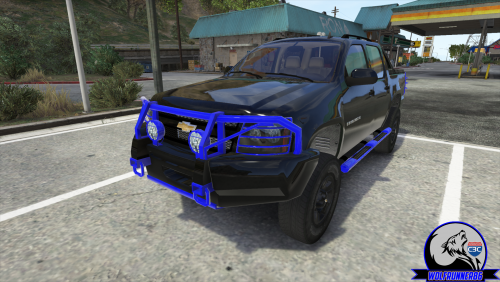 Top quality mod Wolf.
 -
-
-
-
Tried that and still no luck @markm Will double check that i have copied all the files over
-
Trouble with LCPDR 1.0C So i am having trouble using the taser. Pushing ALT+T does nothing. Pushing ALT+T+T does nothing either. I ran the lcpdfr diagnostic and everything came back green. I installed using manual install and made sure i copied all the files over. Help would be much appreciated.
-
I am having this problem also. I have my GTA installed on another HDD, D drive but the path is the same Program Files (x86)Rockstar GamesGrand Theft Auto IV
-
@ tz71 Ok man will give that ago @ InnermostZero Well the top picture is Icenhancer 2.1 with the visual.dat settings turned up. The second image is with ENB SFE. All my settings are maxed out too. EDIT: Does anyone know how to edit the shader files?
-
Hey guys. So i have icenhancer 2.1 installed and im not really liking the way the ELS lights look. Take a look at these screen shots. This is ELS on Icenhancer 2.1 And this is ELS on ENB SFE My question is how do i get my ELS on icenhancer to look like the ELS on ENB SFE
-
-
Bumping an old thread here. But i still have this issue was wondering if anyone else has had this issue
-
I just installed Vucko's enb V6 on a fresh install of gta and this is what happens to my els lights after i installed the ENB The blue dots to the left of the car and the dots above the car. Its annoying seeing thoes dot things when the lights are one. Any help would be much appreciated. Also running ELS V7
-
Yes Only LCPDFR
-
just tryed a clean version of gta and it still has the lag
-
Drivers are up to date Yes i do have ENB, the same version i had before i reformated and everything was running smooth My Report: BEGIN *SIGNED* LCPD First Response Issue Report Diagnostics Tool Version: 0.4.3 Operating system: Windows7 Unknown (6.1.1.0 Build: 7601) Service Pack:Service Pack 1 System RAM (GB): 7.98 CPU cores: 8 NET Framework 4.0 installed: True Visual C++ 2010 Redistributable installed: True GTA IV - Installed: True GTA IV - Install folder: G:Program Files (x86)Rockstar GamesGrand Theft Auto IV GTA IV - Version: 1, 0, 7, 0 GTA IV - Asi loader installed: True GTA IV - Asi loader: DSOUND GTA IV - Asi loader valid: True GTA IV - C++ ScriptHook installed: True GTA IV - C++ ScriptHook valid: True GTA IV - C++ ScriptHook version: 0, 5, 1, 0 GTA IV - ScriptHookDotNet installed: True GTA IV - ScriptHookDotNet valid: True ===============BEGIN .NET SCRIPTHOOK LOG=============== 2013-05-29 13:09:59 - Initializing ScriptHookDotNet v1.7.1.4 BETA (GTA IV version 1.0.7.0) 2013-05-29 13:11:18 - Direct3D device created! 2013-05-29 13:11:18 - SEARCHING FOR SCRIPTS... 2013-05-29 13:11:18 - Loading scripts in Assembly 'scriptsFirstResponse.net.dll' ... 2013-05-29 13:11:18 - ...found script 'FirstResponse.Main.EmergencyLights'! 2013-05-29 13:11:18 - ...found script 'FirstResponse.Main.Start'! 2013-05-29 13:11:18 - ...found script 'CSharp.Engine.Core'! 2013-05-29 13:11:18 - ...found script 'FirstResponse.Debugging'! 2013-05-29 13:11:18 - ...found script 'FirstResponse.DeletionList'! 2013-05-29 13:11:18 - ...found script 'FirstResponse.Hardcore'! 2013-05-29 13:11:18 - ...found script 'FirstResponse.TextDraw'! 2013-05-29 13:11:18 - ...found script 'FirstResponse.LCMD.Main'! 2013-05-29 13:11:18 - ...found script 'FirstResponse.LCMD.Functions'! 2013-05-29 13:11:18 - ...found script 'FirstResponse.LCPD.Carboot'! 2013-05-29 13:11:18 - ...found script 'FirstResponse.LCPD.Disarm'! 2013-05-29 13:11:18 - ...found script 'FirstResponse.LCPD.Frisk'! 2013-05-29 13:11:18 - ...found script 'FirstResponse.LCPD.PullOver'! 2013-05-29 13:11:18 - ...found script 'FirstResponse.LCPD.Actions'! 2013-05-29 13:11:18 - ...found script 'FirstResponse.LCPD.Debug'! 2013-05-29 13:11:18 - ...found script 'FirstResponse.LCPD.Flashlight'! 2013-05-29 13:11:18 - ...found script 'FirstResponse.LCPD.Functions'! 2013-05-29 13:11:18 - ...found script 'FirstResponse.LCPD.Partner'! 2013-05-29 13:11:18 - ...found script 'FirstResponse.LCPD.inputSimulator'! 2013-05-29 13:11:18 - ...found script 'FirstResponse.LCPD.Start'! 2013-05-29 13:11:18 - ...found script 'FirstResponse.LCPD.Various'! 2013-05-29 13:11:18 - Loading scripts in Assembly 'scriptsPolicing.net.dll' ... 2013-05-29 13:11:18 - ...found script 'Policing.Policing'! 2013-05-29 13:11:18 - ...found script 'Policing_Breathalyser.Policing_Breathalyser'! 2013-05-29 13:11:18 - ...found script 'Policing_Resist.Policing_Resist'! 2013-05-29 13:11:18 - Loading scripts in Assembly 'scriptsTrafficFlow.net.dll' ... 2013-05-29 13:11:18 - ...found script 'TrafficFlow.Taxi'! 2013-05-29 13:11:18 - DONE! 25 valid scripts found! 2013-05-29 13:11:18 - STARTING SCRIPTS... 2013-05-29 13:11:18 - Error during GetPhoneNumber (Phone checks will be disabled): System.Exception: Accessing Globals failed! Invalid Memory Address! at unmanaged.MemoryAccess.GetGlobalAddress(Int32 index) at unmanaged.MemoryAccess.GetPhoneNumber() at GTA.NetHook.CheckPhone() 2013-05-29 13:11:18 - ...successfully started script 'TrafficFlow.Taxi'! 2013-05-29 13:11:18 - ...successfully started script 'Policing_Resist.Policing_Resist'! 2013-05-29 13:11:18 - ...successfully started script 'Policing_Breathalyser.Policing_Breathalyser'! 2013-05-29 13:11:18 - ...successfully started script 'FirstResponse.LCPD.Various'! 2013-05-29 13:11:18 - ...successfully started script 'FirstResponse.LCPD.Start'! 2013-05-29 13:11:18 - ...successfully started script 'FirstResponse.LCPD.inputSimulator'! 2013-05-29 13:11:18 - ...successfully started script 'FirstResponse.LCPD.Partner'! 2013-05-29 13:11:18 - ...successfully started script 'FirstResponse.LCPD.Functions'! 2013-05-29 13:11:18 - ...successfully started script 'FirstResponse.LCPD.Flashlight'! 2013-05-29 13:11:18 - ...successfully started script 'FirstResponse.LCPD.Debug'! 2013-05-29 13:11:18 - ...successfully started script 'FirstResponse.LCPD.Actions'! 2013-05-29 13:11:18 - ...successfully started script 'FirstResponse.LCPD.PullOver'! 2013-05-29 13:11:18 - ...successfully started script 'FirstResponse.LCPD.Frisk'! 2013-05-29 13:11:18 - ...successfully started script 'FirstResponse.LCPD.Disarm'! 2013-05-29 13:11:18 - ...successfully started script 'FirstResponse.LCPD.Carboot'! 2013-05-29 13:11:18 - ...successfully started script 'FirstResponse.LCMD.Functions'! 2013-05-29 13:11:18 - ...successfully started script 'FirstResponse.LCMD.Main'! 2013-05-29 13:11:18 - ...successfully started script 'FirstResponse.TextDraw'! 2013-05-29 13:11:18 - ...successfully started script 'FirstResponse.Hardcore'! 2013-05-29 13:11:18 - ...successfully started script 'FirstResponse.DeletionList'! 2013-05-29 13:11:18 - ...successfully started script 'FirstResponse.Debugging'! 2013-05-29 13:11:19 - ...successfully started script 'CSharp.Engine.Core'! 2013-05-29 13:11:19 - ...successfully started script 'FirstResponse.Main.Start'! 2013-05-29 13:11:19 - ...successfully started script 'FirstResponse.Main.EmergencyLights'! 2013-05-29 13:11:21 - ...successfully started script 'Policing.Policing'! 2013-05-29 13:11:53 - Direct3D device lost! 2013-05-29 13:11:57 - Direct3D device created! 2013-05-29 13:11:57 - Direct3D device lost! 2013-05-29 13:11:59 - Direct3D device created! 2013-05-29 13:19:00 - Direct3D device lost! 2013-05-29 13:19:00 - SCRIPTS TERMINATED! ===============END .NET SCRIPTHOOK LOG=============== End of *SIGNED* LCPD First Response Issue Report Digital signature: /0EVK03fwl+UeAtjBWu1dQ==
-
That kinda help, better then it was but still no smooth. Still got low fps for some reason. Ran the diagnostic tool no errors looked like everthing was good
-
So ive been having issues with the LCPDFR computer, whenever i go into it my fps drops from 40 to 11 fps. Its useable but very slow when moving mouse around/typing. Have look around and cant seem to find other issues like this. I formated my pc about 2 months ago, before that it worked fine. Any help really apreciated
-
Great tutorial, i have 2 questions to ask When the light bar was finished, connect all the surfaces together? Will there be a new wtd file with the texture that was added when exported?
