Skip to content
View in the app

A better way to browse. Learn more.

LCPDFR.com

A full-screen app on your home screen with push notifications, badges and more.

To install this app on iOS and iPadOS
  1. Tap the Share icon in Safari
  2. Scroll the menu and tap Add to Home Screen.
  3. Tap Add in the top-right corner.
To install this app on Android
  1. Tap the 3-dot menu (⋮) in the top-right corner of the browser.
  2. Tap Add to Home screen or Install app.
  3. Confirm by tapping Install.

motor297

Members
  • Joined

  • Last visited

  1. good videos
  2. great videos!!!!!!!!!!!
  3. also for lcpd is there any new map mods coming out . like to see a low mb interstate for lcpdfr map which has few gas stations and stores. just wondering
  4. great job!!!!!!!!!!!!!!!!!!!!!!!!!!!!!!!!!!!!!!!!!! thanks!!!!!!!!!!!!!!!!!!!!!!!!!!!
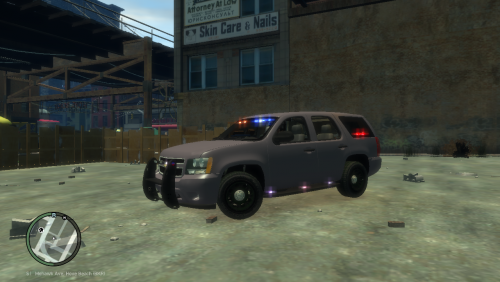
  5. well I tried out the car and work great except that the drivers side door is not there . you can hear the door shut but in invisible
  6. sorry didnt realize you not a modder but maybe doing an unlock caprice
  7. car looks good . if you doing you update I didn't see antenna on your vehicle. don't forget the antenna. cant wait for your update
  8. for example take police file and right click and go down to rename and you can type in police 2 to rename and hit enter make sure you rename both files
  9. I would also like to see more textures for this model

Account

Navigation

Search

Search

Configure browser push notifications

Chrome (Android)
  1. Tap the lock icon next to the address bar.
  2. Tap Permissions → Notifications.
  3. Adjust your preference.
Chrome (Desktop)
  1. Click the padlock icon in the address bar.
  2. Select Site settings.
  3. Find Notifications and adjust your preference.