


LimpBikit
Members
-
Joined
-
Last visited
-
Currently
Viewing File: North Carolina State Highway Patrol - FPIU, Tahoe, Dark Horse Mustang
Everything posted by LimpBikit
-
 After some more testing, animations for combat pistol work, It's just pistol that doesn't. I'm assuming it's something to do with tactical grip mod even though it they were both working before. Now the Carbine is working with animation and tactical grip but pistol animation is not. Here is a screen shot of my weaponanimations and meta
- 59 comments
- 10 reviews
-
So, I reinstalled everything and now the Carbinerifle animation works but the pistol animation does not. I use tactical grip because both your mod and that mod are game changers for lspdfr. When I installed the mod last week everything was working fine together with tactical grip but now all of a sudden, I'm having issues. Pistol (Movement) is not working now, but Pistol stealth works and carbinerifle does too. I reinstalled pistol movement and it's still not working. It's starting to get confusing lol, any ideas?
- 59 comments
- 10 reviews
-
Could this and tactical grip from gta5mods be interfering with each other? This is what my weapons animations file shows in that path you told me to look.
- 59 comments
- 10 reviews
-
Ok so before the update today, I had reverted the game and Rage and lspdfr were working perfectly fine. When Lspdfr and ragehook updated today, I downloaded installed the updated files for both rage and lspdfr manual install along with scripthook and also all the updated gtaV.exe files. I run the first time lspdfr and accept the ragehook license and it all installed correctly. I launch the game and Ragepluginhook and it shows that it loaded. But once in game I hit the consol key (changed the key to a few different ones and still nothing) Nothing happens. I've never had this problem before in the 7+ years iv played. It was working fine when I was playing last night on the revert game version, but not rage isn't showing up for me in game after I updated everything. RagePluginHook.log
-
Is there any fix to this? I still have this problem with my player holding out the left hand in a weird position when I hold the carbine rifle.
- 59 comments
- 10 reviews
-
I need some help, Why does my character hold his hand out like this for the carbinerifle and carbinerifle mk2 but correctly for other rifles?
- 59 comments
- 10 reviews
-
 Would you be willing to make a unique siren that has this type of jingle to it when you hit the horn? https://youtu.be/YZLsPvt5KMY?t=127&is=fQBSVSDLqGM7nHIa
 -
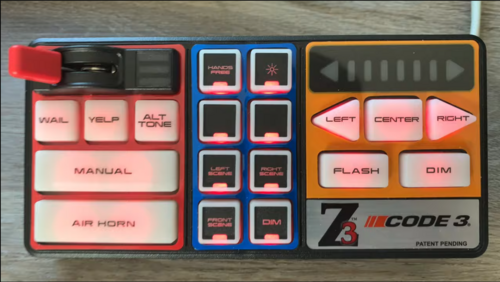 Do you have any idea how I can find something like this? The way he phases the siren the first time and cycles into a unique jingle. https://youtu.be/YZLsPvt5KMY?t=127&is=fQBSVSDLqGM7nHIa
 -
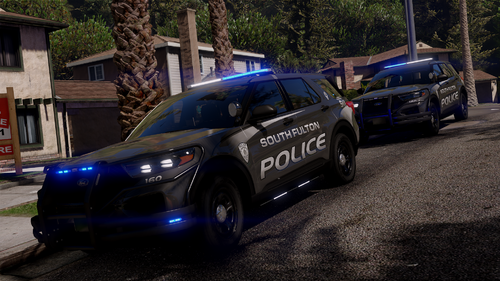 I rarely write reviews on here which I know I should do more often being that how hard people work to make these vehicles for us for free. I am very appreciative to everyone who makes vehicles for us on here. And I just wanted to say that you're work is no exception. I absolutely love the way you have the lights set up on here from blue to white It looks really good in game and so does the vehicles models. I don't think I seen this quality of vehicles being made in a while. When inside the vehicle it looks super HD and high quality. And the lighting setup is mint. Thank you for these vehicles my good sir, and a very well job well done. It's good enough for me to sign into my account and write this review which I rarely do.
 -
 There use to be a callout in I think simple callouts that would have you go meet another officer in mirror park, He would radar and have you park down the street in a neighborhood and he would callout cars speeding to you and would have you pull them over. Would be nice to see something like this but on the highways. Like have a officer sit on a overpass radaring while you sit on the entrance ramp and then call out speeding cars for you to pull over. Then when done ticketing you return to the same spot and do it again.
- 160 comments
- 20 reviews
-
One of my favorite callout packs that I was just thinking about the other day is back! It's a good day in the lspdfr community. Thank you for this.
- 160 comments
- 20 reviews
-
-

- 2
-
-
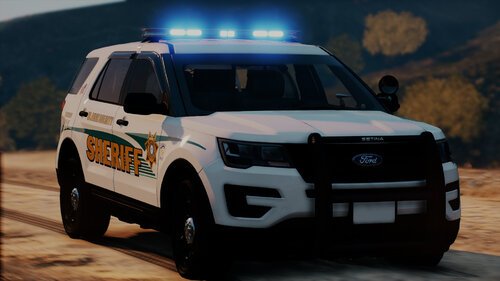 Nice, This livery Looks exactly like Shelby County Sheriff's in Memphis TN Where I had grown up.
 -
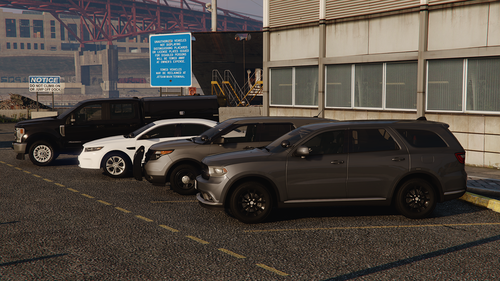 Great pack with great lighting setup. Clean looking patrol cars. Grand Theft Auto V 2023.09.07 - 03.21.43.08_Trim (3)_Trim_Trim_Trim_Trim_Trim.mp4
 -
-
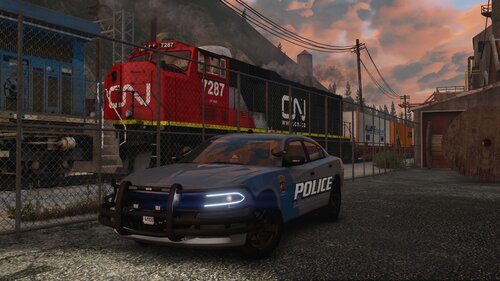 Are you using ENB and in compatibility mode? If so you can't use this pack cause SSLA crashes in compatibility mode. So as of right now its the car pack or enb, can't have both.
- 34 comments
- 3 reviews
-
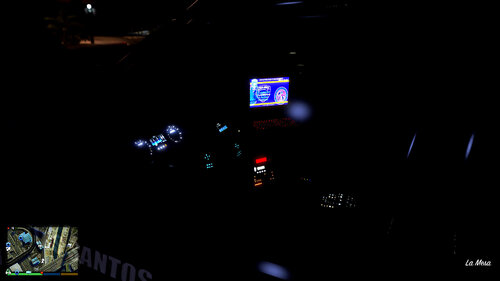 Got it working! Thanks, Amazing idea. Can the windows roll down? If so, what is the key bind? Or is it just the wipers and fan that move?
 -
Do I have the wiper files in the correct place? Nothing happens for me, whatkey binds do I press?
-
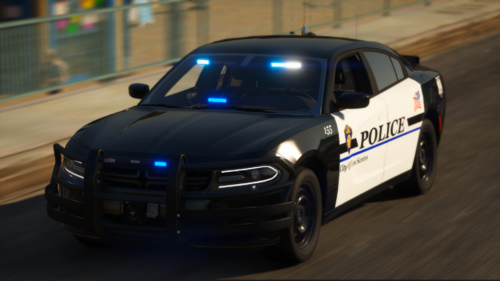 Absolutely love this pack, do you do custom orders? Would love to have the charger made with more lights on the back and sides and a 2020+ fpiu with the same light set up.
- 114 comments
- 9 reviews
-
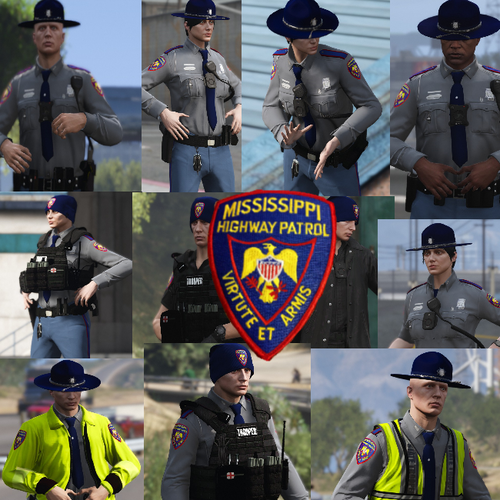 5 stars! This is my Current home town, Love the uniforms paired with the MHP cars!
- 18 comments
- 2 reviews
-
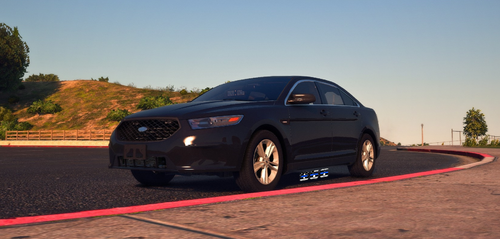 Turn off vehicle god mode, it stays down while driving but if you have vehicle god mode on every-time you hit something it automatically fixes your car and causes the visor to go back to the closed position. Turn it off and it stays open
- 42 comments
- 4 reviews
-
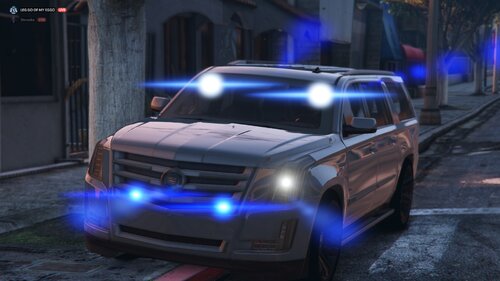 Yeah I Posted the same two gayzos by accident, I just edited it and added the night time gayzo under the daytime one. It does look better at night time but that white round light that comes on at the bottom throws it off. If that can be fixed along with the grill light on driver side that would be sweet! and much appreciated! Just curious how you got yours the same brightness as the other lights in the youtube video you posted? Even at night when I turn on my extra light, it's still not bright as yours in the video. I'm thinking that blob of white light may have something to do with it.
- 12 comments
- 1 review
-
-
Absolutely Gorgeous! 10/10 for me! Apart from the two small issues I stated in the comments which I'm sure will be fixed. This one has found a permanent spot in my fleet!
- 12 comments
- 1 review
-
.thumb.png.15b83c74cfa6b17f91da7a307994d2f2.png) This thing is far form generic, I absolutely love it and the lighting set up is amazing and vibrant. The best 2014 In my opinion because it checks all the the boxes for me. Does it Tint- ✔️ Are lights vibrant ✔️ Are light bars sexy ✔️ Are patterns sexy and fast ✔️ Is the model nice ✔️ Does it have the white strobe effect ✔️ Would I keep it in my game permanently ✔️ Only thing I wish it could do is to be able to tint the front window or if you could edit the front window and make it come tinted with slots cut out for the light bar to keep the light bar bright and vibrant and still give it that tinted unmarked feel. That would be amazing. I would do it myself but I need a template. It's a 10/10 for me. https://gyazo.com/8850186ec93781f775765bf87bd389c0
This thing is far form generic, I absolutely love it and the lighting set up is amazing and vibrant. The best 2014 In my opinion because it checks all the the boxes for me. Does it Tint- ✔️ Are lights vibrant ✔️ Are light bars sexy ✔️ Are patterns sexy and fast ✔️ Is the model nice ✔️ Does it have the white strobe effect ✔️ Would I keep it in my game permanently ✔️ Only thing I wish it could do is to be able to tint the front window or if you could edit the front window and make it come tinted with slots cut out for the light bar to keep the light bar bright and vibrant and still give it that tinted unmarked feel. That would be amazing. I would do it myself but I need a template. It's a 10/10 for me. https://gyazo.com/8850186ec93781f775765bf87bd389c0- 4 comments
- 1 review
-
Yo this thing is HOT! Love it! One of the sickest undercover cars iv had in my game! only found two issues which I Listed below- The front grill light on the driver side stick out way further than the passenger side grill light. The bottom front lights are very dim and nowhere near as bright as the video you posted. Even when turning on the extra lights with the controller, a white Round blob of light comes on near the bottom set of lights when turning on the extra light and it also doesn't make the bottom lights much brighter for me. Other than those two issues This thing is a 10/10 for me and found a permanent spot in my fleet! Gyazo's of the issues stated above https://gyazo.com/e31df7d8ce46128a31c3182e66ec43c4 https://gyazo.com/2f0b0d760f8a0ed86dcd111b81d1a5ad
- 12 comments
- 1 review
.thumb.png.15b83c74cfa6b17f91da7a307994d2f2.png)
