


JBroski
Members
-
Joined
-
Last visited
Everything posted by JBroski
-
I am having an issue with the Ped.Tasks.PlayAnimation method. I have tried: myPed.Tasks.PlayAnimation("mini@cpr@char_b@cpr_str", "cpr_success", 4f, AnimationFlags.None).WaitForCompletion(); GameFiber.StartNew(delegate { myPed.Tasks.PlayAnimation("mini@cpr@char_b@cpr_str", "cpr_success", 4f, AnimationFlags.None).WaitForCompletion(); }); and myPed.Tasks.PlayAnimation("amb@world_human_bum_standing@drunk@idle_a", "idle_a", 15000, AnimationFlags.Loop); myPed.Tasks.PlayAnimation("amb@medic@standing@tendtodead@idle_a", "idle_b", 5, AnimationFlags.None); Here is the error I get: https://i.imgur.com/osTKAQB.png I'm not sure why it's doing this. Everything I have read says it should work? Keep in mind I am new to GTAV modding but not to programming in general. Thanks.
-
-
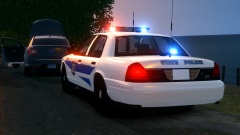 Nice and clean :)
 -
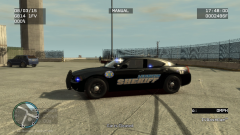 Lexington, KY?
 -
-
I've seen that, too! I love the connection on the last episode where it says "____(name) has reached the End of Watch". Honestly, I almost cried there.
-
 I dislike the one on the right.. a lot. Not a fan of the color or that type of light.
 -
I binge-watched seasons 1,2,3 in a week and then had to throttle my self once I got to the end of season 4. This is one of those shows where you can NOT stop watching. I really wish someone would have picked it up again.
-
So I just finished the final season of southland. I am ... in shock on how it ended. If you have not seen the episodes then I highly suggest you purchase them.
-
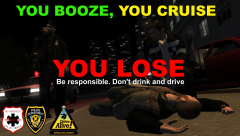 Wow! That is actually a nice slogan. Did you come up with it?
 -
I updated the thread with the latest video:
-
-
Maybe one day I will learn how to use a taser :) (@5:30)
-
-
-
Apparently LCPDFR can make an NPC turn into a zombie.
-
PC is going through the same thing console is going through with heists; "it'll be out in the coming weeks" ~ Rockstar a few days after GTA:O was released on console. Honestly, I think they are stalling to get as many people as possible to buy it on console. I'm not saying that is bad, in fact, quite clever if you think about it.
-
There is no reason why a department should have to remind someone to think before they act. I am not yet a LEO but isn't that a basic requirement?
-
If you have the money and your video card is fine then I would look into an SSD (at least 250GB).
-
Try different areas.
-
-
For those of you who remember me, I am back For those of you who do not know me, hi. Latest Video: "This is why you don't play in the road" Old Video
-
Make sure you have the latest scripthook. Older versions (even from a year ago) are not always compatible. The LCPDFR one should be the latest.
-
-

