


Menas Louis
Members
-
Joined
-
Last visited
Everything posted by Menas Louis
-
-
Hello Ladies and Gentlemen, As the title says, every time I tried to load GTA 5 with RAGEPluginHook I get a notification ERR_SYS_FILELOAD, as you can see in the picture below, I have played LSPDFR before but I don't remember what caused this to happen...please help I tried the ASI manager on OpenIV and I have everything installed also I installed my mods into my mods folder.. also when I go to my back up file of GTA 5 and I launch the game with no RAGEPluginHook the game works fine..
.thumb.png.9659fa64c0d9b2aba9db0a35995f2041.png)
.thumb.png.fea3250d1d574f376cf69648b1ab6344.png)
.thumb.png.6c435a14954a99f29be720871ec7aeb8.png)
-
 Sounds good bro, super excited!!
 -
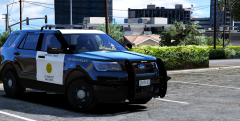
When are you going to released the San Diego pack?

.png.9fcec540e64d3d71c1a27f672d03e354.png)
.png.ea950ca4759ba8993a3ceba915ccc133.png)
.png.d8964c78cd21e2c8b4e0984c45f3476d.png)
