Officer Rabbit
Members
-
Joined
-
Last visited
Everything posted by Officer Rabbit
-
So lets re-cap. All of your files are good in your game folder so I don't think this is a RHP or GTAV issue. It's not malware bytes nor do you have an interfering anti-virus program. I don't see any issues with your other services less the language barrier. I don't use windows defender. Do you think it could be this? I'd turn it off completely just to check and see if defender is the problem. If it is, we can narrow down exactly what it's doing.
-
ERROR: The path "C:\Program Files (x86)\Steam\steamapps\common\Grand Theft Auto V\Plugins\computer+.dll" does not exist. Use "Snippit" to take a shot of your game folder. It looks like you may have installed computer+ wrong.
-
Try disabling malware bytes
-
take a screenshot of your game folder and attach the rage crash log.
-
Yeah, if you can screenshot your folder I can see whats going on in there. Also, take some screen shots of your "Services" in task manager. Send me the link. I can see if I can help while helping TroyvD
-
He may just have the name hidden but it may be worth a try. Typically, the icon would change if you remove the ".exe" from the name.
-
It actually looks like your missing alot of rage files. Try Re-installing Rage from this link: Version 65.1237.15477
-
Sorry, I was editing when your replied. Here is my file with LSPDFR installed. I'm still looking into your issue so let me see what I can find. I don't see rage native UI in your folder. Is it there?

-
I think I see your problem. Look in your steam folder at the rage icon. It looks like you are trying to run it as admin. I tired to do the same and it crashed my game. Try running it without administrator privileges.
-
People have had issues with ALPR and Ultimate Backup. Remove those one at a time and try it out. If that doesn’t work then you may need to check vehicle mods if you have any installed. I don’t think any of the other plugins would cause this issue. It could be that one of your plugins are not .4 compatible. let us know what happens.
-
If you think it’s your computer some people have had issues with an installed anti-virus program. The program would not allow rage to initialize (can’t remember the name of the program). What you need to do is check your anti-virus programs to see if they are gating RPH. Disable pop up blockers if they are enabled. You can also go to task manager and see what programs are currently running and then stop the programs process and try RPH again. If it works, there’s your issue. You can restart the program process from task manager also. try it out and let us know what happens.
-
Sounds like it's a computer issue to me. Try this: 1. Load GTAV without RPH. If it works then go to step 2. 2. Load RPH without LSPDFR. If this works go to step 3. If it doesn't then you most likely have an issue with your PC security settings. 3. Load RPH with LSPDFR only. If this works then list all of your scripts/plugins/mods so we can see if there is a conflict. One of these 3 things should help us narrow your issue down.
-
What mods/scripts and plugins do you have installed?
-
Humm... not sure if this will help but did you install the requirements (asi plugins via OpenIV) for ScripthookV and Native Trainer? Are you using ScripthookV.net and have you installed those requirements? Also, did you change your Rage F4 key to something else? I'm using F4 for Trainer and F5 for Rage. For the most part is seems that you have a security issue with your PC, not RPH or the game itself.
-
-
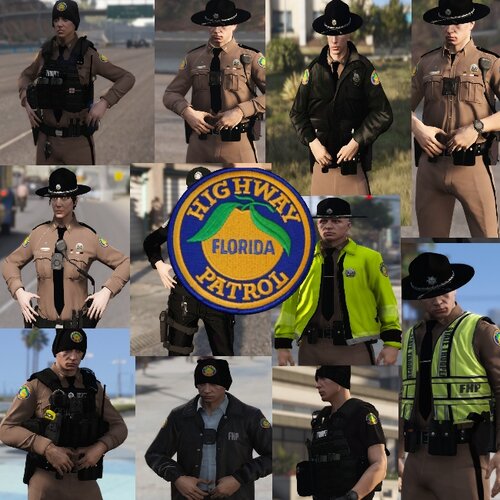 Great job on this, seeing how I was born and raised in Florida its great to see these types of mods.
- 23 comments
- 18 reviews