Officer Rabbit
Members
-
Joined
-
Last visited
Everything posted by Officer Rabbit
-
So I had the same issue. Removed EUP.dll, mods folder (only had EUP in it) and EUP folder in LSPDFR and now rage loads correctly. I believe that EUP causes rage not to load GTAV correctly. You could start GTAV first, then load Rage with plugins disabled, then RestartAllPlugins in game to see if that works. If it does, see if EUP works with F11. Again, if it works then EUP would be causing issues and most likely I would assume its what it changes in the Mods folder.
-
Sorry, work took my attention away. Most likely your best option. He's right, RiotMode could definitely kill a PC but mine is pretty powerful and riot mode is just amazing when using it with LSPDFR. One very important thing I want to mention is that I had a lot of issues with Menyoo and LSPDFR so I removed it completely. Could have been a key binding conflict or something but I didn't care to look into it. My game would randomly crash so I removed Menyoo and everything worked. Not saying it's your issue but something to look at.
-
Anytime! Good idea, it should help you narrow down the issue at least.
-
Did you check to see if all your plugins were .4 compatible? You may need to download and install newer versions of EUP.
-
I've noticed that NaturalVision causes alot of FPS drop on my system when running LSPDFR. If you have a visual mod installed it may be increasing your drop. i7 8700K GTX1080 32GB Crucial Asus Z370A MB Watercooled and OC'd Still have drops with settings set mildly using NV.
-
It will probably say a certain EUP mod is not installed if you don't have ALL EUP mods installed but it shouldn't affect anything. As for the Reddit comment, this could be the case but I don't think so (I've never had this issue). Post a picture of your "Go On Duty" blue circle icon in the locker room. In the image you posted it looks like it's in the wrong location for LSPDFR .4. Actually, now that I think of it LSPDFR allows you to customize these options when you go on duty so you should be able to do a full customization from the duty screen.
-
It seems like you may have a conflicting plugin. list all the LSPDFR plugins you have and any non LSPDFR mods.
-
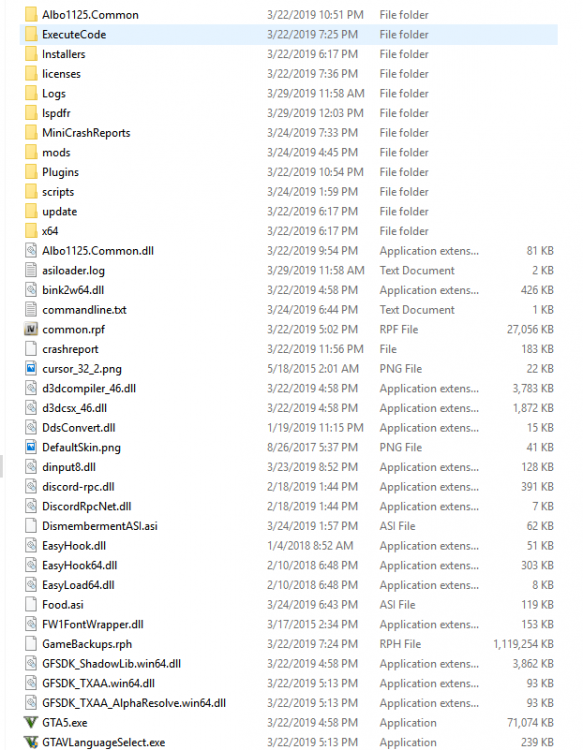
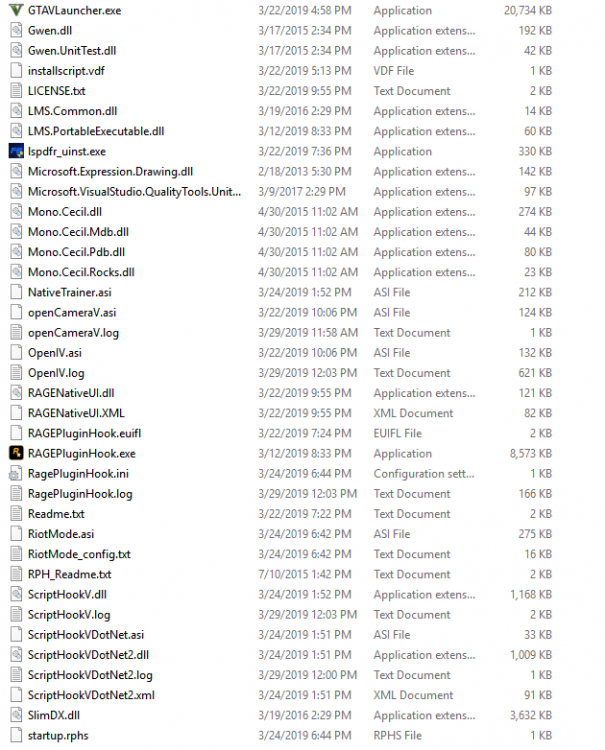
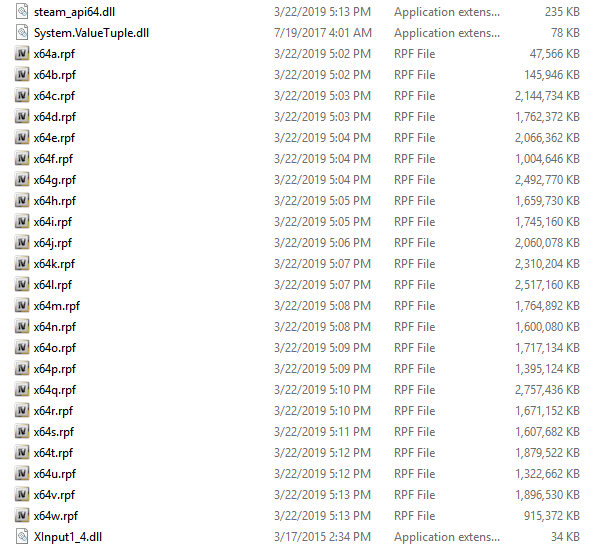
This is my game file. Take a look and see if you can identify any differences.
-
I can't upload it here because it's too big. Also, you have different plugins than I do.
-
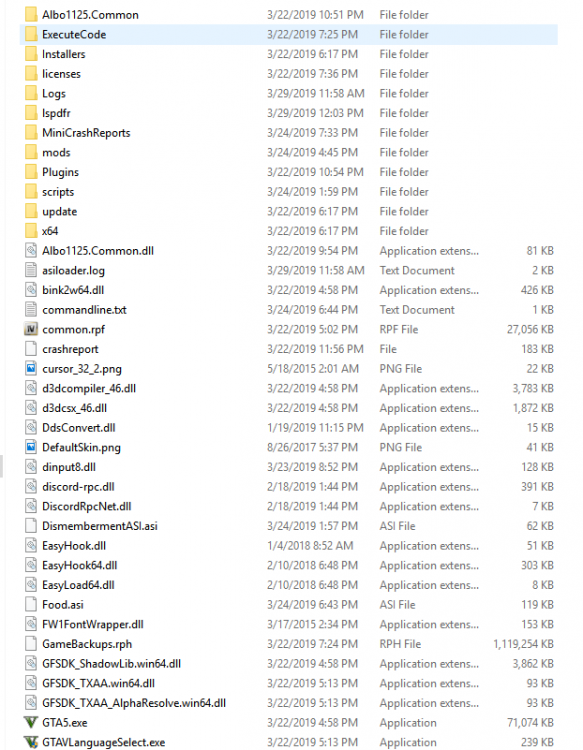
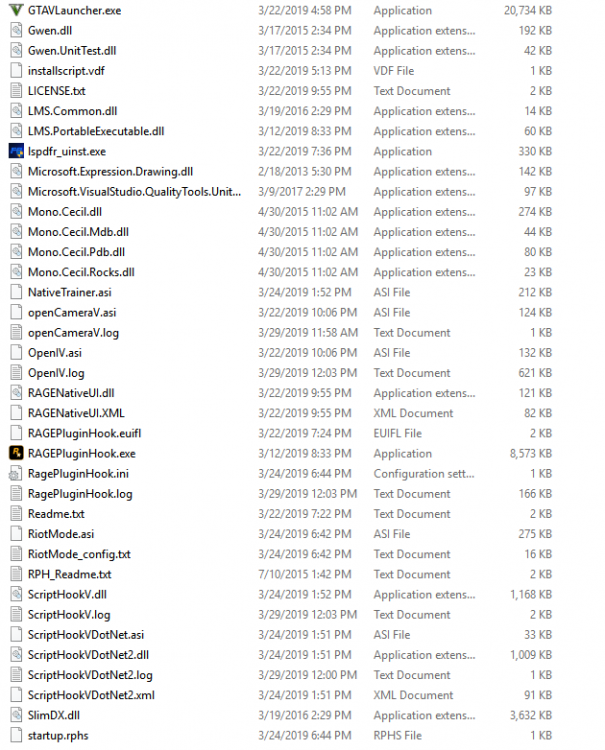
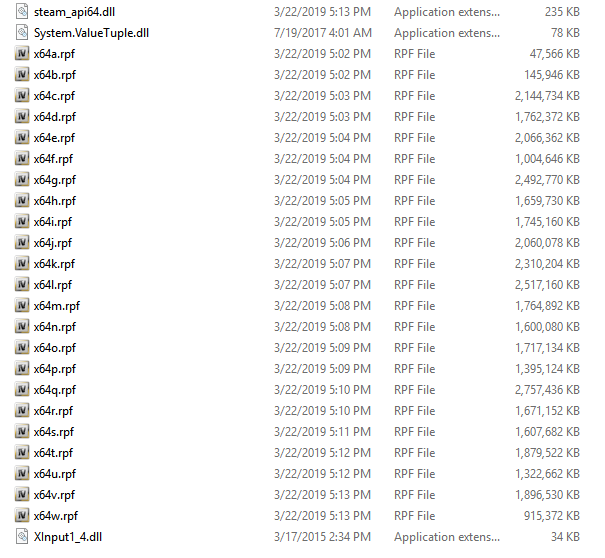
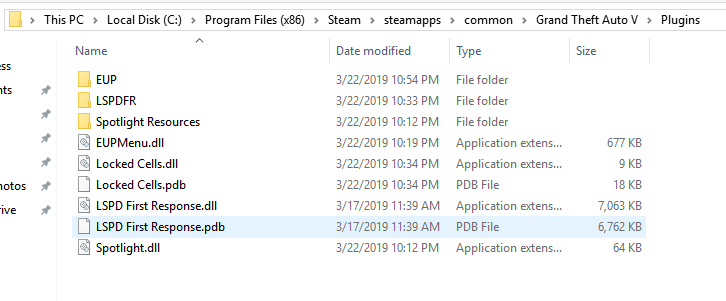
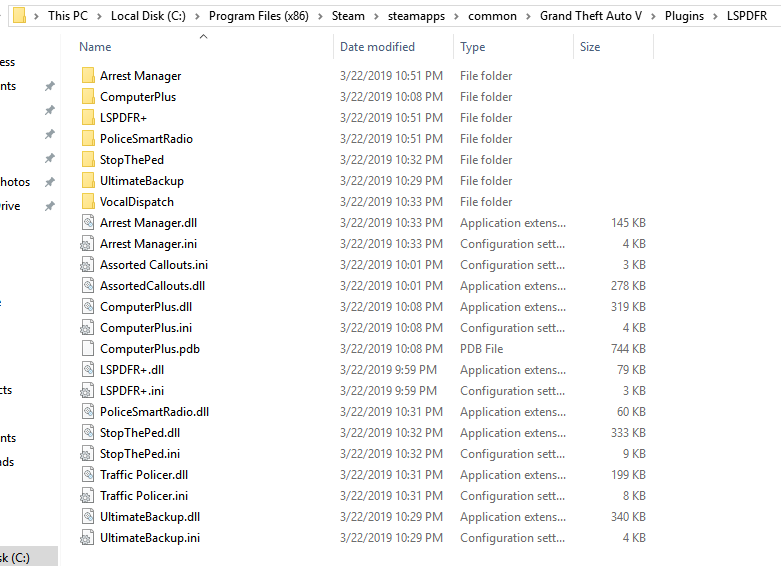
Install NativeTrainerV, re-configure your Rage key (I use F6) from the confilg file located in your root and try it again. These are my files and may help:
-
You re-installed ScripthookV and NativeTrainerV and it still crashed?
-
Install this also:
-
Thats correct, your plugins folder looks good. How about your game folder (where GTAV.exe and Rageexe are located)
-
remove advanced hook and try again. I might be blind but do you have native trainer asi installed? If not, down load and install scripthookV + native trainer.
-
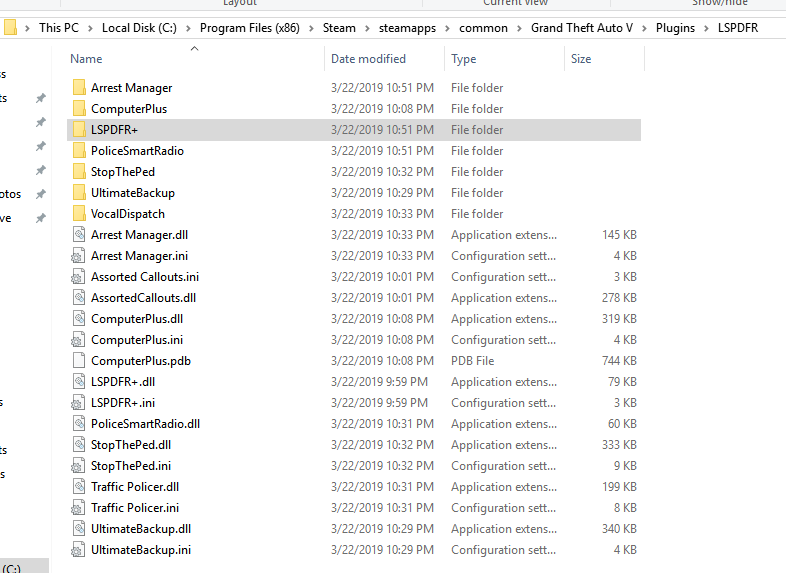
Did you re-download computer+? You may be missing plugin files. I helped a guy with a similar issue and he said that he installed all the files but when we checked he was missing 2 of the 3. Take a screenshot of your game folder (GTAV root) and plugins folder (Program Files (x86)\Steam\steamapps\common\Grand Theft Auto V\Plugins\LSPDFR) and post the images here so we can see what you have.
-
Search "snipping" tool in windows and take a snippit of your game folder so we can see what you have installed.
-
Post an image of your game folder and list any mods you have. LSPDFR .4 has an option that allows you to configure items like your missing arms so there may be a conflict with something you've installed.
-
post an image of your game folder (root)
-
For anyone who see this post, Rieny was missing required files for computer+. He re-downloaded computer+ and then just placed the plugins folder in his root (follow Albo's instructions). He's good to go now.
-
I'll keep looking into it, you definetly provided enough info. Maybe post your RPH crash log or GTAV crash log. Might help but not sure. Sorry I couldn't be more help 😞
-
yeah, whats your address?
-
I really need to see your game folder. Did you find the snippit tool?
-
The last thing I can think of is to disable all startup services you really don't need and then restart your computer. It might be a conflict with another program. I'm kind of out of ideas but it definitely appears to be something with your computer.
-
I assume you have Albo common installed also? It should go in your root GTAV folder where your GTAV.exe and RPH.exe are. A screenshot would really help.
-
look at my file location. Make sure your computer+ is in the same location.