


BendySnowball
Members
-
Joined
-
Last visited
Everything posted by BendySnowball
-
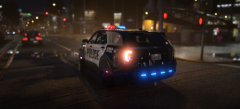 Cool car that won't see any use, due to it being locked behind a $50 paywall.
 -
@CaptainX3 Dude I would love to use that skin!
-
.thumb.png.905c6f6f364a440b687e04410144e8ec.png) Been looking for something like this! Thumbs up from me 🙂 My only request is that you add a spicy Ford Explorer skin.
Been looking for something like this! Thumbs up from me 🙂 My only request is that you add a spicy Ford Explorer skin.- 4 comments
- 1 review
-
Looks like its time for me to get back into LSPDFR...
-
.thumb.png.a266f78098b57e2ea6fa34fd9569bfc3.png) oof
oof -
 First off, I am giving you 4 stars, not because of the callouts, but because there is way too much negativity here. Making callouts is hard, especially for someone just starting, and the first step to making complex callouts is to make some basic ones. Maybe with the GTA callout at the airports, it could be an airport utility vehicle, like an airtug, a ripley, or maybe a fuel truck, and or a security vehicle (ditanette2). Something to if you need help making .rar or .zip files hit me up on discord at: Bendy Snowball#3661 or hit me up at bendysnowball@gmail.com. (preferably you contact me on discord). The callouts coming soon sound very interesting, and I do have one recommendation, you should change the title to add a [WIP] tag in it and it it in so people dont spam you with negative reviews. I will be following your progress. -Bendy Snowball
- 82 comments
- 20 reviews
-
-

- 4
-
-
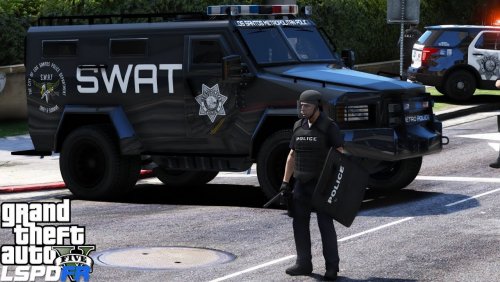 @AFSecurityDepartment I will make a video of me making a WAY better map under 5 minutes.
- 3 comments
- 2 reviews
-
This map is actually terrible. Seriously it looks like you just made this under 5 minutes. Honestly there is no detail at all. 1/5 stars because I cant rate it zero. Make map mods when you can actually learn how to use Menyoo.
- 3 comments
- 2 reviews
-
.thumb.png.e9c9a65964ec8d7f3cb7e4417e2ef419.png) Ok, I will try to fix them in the next update, I honestly am just kind of exploring paint.net and am going to make a bunch of new packs. I will definetely fix the alignment on them because that was bothering me too. Thanks for the feedback!
Ok, I will try to fix them in the next update, I honestly am just kind of exploring paint.net and am going to make a bunch of new packs. I will definetely fix the alignment on them because that was bothering me too. Thanks for the feedback!- 3 comments
- 3 reviews
-
-
This is my first pack and texture pack so please be nicer. I thought it was about time to make a pack that was fictional and not the same as any other state police pack. So I created this. Shoutout to Nathos123 for encouraging me and for giving me constructive criticism. COMING SOON: Unit Numbers on ALL cars (DONE!) FPIS (taurus) coming soon (will be fixed and optimized in the 2.0.0 update!) Police HP Helicopter (air one) unit (coming in 2.0.0 update in a few weeks) Cars Used ---------------------------------------------------------------------------------------------------------------------------------------------------- Dodge Charger: Ford Explorer Slicktop: The Hurks CHP pack (CVPI and Ford Expedition): FPIS or Taurus 16
- 3 comments
- 3 reviews
-
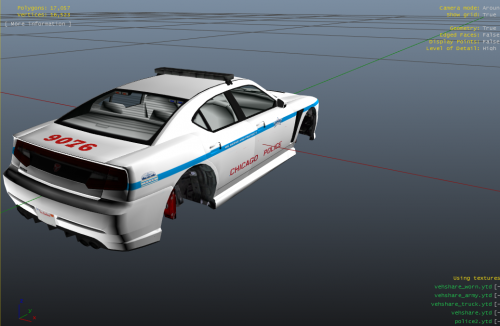 Sorry but I live in Chicago and this is atrocious compared to the actual cars. The CPD currently used FPIU (13/14/15/16/17), FPIS (not sure which make), CVPI (very rare), and Tahoe 2013. Impala is a maybe and the CPD definitely don’t Dodge Chargers. If they do I’ve never seen one before. You can improve this pack immensely (by actually using the cars themselves and also by not using a default gta v vehicle.
- 7 comments
- 2 reviews
-
 I’m gonna use this to add in more vehicles (replace the models you made) to my LSPD and BCSO fleets!
- 371 comments
- 38 reviews
.thumb.png.905c6f6f364a440b687e04410144e8ec.png)
.thumb.png.a266f78098b57e2ea6fa34fd9569bfc3.png)
.thumb.png.e9c9a65964ec8d7f3cb7e4417e2ef419.png)
