



Sheriff Woody
Members
-
Joined
-
Last visited
Everything posted by Sheriff Woody
-
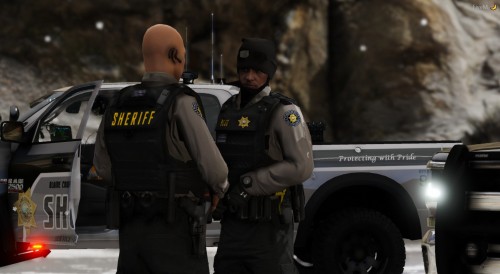 Because it was done for a FiveM community and we replaced all sorts of stuff. Just rename things and replace what you want.
- 159 comments
- 7 reviews
-
-

- 1
-
-
Thanks actually. Might look into it. Just carefully follow the paths and be sure you're checking the models (.ydd) files before you load up your game. If the model has the new texture then it should work fine in game.
- 159 comments
- 7 reviews
-
-
- 1
-
-
Don't even know how to make an OIV so I doubt it. There's three different shirt models so make sure you change the texture for those accordingly. The campaign hat should be pretty simple so I'm not sure what the issue could be there. Not currently, no Yeah just DM me if you want it
- 159 comments
- 7 reviews
-
All you need is the textures. It's about as complete as it will be for now. I've moved on to new projects for the time being Not sure what a Wardrobe file is
- 159 comments
- 7 reviews
-
Depends on where you replaced them. See the pack wasn't really made for LSPDFR so idk how it's gonna react to that. The short and long sleeve uniform shirts should be replacing the default BCSO shirts so they should work assuming they were installed correctly
- 159 comments
- 7 reviews
-
-
The model you mean? It's somewhere in the EUP, shirt 290 if I remember correctly but I could be very wrong. You kinda just have to search for it cause there's a lot to go through lol. Thanks though, hope you enjoy! Pack B and C? There are no packs. It's all in one file unless the upload screwed it up which there is nothing I can do about. Also there are no pants. All of the pants are stock black EUP pants of your choosing.
- 159 comments
- 7 reviews
-
Definitely! It seems like it hasn't been super easy to install for some people so I wish you the best of luck lol. Future packs will have better instructions
- 159 comments
- 7 reviews
-
All the black pants are stock. I don't remember the dress slack but I'm fairly certain they're somewhere between 0 and 50. If you want the black cargo pants they should be located under pant options 48-50 OR 47-49 just depending on the trainers you use. If you're using EUP menu I'd assume 48-50
- 159 comments
- 7 reviews
-
Redneck Non-ELS vehicles. They all use templates from other vehicles though so they should work on most other cars
- 159 comments
- 7 reviews
-
-
Basically. You just need to replace the uniform textures you're wanting to use. So for example if you're wanting to replace the standard BCSO uniform you find it in openIV and replace the texture in the .ytd. That's what the standard uniform is pathed too in the read me. If you want to replace a different uniform like the Corrections uniform as an example, that's pretty much up to you
- 159 comments
- 7 reviews
-
If you're using it for single player then yes you put it in OpenIV, if you're using it for a FiveM server you would put it in OpenIV and extract the .ytd's to your EUP stream folder in your FiveM folder. If that makes sense
- 159 comments
- 7 reviews
-
I don't see why it wouldn't however it wasn't made with LSPDFR in mind so I'm not 100% sure. It's just texture files so I'm sure you could put them in for whatever AI peds you would have as a replaced texture
- 159 comments
- 7 reviews
-
Yeah man I'm hoping others can find good use for them! GSRP was a good time and hopefully we can all get back together again when the timing is right
- 159 comments
- 7 reviews
-
Not sure? For FiveM everything was just streamed in the EUP folder and we didn’t use wardrobe.ini. But yes most of the stuff replaces original Blaine County uniforms to my knowledge, however you can replace any uniform textures you want really
- 159 comments
- 7 reviews
-
-
Most of the standard uniform textures should work for female EUP but I never got around to any specific female clothing as we never had any females/female characters apply to the department
- 159 comments
- 7 reviews
-
Blaine County Sheriff's Office Department Uniform Pack Jordan R. - working with Downrite Customs Initial Date of Release - 6/6/2019 ======================================================================================================================================================= CONTACT INFORMATION DOWNRIGHT CUSTOMS DISCORD: https://discord.gg/3Ym447E LCPDFR Profile: https://www.lcpdfr.com/profile/334613-officer-joe-kerr/My Discord: Sheriff Woody#9582 ======================================================================================================================================================= INFORMATION Hello and thank you for checking out my work. I originally made this EUP set for my FiveM community and tried to include as many options as possible for clothing and standard uniforms. The pack was made to be used with our vehicle designs which were black and grey and the uniforms were perfect match! However after switching to a new department fleet and theme I have decided to release this set of uniforms and clothing to anyone who may want to use it for their single player OR their FiveM community! In addition to the textures I also threw in the custom badge and BCSO logo that was used for the department. You can find installation paths inside the file. Disclaimer: There is one or two textures in this pack that are made for private models that can only be acquired through Discord such as the Fleece Hoodie. If you do not have that model the texture will not work for you. Do NOT ask me for the model as I will not take part in redistributing private assets. [If you see anything that belongs to you feel free to shoot me a message and I will get it removed immediately!] -If you do not know how to replace textures in OpenIV or search through the EUP files to find where things go then you probably shouldn't download this pack. It doesn't include .ytd's, just .png's. If you have requests for any other vehicles I may take some so just leave any requests in the comments. If anybody likes my work and would like to request another project I'm open to doing textures for people so leave those requests in the comments or feel free to send me a message! NOTE: If you are interested in the vehicle textures that go with the pack, send me a message via this website or through discord for the file. It is free to use, however it was initially made for private models therefore I cannot release the skins on this website. However the vehicle skins include templates so they should fit most vehicles! ======================================================================================================================================================= QUESTIONS FOR DRC WITH ANSWERS Q: Why aren't my lights bright? A: You do not have light-enhancing mod (Visualsettings.dat.) Install a mod like RadianceV or something that will make your lights brighter. Q: What visual mod do you use? A: I use Make Visuals Great Again but there are several visual mod options that will suit your preference. Q: Can I use this is my FiveM server? A: Of course, just given credit where necessary and take plenty of screenshots! Q: What is your next release? A: Join the DRC Discord and you will see! Q: Do you do custom orders? A: Yes! Visit our Discord for more information! Q: Will you be the developer for my FiveM server? A: I will not be developing for any FiveM server unless I join a preferred community and they need development assistance. *Do Not Redistribute or Upload to any other sites. *Do not send these files to anyone. *Do not claim as your own. *You CAN modify the textures how you see fit however you can NOT reupload under any circumstances. *I am not responsible for texture loss or issues to your game or FiveM server. Back up all files.
- 159 comments
- 7 reviews
-
-
- 9
-
-
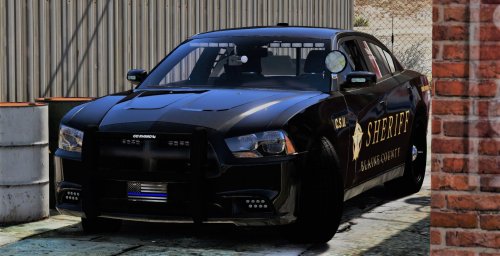 Glad you like them! I will be adding a Taurus along with a new set of Grapeseed skins and a couple of other updates in the future. And I will probably add some skins for a lot of the new vehicles that have been released over the last several months so be sure to check back for updates.
- 49 comments
- 9 reviews
-
-
- 1
-
-
I can but it’s not a vehicle I use so it’s currently not a high priority. If it’s not in the next update I’ll add it after that one.
- 49 comments
- 9 reviews
-
My bad, been busy with some personal family stuff and also been working on stuff for another game. Send some requests and I can definitely work on some new vehicles for sure! Just decided to hold off for a little bit lol
- 49 comments
- 9 reviews
-
I can look into it but it's not a priority at the moment since I personally don't use 13 FPIU's. After I finish some other unit liveries I can check it out
- 49 comments
- 9 reviews
-
Yeah I can add some more Supervisor skins in the next few days. Right now im focusing on a few other units but check back for the supervisors soon
- 49 comments
- 9 reviews
-
-
- 1
-
-
@Trooper Southball Good eye, idk why it put the old ones back in. I'll re-upload Should be fixed now. Not sure what happened there lol
- 49 comments
- 9 reviews

