


.png.bc697d488f5c30928ba95630cc051b4e.png)

xSnowWolf
Members
-
Joined
-
Last visited
Everything posted by xSnowWolf
-
 Computer+ doesn't even load. Which version do I get? 1.3.5.2 right? Because every version just makes my game skip when I try to open it.
- 1,742 comments
- 172 reviews
-
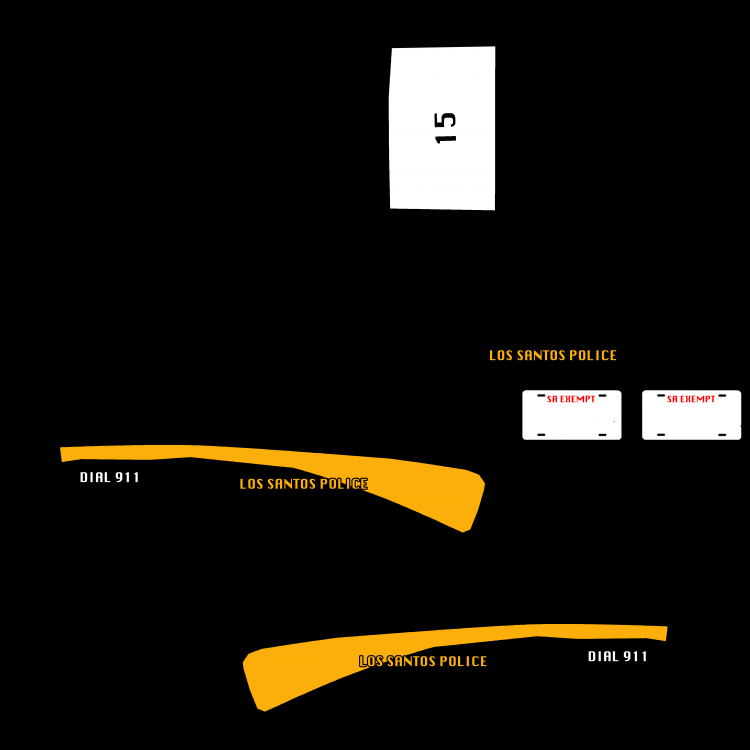
This is Florida's hill now.
-
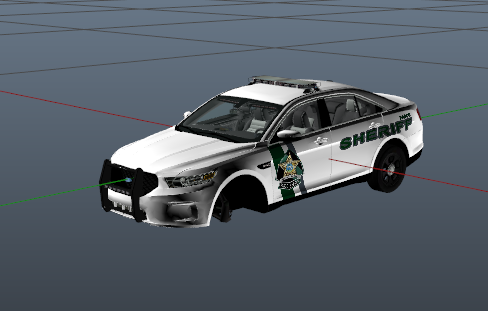 Looks like the real ones!
 -
.thumb.png.5b876ca3ede13f3a1d06b89d376df2ca.png) Hello. Sorry for the delay. Was in a karate class. A link will be checked from the readme and if it is updated I will send another comment. The readme provided this link. This is the vehicle. Sorry if it's not working Make sure you don't have a previous vehicle's pranger+hi.ytd file, if so just go to the default park ranger vehicle outside of your mods folder and copy and put those into your mods folder pranger. Then install the vehicle and texture. Or whatever vehicle you are installing this in.
Hello. Sorry for the delay. Was in a karate class. A link will be checked from the readme and if it is updated I will send another comment. The readme provided this link. This is the vehicle. Sorry if it's not working Make sure you don't have a previous vehicle's pranger+hi.ytd file, if so just go to the default park ranger vehicle outside of your mods folder and copy and put those into your mods folder pranger. Then install the vehicle and texture. Or whatever vehicle you are installing this in. -
You have to find tahoe_sign_1 and click REPLACE and chose the tahoe_sign_1 provided in the download. Worked for me.
-
San Andreas Park Ranger Tahoe ------------------------------------------------ Welcome to my first vehicle texture! I tried my best to make this vehicle crisp and detailed. As I get better at modding and creating textures, I will incorporate more images and aesthetics. This is not my original vehicle! You can find the vehicle link and the skin in the file when you download it. The vehicle included is ELS COMPATIBLE! YOU MUST HAVE ELS for it to work. Any bugs, please don't blame my texture. If you do find issues or want to talk to me, leave comments. If you want to leave feedback, leave a review. Thanks! :D
-
I may just get a slicktop/ other model. Thanks
-
Does it have to be specific to the PRANGER spot? Also, I don't want to remove all tint. Just the lightbar?
.thumb.png.7d7c0e8f9154d48222bc38de3081fc20.png)
-
Hi, I know but I just can't find it. :P Let me look again
-
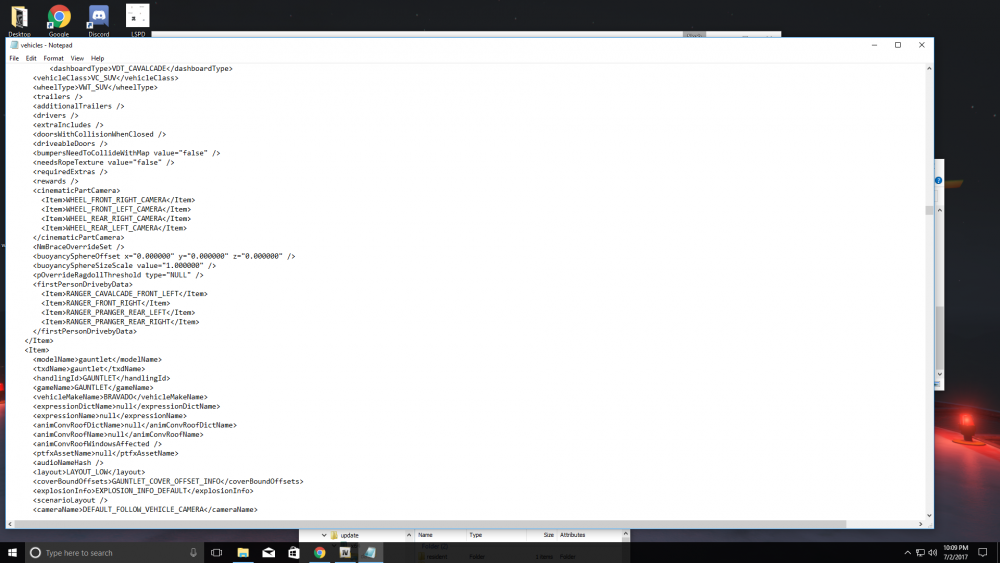
I know how to get rid of a black light bar in game with a trainer, just remove tint! But, how can I remove it permanently and for other cars? I know a certain line of code removes the tint but where? Please help. Also, I am using notepad to open the vehicles.meta and will replace it in OpenIV after I'm done editing. EDIT: I'm trying to fix the pranger spot. Sorry if I don't reply right away. I'm currently sleeping so I will reply ASAP. :)
-
-
RPH - 0.55 gta - Steam is set to always update scripthook- just reinstalled a few days ago. I've done everything
- 1,742 comments
- 172 reviews
-
I've reinstalled 2-3 times and yes I have ran the troubleshooter. I've done everything
- 1,742 comments
- 172 reviews
-
-
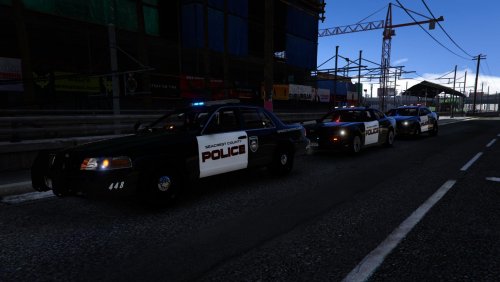 I didn't download, and if you don't like my review then ask me to delete it. I like my current cars, but this looks amazing. However, ALL vehicles say "speed enforcement." Maybe if the charger said that only? It's the only good pursuit vehicle. Just my opinion but great textures dude!
- 1 comment
- 2 reviews
-
-

- 1
-
-
Ok thanks
-
I go on duty with a motorbike and search it using PoliceSearch and RPH just dies. Help? Also Computer+ is continuing to make my game skip. You can find more here.
-
Hi, I'm trying to make a skin for a police bike from Germany or something, but I don't want to see POLITIE. I just need to take the file into an editor and replace it with SAHP. How would I get the file for the skin? Here is the bike:
-
Hey, already found some cool skins but can you solve this?
-
HELP ME I've been trying to get this Computer mod to work for a few days now and nothing has worked. I've installed all versions possible, but no computer pops up. I installed it correctly, but when I try to open it with E or any other key, it just makes my game skip. The computer doesn't even pop up. The plugins I use are, LSPDFR LSPDFR+ ScriptHookV Assorted Callouts Code Red Callouts PeterUCallouts Arrest Manager Traffic Policer Computer + (Duh) Emergency Strobes EUP Menu EUP Serve and Resuce EUP Law and Order Arrest Warrant Better EMS Keep Calm Misc Callouts Police Search I would try a clean GTA backup but doing all of that and reinstalling LSPDFR would take ages. I also included screenshots of my directories. If someone could help, I would appreciate it.
.thumb.png.49e039548c311f3f6150a042389449e7.png)
.thumb.png.f4e76f54dba43b5ba17ba0187780eb0f.png)
-
HELP! I've downloaded every version of Computer+ and nothing has worked! Whenever I hold E or any key i set it to it just makes my game skip. Like it pauses, then unpauses, over and over again and nothing pops up. I have included a picture of my directories AND posted on the Computer+ topic! Thanks.
- 1,742 comments
- 172 reviews
-
I just need a MARKED dodge charger or challenger with a black/white lspd livery. Thanks!
-
Hey everyone, just reinstalled the mods folder and cars. Thanks for the help though!
-
Hey, I think I messed up my Sheriff2 because every vehicle I install has a black lightbar. Every other car is ok though. Help!
-
Gonna continue installing mods but I'll start a dm for the future. mods close this topic


.thumb.png.5b876ca3ede13f3a1d06b89d376df2ca.png)
.png.b2e49194f947813f318bffcf1b01d089.png)

.png.85503e488fc5eb5f7e7ed4fed8fa722b.png)
.png.9d4e59c0cda915f2adc970ca86c197b2.png)