


.png.bc697d488f5c30928ba95630cc051b4e.png)

xSnowWolf
Members
-
Joined
-
Last visited
Everything posted by xSnowWolf
-
 No, you decided to start it up again. I review the way I want to review. The pack isn't the best but it's good. that's why I gave 3 stars at the time. Either end the conversation or don't send a message saying "I'm done with this conversation." Because you aint getting anywhere in life with that
- 10 comments
- 3 reviews
-
I review the way I want to review. So it shouldn't matter. It's my personal opinion. Didn't look like it to me. I guess I'll just change my review.
- 10 comments
- 3 reviews
-
In the screenshots I saw it says "Kern County" 2. I made my OWN park ranger vehicle ttexture, so that's why I didn't download the file 3. CVPIS just aren't normal for me to see as PR. At least in Florida
- 10 comments
- 3 reviews
-
 Please read the README! I know this has been done, but mine is perfect. Like, great glow and darkness balance. Sorry for the lack of screenshots. Will be more in 1.0.1
 -
 THANK YOU! Made my FPS go from 45 with KeepCalm to 70 with StopSh*ttngBricks! Approved.
- 29 comments
- 21 reviews
-
Where do I change that? Like "gamename" or what do I change cuz I have the spot here for riot It doesn't really matter because I have Alfredo Helper but if I can change it for pullovers and stuff would be cool
-
When I search the back of the van it doesn't give me a loadout but random stuff I think this is because it doesn't have the flags How do I change that?
-
Aw that stinks...
-
Well maybe when posting a topic, you should have a popup that describes the section because RDE does work with LSPDFR so that doesn't make sense. Aw dang. Haven't installed it but does it give you more agencies options when going on duty?
-
Want RDE but is there an uninstaller because I don't want to reinstall GTA V completely
-
-
:) Also. would you recommend keep calm mod or stop shitting bricks? Cuz Idk. Animals don't panic and AI acts odd wth Keep Calm lol Sorry but also do you know how to reduce the 46EEK572 plate chance?
-
It worked! Thanks a lot. :) Sorry I'm kind of a noob lol
-
ok thanks let me try it Also made a new vehicle texture gonna update it in about 5-10 minutes if you want to see.
-
I sent the latest screenshot. <modelName>pranger</modelName> <txdName>pranger</txdName> <handlingId>PRANGER</handlingId> <gameName>PRANGER</gameName> <vehicleMakeName /> <expressionDictName>null</expressionDictName> <expressionName>null</expressionName> <animConvRoofDictName>null</animConvRoofDictName> <animConvRoofName>null</animConvRoofName> <animConvRoofWindowsAffected /> <ptfxAssetName>null</ptfxAssetName> <audioNameHash /> What do I change the handling to? Baller? Do I change it to Baller?
-
Ok I'll try but it always goes to FELON This it?
.thumb.png.cf421bd249984ba4daee68ab1640d7c7.png)
.thumb.png.d4943032012b4877373d15575c21bf53.png)
-
Oh ok. What do I search in Notepad because I search PRANGER and I DONT FIND IT :( So what did you search?
-
I'm looking but Notpad says "Can't find '<modelName>lsdaw3</modelName>
-
Yeah I did but WHERE is the handling line? like where do I edit it :P
-
No a Tahoe. I searched "PRANGER" and it pulled that up
-
Keeps turning and rolling. Changing the handling line but IDK where to change it. Here's a screenshot and the .meta vehicles.meta
.thumb.png.7aa8ebb494ab21e7524dc7dcd5039bd9.png)
-
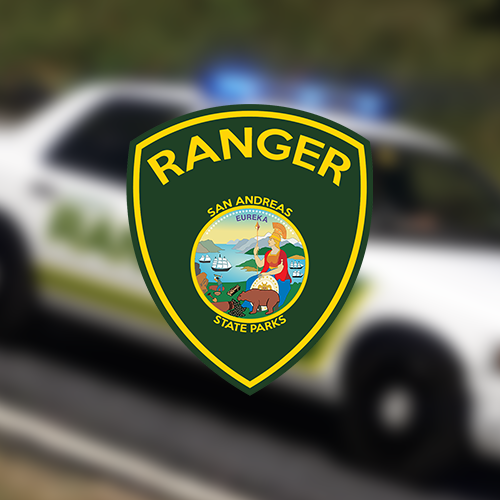
.thumb.png.5b61211f2b26de06cb6b49ce97aaa187.png) San Andreas State Parks FPIU - Park Ranger FPIU Some of this information can be found in the Read Me also. Please read it! The vehicle file is here: INSTALLATION: Option A 1. Access the vehicle's slot you installed the Tahoe in. 2. Double click on example.ytd. 3. Find "exp_sign_1,2,3" 4. Click replace for whichever you want to replace. Option B 1. Access the vehicle's slot you installed the Tahoe in. 2. Double click on example.ytd. 3. Find "exp_sign_1,2,3" 4. Click "Delete" on all of the skins (exp_sign_2,3) except "exp_sign_1." 5. Finally, click replace and replace the current skin with my texture. WARRANTY: I'm not responsible for any damage to your system, Grand Theft Auto V game, or any other product/game. YOUTUBERS: Please credit me in your videos for the texture, and credit Thehurk for the Tahoe model. Google any common issues or look in the forums of LSPDFR.com Thank you and have a great day! :D KNOWN BUGS: Ford Logo covers a part of the San Andreas State Parks logo in the back. You can probably remove the Ford logo in the .ytd, I'm not sure.
San Andreas State Parks FPIU - Park Ranger FPIU Some of this information can be found in the Read Me also. Please read it! The vehicle file is here: INSTALLATION: Option A 1. Access the vehicle's slot you installed the Tahoe in. 2. Double click on example.ytd. 3. Find "exp_sign_1,2,3" 4. Click replace for whichever you want to replace. Option B 1. Access the vehicle's slot you installed the Tahoe in. 2. Double click on example.ytd. 3. Find "exp_sign_1,2,3" 4. Click "Delete" on all of the skins (exp_sign_2,3) except "exp_sign_1." 5. Finally, click replace and replace the current skin with my texture. WARRANTY: I'm not responsible for any damage to your system, Grand Theft Auto V game, or any other product/game. YOUTUBERS: Please credit me in your videos for the texture, and credit Thehurk for the Tahoe model. Google any common issues or look in the forums of LSPDFR.com Thank you and have a great day! :D KNOWN BUGS: Ford Logo covers a part of the San Andreas State Parks logo in the back. You can probably remove the Ford logo in the .ytd, I'm not sure.- 4 comments
- 1 review
-
-

- 1
-
-
-
Mount Chilliad, Raton Canyon, Mountain Lions, Deers grazing in a field. You name it, it's here. Beautiful pictures of nature while patrolling as Law Enforcement.
-
.png.5cf581d81c8f72900aaf15a223091b7c.png)
From the album: Beautiful Patrol Sights
Raton Canyon images from 7/6/2017

.thumb.png.5b61211f2b26de06cb6b49ce97aaa187.png)
.png.ef52652a112cb322dd09d6f9e13bf72a.png)
.png.c6d7529534fc2d51414301a0e9095d4d.png)
.png.d7578f8a33a4c2448375c2186cf105a5.png)
.thumb.png.1725285dd85eea6e5b44124588de4d3d.png)
.png.5cf581d81c8f72900aaf15a223091b7c.png)
.png.892eb64d2c5edf5bf2f9afecabd9a8e6.png)
.png.dc15fa72b4d84a14133af630f4f7073e.png)
.png.80a8b670fd9c3d30db12df6b13fa1768.png)
.png.851a9407804c971c46d1c117558bd2fd.png)
.png.4bc5a38b6ac99a1199eea992e8fbc735.png)