andrewayad
Members
-
Joined
-
Last visited
Everything posted by andrewayad
-
I have EUP Menu and EUP Law and Order installed. I am trying to install the CHP uniform that is on the lcpdfr.com website. For some reason, I cannot get it working. I tried dragging and dropping all files individually and also tried to drag the original folder in but get nothing. How to make sure that a custom uniform is installed correctly and working. Does EUP conflict with these uniforms?
-
I thought I posted it at first in the wrong place. I deleted the GTA V folder containing all the .dll files for LSPDFR and Rage Plugin Hook and I'll try adding them to a new GTA copy.
-
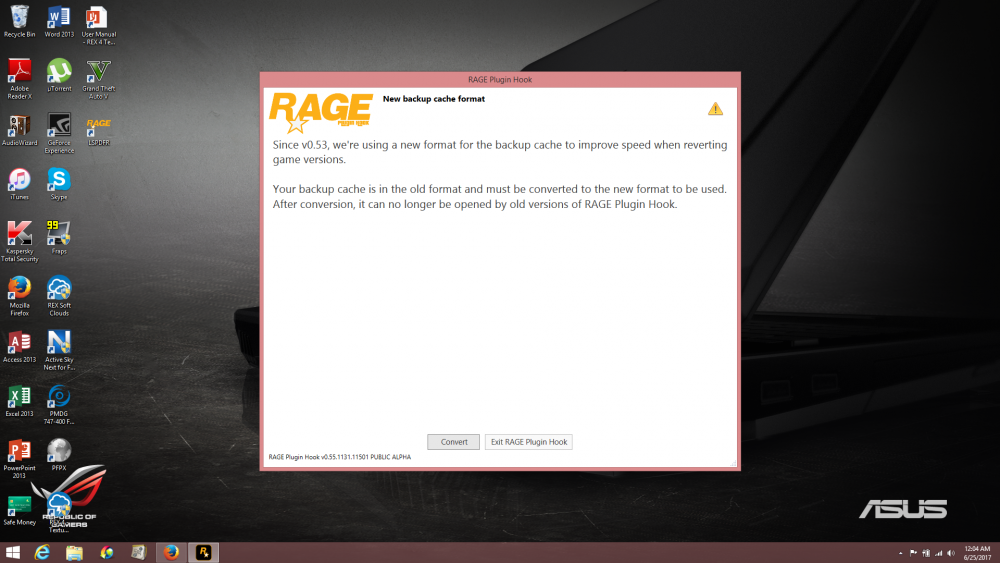
Hello, I am experiencing trouble with Rage PluginHook v0.55 I am using a retail copy of Grand Theft Auto V. I have the latest update of GTA V. I copied the Rage files inside the GTA main directory along with LSPDFR. When I open rage plugin hook, I get a screen concerning the backup cache then it crashes. Here is a screenshot below before I click on convert then Rage Plugin Hook crashes. I am currently unable to play LSPDFR at all.