



ScreamingFrancis
Members
-
Joined
-
Last visited
Everything posted by ScreamingFrancis
-
It's included in 0.4. You will be able to customize your buddy in almost any way. I think they will implmement EUP features in 0.4, but you will be able to change features like in GTA Online Character Creation. There are not so many stock uniforms for females, so we will see about that in any case.
-
Well, what are the features you wait the most? For me: flashlight proper holding, included character menu and house.
-
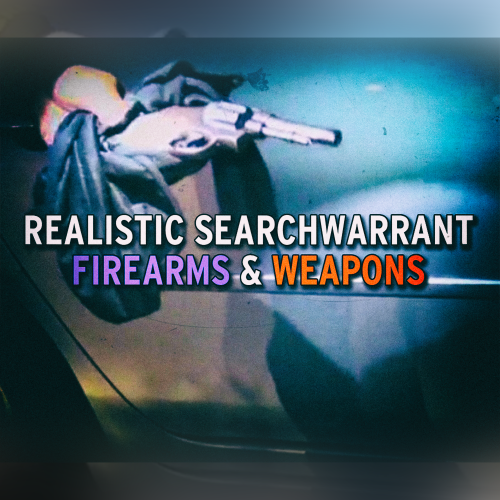 Keep in mind that yellow and red don't always mean a crime has been committed. If you find a gun but the person you found it on has a valid permit, he has the right to keep it.
- 4 comments
- 2 reviews
-
-

- 1
-
-
We can finally identify weapon models, their status and how they are kept or concealed. A very nice addition to the original mod, thank you.
- 4 comments
- 2 reviews
-
-
- 1
-
-
Exactly.
-
Imagine how coool LSPDFR 1.0 will be. Well, in 3019 maybe.
-
It's almost march already, where's the update smh 😡
-
LSPDFR Arthur! I have a PLAN!
-
Can't wait, just one more day until february!
-
Ok I am trying to replicate your method and it works one time out of two. The size of the file seem to matter in any case, the bigger the file, the bigger the chance it gets disconnected before completion. I am still trying to find some sort of download log to explain why this happens, my total guess right now is the Country we are downloading from, but again, it's a guess. EDIT: just downloaded a big car pack. First time completed, second time disconnected. Confirmed randomness. EDIT 2: Downloaded ten more files from both sources, no problem whatsoever. Whatever it was, it seems to be solved for now, so I'd call this Thread closed.
-
-
-
For anyone wondering, no files bigger than 500Kb can be downloaded from the website right now. Issues are definetly on the site's end, so we all hope they can fix this in the close future 🙂 WORKAROUND: Select "choose another method" in the download page and switch to the Paris server. That one works well.
-
-
 Simply stunning. For anyone who wants the Sheperd as a K9 unit in Herocop: Just add "Sheperd" (without the ") in the available races listed in the .ini file Herocop police buddy doesn't work, but the K9 is still 100% operational. Happy sniffing everybody!
- 134 comments
- 33 reviews
-
 No, the mod is outdated and out of development it seems. The K9 seems to work fine though.
- 542 comments
- 98 reviews
-
You can't, the script is not optimized to last long. As it crashes, just reload everything and start again.
- 356 comments
- 140 reviews
-
The script is old and the game is even older. Errors pop up if the mod is left to rot without constant updates and such. Since the dev moved on, I guess Policing Script is good as dead. It kept crashing my game, so I uninstalled it and got no crashes at all after that.
- 356 comments
- 140 reviews
-
Some lights in the front and back just stand still, even if you change ELS pattern!
- 14 comments
- 13 reviews
-
This is the most realistic mod I have ever seen after LCPDFR, props to you sir!
- 90 comments
- 26 reviews
-
.thumb.png.89d479af631653fefb1c508c84b8ea55.png) Ok, I sorted it and will post here: 1) Extract everything in a folder on Desktop 2) Make sure you have OpenIV (SparkIV is outdated) 3) Make sure you have ELS v8.5x installed (this mod is compatible with ELS only) 4) Open "ELS configs and Slotcontrol", copy and paste everything in the ELS folder located in your root directory. (This will enable special features) 5) Open "Handling & Vehicles data", then OpenIV and go to common/data; enable Edit Mode and paste everything there. (This will change vehicle handling dramatically) 6) Open Ped folder and then "componentpeds" and "pedprops" individually. 7) Using OpenIV, go to pc/models/cdimages. Open componentpeds.img and extract "componentpeds" folder content there. Do the same for "pedprops", this time extracting everything in the respective "pedprops.img". (This will add new textures to cops) 8) Open "vehicle files". Here comes the funny part: you are free to install all of these cars, but some of them will replace Ambulances, Firetrucks, NOOSE stockades, etc... your choice. 9) Open the car folder you want to install and, using OpenIV drag and drop everything in pc/models/cdimages/vehicles.img 10) You are free to install every car or just one of them. Installing other cars coming from outside this pack will affect their handling and deformation, but not their look. Hope this helps everyone. Tricky method, but it works. Something is probably missing, check my guide in the latest comments.
Ok, I sorted it and will post here: 1) Extract everything in a folder on Desktop 2) Make sure you have OpenIV (SparkIV is outdated) 3) Make sure you have ELS v8.5x installed (this mod is compatible with ELS only) 4) Open "ELS configs and Slotcontrol", copy and paste everything in the ELS folder located in your root directory. (This will enable special features) 5) Open "Handling & Vehicles data", then OpenIV and go to common/data; enable Edit Mode and paste everything there. (This will change vehicle handling dramatically) 6) Open Ped folder and then "componentpeds" and "pedprops" individually. 7) Using OpenIV, go to pc/models/cdimages. Open componentpeds.img and extract "componentpeds" folder content there. Do the same for "pedprops", this time extracting everything in the respective "pedprops.img". (This will add new textures to cops) 8) Open "vehicle files". Here comes the funny part: you are free to install all of these cars, but some of them will replace Ambulances, Firetrucks, NOOSE stockades, etc... your choice. 9) Open the car folder you want to install and, using OpenIV drag and drop everything in pc/models/cdimages/vehicles.img 10) You are free to install every car or just one of them. Installing other cars coming from outside this pack will affect their handling and deformation, but not their look. Hope this helps everyone. Tricky method, but it works. Something is probably missing, check my guide in the latest comments.- 35 comments
- 8 reviews
-
I have been running some tests with LCPDFR 1.1 on GTA IV 1.0.7.0 and have experienced dozens of different crashes everyday. After re-installing and checking every single mod for issues, I have found possible fixes for the annoying crashes every 10-20 minutes of gameplay (NOT LCPDFR crashes). I will list them below. My Mod list: - ASI Loader - Scripthook - Simple Trainer - 1.0.7.0 downgrade - LCPDFR 1.1 - ANPR script - Indicator Script - Callouts+ - PoliceHelper - Towing Service - Coroner Script - Breathalizer Script - Policing Script - ELS v 8.5x - NYPD car Bundle - FDNY Ambulance - NYFD Seagrave Marauder Here follows my fix list for some of the most known problems: 1. Apparently LCPDFR doesn't like ENB presets at all. I have discovered that removing ENBs and IcEnhancers dropped crashes from 10 to 1 per hour of gameplay. 2. Too many scripts might overload the game, which is fragile already as it is. Keep scripts below 10 and the game should run fine. Also, conflicting key binds cause trouble. 3. Some car mods break the engine very badly. If you play LCPDFR, do not mod anything out of the police cars, too many poly modifications may lead to continuous crashes. 4. ELS works better when AI feature is disabled. Chases are less "spectacular", but at least you don't crash every minute. 5. Policing Script cannot handle more than 3-4 callouts without crashing. No fix for now, just reload scripts if possible. 6. Commandline is very important. I had some invisible textures after downgrading to patch 7 and had to rewrite the commands from scratch. Keep in mind every PC setup has it's own command list. That's all for now. I will update this list as I find more stuff.
-
-
-
Ok, here's the problem: I have the Steam version of the game, with the Patch 8 on, so I had to downgrade both GTA IV and EFLC, but applying the downgrade screwed the game up: I simply couldn't start it anymore, no matter what I did. Didn't even try to install LCPDFR there. I decided to leave Steam version alone and tried to download an unproper game version by Prophet, who had the Patch 7 version and tried to install LCPDFR on that, but the install asked me to "put the files in the same directory of my EFLC folder", which I did. As a result, EFLC didn't work anymore and GTAIV didn't read the LCPDFR at all (Alt + P and stuff). I checked the Diagnostic tool and it said everything was ok, although the mod was installed in another folder. Changing the installation folder to GTAIV root folder had the result of screwing the game up even more, giving errors and errors, and it's patch 7. Again, I know that developers do not support unproper game users, but I had no other way to downgrade my GTA IV! Am I missing something? I need some help to fix the Steam version downgrading somehow or the unproper version at least. My specs: Windows 10 Home 1703 Intel(R) Core(TM) i7-4510U CPU@ 2.00Ghz 8,00 GB RAM 64bit System

.thumb.png.89d479af631653fefb1c508c84b8ea55.png)