



madcarrot
Members
-
Joined
-
Last visited
Everything posted by madcarrot
-
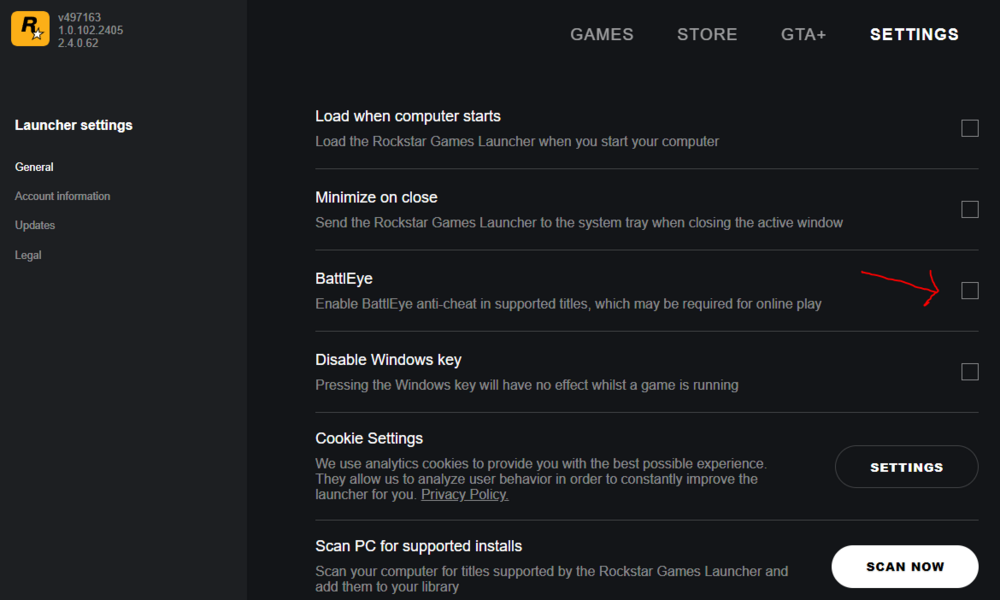
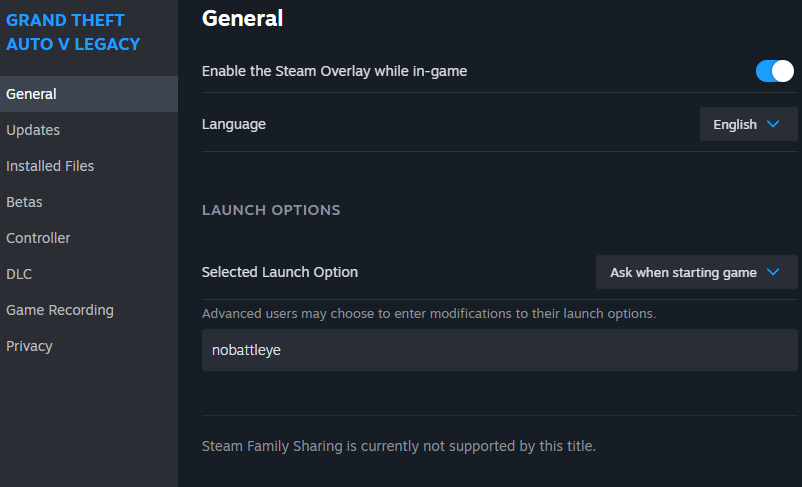
So my problem is I cannot disable battle eye. I have disabled it thru rock star game launcher and have gone into steam and within gtav properties and in the general section typed nobattleye as described online. Still shows me the message disable battle eye. I am out of options at this point
-
Update, Battle eys is blocking me. I have gone thru the steps to disable it. logged into rock star and un checked it. Still get the message that says disable battle eye. Tried to uninstall it and could not find the uninstall in the folder within the game folder. I am at a loss here
-
I've read some to the post regarding crashes and freeze upon launching rage, Here is my issue. Just installed a clean copy of GTA V on my laptop. I have the current LSPDFR, rage plugin hook that came within the manual install version, installed latest scripthookv and the RAGENativeUI.dll. no pluging selected for launch as of yet. When I launch Rageplugin it starts loading then it stays stuck at launching game. If I launch the game without rage it loads. What could be holding it up. Also most of the topics regarding this have no replies and those that do do not apply to me.
-
Where is the English version of stop the ped? I see every language but.
-
No more crashing, thank you very much
-
I will look at this and report back. Thank you for reaching out.
-
Anyone?
-
I have tried several ragenativeUI and still crashing. RagePluginHook.log
-
I downloaded the most up to date ragenativeui 1.9.2 and it still crashes at game launch.
-
Where is the EUP menu.ini file. Did not see it in the EUPmenu.zip file. unable to open EUP menu disregard, found it. however it keeps crashng when rage hook starts
-
I got it working, Did a fresh install and forgot some important steps. So far so good. Now I have some plugins and scripts to install. one at a time.
-
now that I,ve installed rage hook, the rage hook stops at loading game and never loads.
-
Thank you very much, I have been banging my head against the table.
-
Currently the LSPDFR is encountering issues where I get an error with the host not found and when I get back on it is very slow, so that being said I am currently unable to search for the latest rage hook. I took a year brake for lspdfr and many updates have happened, for me I need the rage hook plugin and a note states that the plugin can be found in the download section. Where? which page number? can someone send me a link if possible. I hate to ask.
-
yes. I was hoping they fixed that. you may want to send this to sam. I sent him my ragehook txt and he said it would be fixed in this update. maybe the same problem.
-
what version are you on? I have that same problem on 4.2 and was told that would have been fixed in 4.3. I have not updated yet, still waiting for most bugs to get resolved.
-
That is interesting. I bought a 1 Tb M.2 drive today so I am going to install a fresh copy and start from scratch with 4.3 and if it doesnt go we I can just swap SSDs and play for a while until all is good. I appreciate your game status, It helps me think in resolving future problems. Please if any one else is having luck reply here so we can have a positive action, Its not good to read allot of post with crashing problem and negative results with the new update. Thank you JBin818 for your feed back.
-
I have been reading all the post on here and in the support section and it almost seems like allot of users are encountering allot of crashes. Maybe due to outdated plugs or unstable lspdfr. I think I will remain on .4.2 until most problems resolved. IF YOUR .4.3 IS WORKING please reply here so other users can see the percentage of stability with minimal bug play ability. THX IN ADVANCE
-
yes that was it. I don't remember anything else.
-
yes, I remembered. you have to go into ELS and change a key bind. forget what its caled. lok in ELS config.
-
I only got the message once and has not repeated. weird.
-
Computer plus stopped working. It will not come up in vehicle or on foot.
-
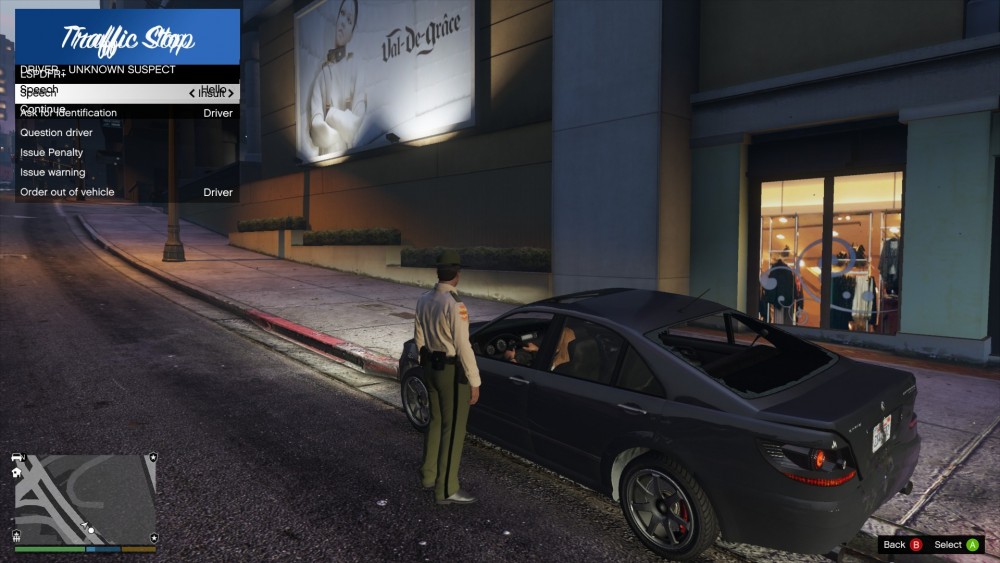
At a traffic stop when I talk to ped the traffic stop menu is double. Why?
-
I was just playing and lspdfr alerted me with a new version is available. 4.2.3, has anyone received that message. if so where do I find that version.
-
ok, thxs



