
TheOfficerMatt
Members
-
Joined
-
Last visited
Everything posted by TheOfficerMatt
-
An alternate way is by changing the "other emissive light" setting on the VisualSettings.dat (I believe it's called)
-
Try to re-install it. If that doesn't work, you can install another program called SparkIV -- which does the same thing.
-
First, please put the details in a spoiler so I don't have to scroll for like 5 minutes. This happened to me. Just reinstall the entire game and it should work!
-
You can change the default ELS keys by changing them in the ELS.ini. There, you will see numbers, that represent the key. To view the key code to see which letter is represented by a number, use your ELS Documentation pdf that you get when you install ELS.
-
omg same
-
Message a good developer who is willing to take requests.
-
Yes, there is a way to force the AI to have a pushbar. You can remove the other models that don't have the pushbar -- by using Spark IV and opening the model.
-
Yes! But, make sure your laptop runs w/ at least the following specifications: OS: Windows 8.1 64 Bit, Windows 8 64 Bit, Windows 7 64 Bit Service Pack 1, Windows Vista 64 Bit Service Pack 2* (*NVIDIA video card recommended if running Vista OS) Processor: Intel Core 2 Quad CPU Q6600 @ 2.40GHz (4 CPUs) / AMD Phenom 9850 Quad-Core Processor (4 CPUs) @ 2.5GHz Memory: 4GB Video Card: NVIDIA 9800 GT 1GB / AMD HD 4870 1GB (DX 10, 10.1, 11) Sound Card: 100% DirectX 10 compatible HDD Space: 65GB DVD Drive Recommended, but not required is the following: OS: Windows 8.1 64 Bit, Windows 8 64 Bit, Windows 7 64 Bit Service Pack 1 Processor: Intel Core i5 3470 @ 3.2GHZ (4 CPUs) / AMD X8 FX-8350 @ 4GHZ (8 CPUs) Memory: 8GB Video Card: NVIDIA GTX 660 2GB / AMD HD7870 2GB Sound Card: 100% DirectX 10 compatible HDD Space: 65GB DVD Drive Hope this helps!
-
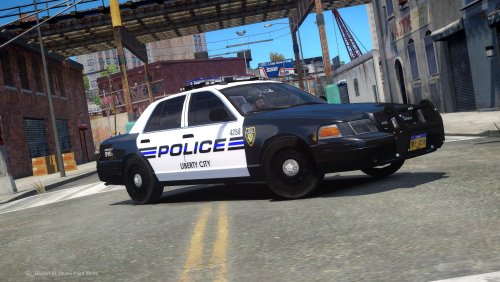 I have your impala, and same skin. LOVE LOVE THE SKIN!! This model is amazing!
- 6 comments
- 8 reviews
-
-

- 1
-
-
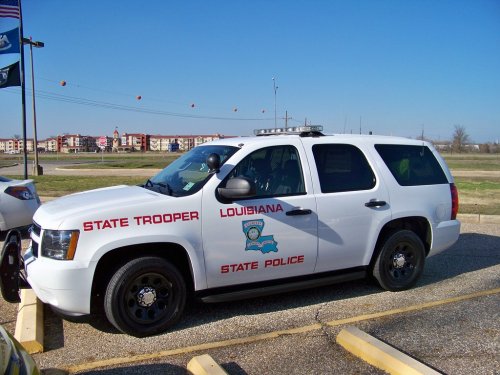 the skin is ....
 -
Thank you. I am new, and I did do that and couldn't find anything. Thanks, though.
-
Every time I attempt to link my LCPDFR account to in-game, I get presented with this error: http://prntscr.com/f8k02i If anyone knows a fix, please let me know. Thank you.
-
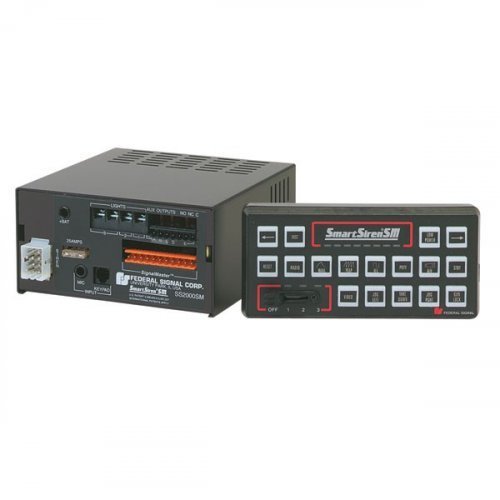 The GTA V siren optimized for GTA IV! ▬▬▬▬▬▬▬▬▬▬▬▬▬▬▬▬▬▬▬▬▬▬▬▬ This is my first ever siren. I hope to make more in the future!
- 3 comments
- 3 reviews
-
-
- 1
-
-
-
-
After almost every pursuit I had, and when the driver exits the vehicle, my game crashes. Also, during pursuits, it is VERY VERY laggy. If anyone has any suggestions on how to fix my issue and for my game to run smoothly, please let me know!
-
Thanks. Just started re-installation of the game.
-
-
Hello, guys. I need some help. Ever since I upgraded to Windows 10, I can not launch GTA IV via the launcher. I tried through Steam, did not work. I researched everywhere on the internet and still could not find a solution to my problem. I can get the GTA IV Social Club up, but then when I hit "Play" nothing seems to open. I saw about getting cracks and stuff -- however I am wondering and asking if there is a alternate way to launch GTA IV on Windows 10. **Sorry! Put in wrong section on fourm. Can't figure out how to move/delete.* Thanks!
-
Ayyy. I love FirstThirtyMinutes -- one of the first LSPDFR/LCPDFR YouTubers I watched!

.thumb.jpg.d1c7827a862f293683ef247885f6ffdd.jpg)