


steveocaster
Members
-
Joined
-
Last visited
Everything posted by steveocaster
-
 LSPDFR crashes every single time whenever I enter the cop configurator screen. Any ideas? I really want a dog partner 😞
- 542 comments
- 98 reviews
-
-

- 1
-
-
I still play mine just fine, as of last night. Even added more mods. But I'm amazed at how many people have signed this petition. Last time I checked it, there were about 20kSince I'm prohibited from speaking about this in the protest forum, I know how to still be able to use lspdfr. If you're interested, message me. Assuming this doesn't get deleted as well. Just trying to help people..... How is what I said irrelevant... And ya kinda need RagePluginHook to run lspdfr. If Steam auto updated your game, RPH 52 no longer works. if you update to RPH 53, even if you downgrade your GTA, the new version of RPH still won't work. I really don't understand how what I said is irrelevant, or unrelated.So wait, we're all mad about the same thing, but me providing files directly from my computer, that will allow everyone to continue playing the mod that the community is based on is not allowed?Almost. Luckily, I still had Ragehook 52 in my DL folder, which only supports patch 1032. Ragehook 53 only supports 1033. So I removed RH, reinstalled 52, declined the update. I also declined to uninstall OpenIV. Also, luckily, I have 3 backups of my GTA V folder, so I replaced my default folder's GTA5.exe, GTA5Launcher.exe, and installScript.vdf with the ones from one of my backups. Then, I disabled auto update in Steam. Now, for me at least, RH wouldn't launch the game, it threw an error saying the game wasn't launched via Steam. So I learned that if I launch it from Steam, then run RageHook, it works. I am now happily patrolling Los Santos again!YOU GUYS I FOUND A WAY AROUND IT
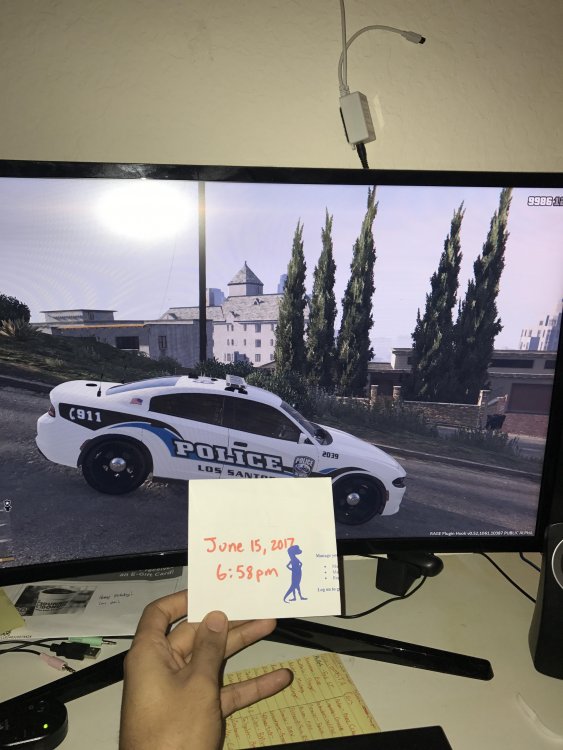 So, probably a stupid question, but I can't try it myself yet because I'm at work and just found out about this news. Last night, my GTA updated in Steam, along with a few other games. Didn't think anything of it. Obviously, now, some of my mods won't work, but I also have 2 backups of my game folder. A vanilla, and another version with LSPDFR and a few replacement cars installed. If I change the game folder to the backup folder (i.e., change the folder's name) and disable auto update (if that's a thing), would I still be able to use my mods with no problem? Modding was the only reason I bought this damn game for PC, and LSPDFR accounts for about 80% of my Twitch content.

