


Sergeant Harris
Members
-
Joined
-
Last visited
Everything posted by Sergeant Harris
-
From the album: Sgt. Harris' Album
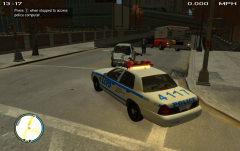
Both Drivers Were critital condition, and Rushed to Algonquin Medical Center, and are Now Stable. Sgt Harris Returned to His Cruiser as they were Being prepared for Transport to The Hospital, and Filled out a Report. Sgt Harris Said, "I can NOT stress enough the safety of wearing seatbelts and following the road laws." -
From the album: Sgt. Harris' Album
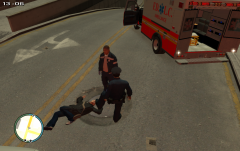
While Speaking With the Medic, Sgt. Harris Steps in a bit Of Blood. The Feroci Suffer a huge ammount of Damage (As Seen in "On Scene of a MVA #1") Both the Young Male and Female, Sufferd Major Injures, The Medic, had called for second Ambulance through Dispatch. -
From the album: Sgt. Harris' Album
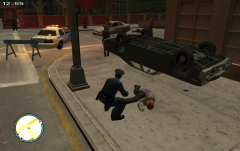
Sergeant James Harris of The LCPD, Witnessed a MVA, and was first one scene, He called for medics and Tried CPR on the Lady who Was driving the 74' Dodge Monaco, She ran a red light and hit the front of the Feroci, and rolled over while smashimg into the store front, The Feroci, front end was crushed by the Huge Car. -
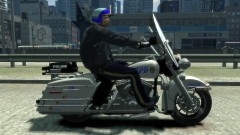 I wish I had this! It's Epic!
 -
I When Ever I load a new trainer I set my settings then save it.. in fact I save for each Edit I do.
-
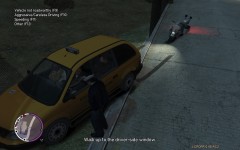 Using a taxi to pick up Prostitutes is very sad and lame
 -
This is Simple Native Trainer 6.4, Its keeps me from playing LCPD:FR I reinstalled my EFLC, Loaded all my mods and my TBOGT Game save.. I play for a mine try to rearrange my cars, then a drunk ca kicks in, then my car drives on its own, and engine starts smoking.. This happened after a 3rd fresh reinstall... I disabled my keys.. each time So I don't know what I did wrong, I don't know why it does it... any suggestions?
-
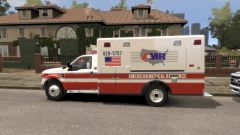 I see AMR ambulances here in The San Jose Vally , California.. Very Nice texture
 -
Thank You! :D
-
I try GPM time and Time again Its rare they reply to my questions
-
I've made this to show some people who may not know how to Make a new line for ELS. You have set lines for The Emgerncey vehicles. [ FBI ] Active = 1 Color_Light1L = 0 Color_Light2L = 0 Color_Light3R = 0 Color_Light4R = 0 Offst_SLights = 0 ^^ Like That ^^ Copy that and Place under the Rest Delete the Car Name and the car name of the Car you want with ELS working. Example [ TAXI ] [ TAXI ] Active = 1 Color_Light1L = 0 Color_Light2L = 0 Color_Light3R = 0 Color_Light4R = 0 Offst_SLights = 0 This only works with the cars file name. Example Police Patrol is 'POLICE2' I hope This helps.
-
I know i've seen airport Security cars, But with GPM new site(in my eyes excuse me french but its fucked up) I can't them. I've seen Skins for CVPI and Trailblazer but can't find them for the life of me, and I've seen Orange/white Lightbar textures.. Too. Could anybody find or make these for me?
-
Not extactly proud of my high school past.. I was such a Dog
-
Hello I'm Sgt. James Harris of LCPD... My real Tyler, I live in California, I'm a college student I major in Criminal Justice, I'm 20 years old. I'm Single.. I used to date alot of girls.. Now I plan to start my life, and live the American Dream. My Dream is to work for The LAPD. I Always Loved Police Work, Always loved and Admired Our Police Men and Women, For protecting the streets, homes, and lives of Us. I've Wanted to be a cop Since I was 14. I love this Community, You guys are Very nice and Helpful, I'd like To get know the lot of You if I could.. I prefer Comming here for support then GPM or any other site.. I love The LCPDFR Community, its People and Its Content... Good Work and Thank You.
-
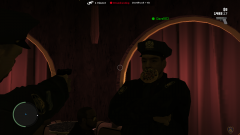 Mmmmm Donuts! :D
 -
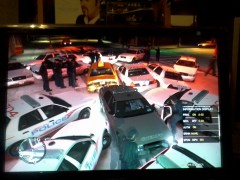 HOLY CRAP! Got Enough backup there?
 -
 Yes its a very Sexy Suburban, Love Doing Speed Patrol and Stings in it!
 -
Bugs Made that. Found it on GPM, In his section.
-
From the album: Sgt. Harris' Album
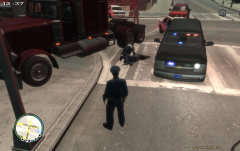
Sergeant James Harris, was doing a prostitute sting. During The Sting he got a call to assist in a Pursuit. The Subject was Driving a Red BigRig, and Ramming through Traffic, An Officer in a Marked unit shot the man, and the truck crashed into a Store's front doors, Near Firefly Island, Both Sgt. Harris, and EMTs Tried to revive the man with CPR, it Failed, The LCPD Coroners officer Picked up the Body. -
From the album: Sgt. Harris' Album
Niko Bellic Doing the Deed. Roman Really did care about Mallorie.. This is Why Niko Killed Vlad, He cares about Roman. -
I'm using PCbarefoots
-
I asked on GPM if any body had a LCPD Skin for the New 2012 Charger... No Replies.. Anybody here who can help?
-
Thanks man, this Actually answers my question as well!
-
As part of a Close Course Training, Sergeant O'Neil Was Pursued by Deputy Matthews. Matthews in a Crown Victoria, pursuing O'Neil in a Ferrari Scuderia. as They hit a Corner, Matthews Lost Control, Spun sideways then rolled twice, then after smashing rear first into the wall. Matthews was ejected from his car on impact. The Liberty County Fire Depart had crew on Track, they responded right a-way. The Officer's of the Liberty County Sheriff's Office, were meant To complete a 3 Lap Pursuit and P.I.T.. Matthews Was treated at Liberty Medical Center, for several broken bones and is now in a coma, he's stable and Seems to be improving. O'Neil Was Questioned After the Crash.
-
Its a 1998 Nissan 240sx Police Interceptor


