


Darprix
Members
-
Joined
-
Last visited
Everything posted by Darprix
-
I assume that PSR and Computer+ use a different function to get the vehicle owner, but what is it?
-
Hey everyone, I'm currently experiencing a problem. I use SetVehicleOwnerName() on the suspect vehicle, but it doesn't seems to work. Computer+ and Police Smart Radio display another random name. This is what my code is (I added a log to know if it's ran) Functions.SetVehicleOwnerName(SuspectVehicle, CallerName); Game.LogTrivial("VEHICLE OWNER IS " + Functions.GetVehicleOwnerName(SuspectVehicle)); And here is it's definition: CallerName = Functions.GetPersonaForPed(Caller).FullName; The log returns the good name, which is pretty surprising. The log is wrote about 5 secondes before I pullover the suspect.
-
https://www.lcpdfr.com/files/file/22657-lore-friendly-pedanswers-now-with-questions/
-
Hello everyone, I'd like to know how to read an XML file. For example: <Scenario Number=0> <Line Number=1 Speaker="Player"> Hey, this is a dialogue line. </Line> </Scenario> I want to get these info in my code.
-
It's completly different. LSPDFR is a singleplayer mod that allow you to play as a cop. FiveM is a online mod to play on different servers, that offer different features (for exemple roleplay)
-
C'est-à-dire, dans le police locker? Quelle tenue?
-
-
Can you link this video please, as it is not a feature of Stop the ped For traffic stops, you can use Traffic Policier or Interaction +
-
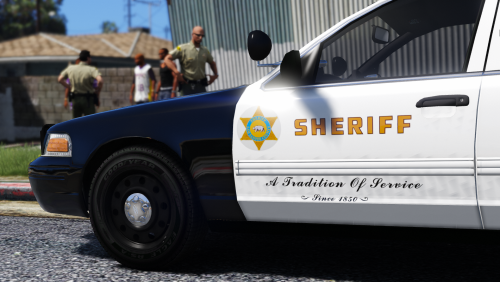 A lot of models that work with this pack were removed. There is no Taurus that still work
- 27 comments
- 5 reviews
-
It happens to me too. I didn’t suceed any pit in 0.4
-
It's Discussion and Suggestion. My prefered callouts are PeterUCallouts
-
Thanks for your quick answer 🙂
-
Does IsPlayerPerformingPullover() return true when the player press shift or when the vehicle is completely stopped? Thank you!
-
 For those who don't want to download a plugin to use this functionnality in 0.4, just use the police radio in the interaction menu. There's an option called "Request Call"
- 117 comments
- 19 reviews
-
-

- 1
-
-
Problem Solved : SearchArea = new Blip(Suspect.Position, 100.f); SearchArea.Alpha = 0.5f; SearchArea.Color = Color.Yellow;Hey! I am learning the LSPDFR plugins developpment. I want to make a search area (I don' t have any screens, but you should know what I mean) I didn't find any specific methods for this big yellow circle, so I created it with a blip. Here is my code : SearchArea = new Blip(Suspect.Position); SearchArea.Alpha = 0.5f; SearchArea.Scale = 6f; SearchArea.Color = Color.Yellow; SearchArea.EnableRoute(Color.Yellow); Is there a more optimized way to do it, like a specific class or something? Thank you.Hey! I have an issue with my lights... When I get closer to a ELS vehicle, the glow of the lights disappear. Here's some pictures: Normal: When I get closer: I installed a lot of lights mod (Radiance V, Mid Light radiance, Improved Led and Spotlight, but it still doesn't work :/ ) PS: Sorry for my bad english...

