
Alzar
Members
-
Joined
Files posted by Alzar
-
This plugin is no longer maintained. As with anything that I released, it is open source so if it isn't working and you're a mod dev and want to update it... feel free!
You Can Find An Updated Version Here. Special thanks to @HazyTube For Keeping The Plugin Alive!
Why Abandon it?!
Since I have graduated from college and have moved onto starting my career I am choosing to put modding behind me. It was a blast and I learned a lot from it (And this project actually helped me land a job!) but with little free time anymore I'd rather spend it playing games than developing mods for those games. Thanks to all of you who downloaded this mod, seeing so many people enjoy it and being able to develop something that many have referred to as being a critical part of their play session is truly awesome.
Thanks for the fun times!
------------------------------------------------------------------
This plugin allows you to define several different loadouts that you can quickly and easily use while on duty. I made this with the goal of eliminating the long process of giving appropriate weapons after going on duty. This has an easy to use menu that you can use to swap between Loadouts and set which one is active, as well as a quick keybind to refresh your loadout!
Note For Update v1.5: This plugin now requires RageNativeUI! You likely already have it, but if not you can find it here! (Easy Loadout was developed and tested on version 1.6.3 of RageNatuveUI)
Currently supported weapons (Or things);
Default Keybinds (Changeable in the ini!);
Open Menu: F8
Open Menu Modifier: None
Give Loadout: F7
Give Loadout Modifier: None
Note: As of 1.10.1 I've removed a lot of comments in my config files as I found them to just add to the confusion. I've made a wiki page that has all weapon components that can be found here aswell as a general page that will be updated to contain any other various information about the plugin that can be found here.
This project is an open source project, anyone is welcome to editing it I just ask that you give me credit if you release it. The source code can be found here.
- 19,229 Downloads
- 58 Comments
Updated -
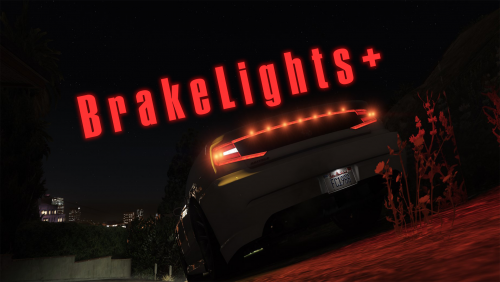
Simple ScriptHookV script that adds various functions relating to vehicle lighting. Currently it adds 2 potential functions, idle brake lights with a blackout mode and turn signals that have controller support. More may be added in the future.
NOTE: Made an error in which .ini I included in the download so it isn't set to default bindings! Be sure to check the ini file for current bindings.
DEFAULT BINDINGS - As of v1.0.3 some of these may be changed! (Indicated by a * on this list)
Brake Lights:
Controller Controls;
Right Bumper* - Toggle On/Off. DpadLeft - If Blackout mode is on, pressing this will disable it.
Keyboard Controls;
Backslash(\)* - Toggle On/Off. J / K / L - If blackout mode is on, pressing any of these will disable it.
Turn Signals:
Controller Controls;
X* - Turn Signal Modifier Key Left Bumper* - Left Turn Signal Toggle Right Bumper* - Right Turn Signal Toggle
A* - Hazards Modifier Key Left Bumper* - Hazards Toggle
Keyboard Controls;
Shift* - Turn Signal Modifier Key Q* - Left Turn Signal Toggle E* - Right Turn Signal Toggle
Control* - Hazards Modifier Key Q* - Hazards Toggle
Requirements;
ScriptHookV - http://www.dev-c.com/gtav/scripthookv
Installation;
Drag and drop BrakeLightsPlus.asi and BrakeLightsPlus.ini into root GTA 5 folder.
Known Issues;
BrakeLights: If you press the brakelights blackout key while emergency lights are on, it will still toggle brake lights. This will automatically resolve itself when you change emergency lights stage or turn them off. BrakeLights: Any other scripts that add the brake lights being on at idle seem to break this (As in it will have no effect and brake lights will be on). Not sure of a way around it beyond disabling the brake light function / removing the script. Turn Signals: If you have no controller modifier key for indicators and blackout for taillights is the same button as a turn signal, turn signal will not work. Turn Signals: In an ELS Enabled vehicle, if you turn on the right turn signal and your ELS blackout bind is the same as the turn signal, it will activate ELS' blackout mode.- 43,894 Downloads
- 43 Comments
Updated