


JIverson
Members
-
Joined
-
Last visited
Everything posted by JIverson
-
The cops are already out: http://www.gta4-mods.com/player/new-cop-content-f15659 Has to upload there because I can´t get it to work with the uploader on LCPDFR.com! Filesize problem I think.
-
The cop models are made by policeman. The other ones are in game content. Edit with Spark, 3dsMax, zModeller and Corel Draw. Actually I remake EMS - Models. Maybe a female firefighter too. Got allready one. But only a retexture of Latin_Female. When the feedback is well I will make more peds.
-
Hi @ all I´m currently working on Female Paramedic/EMS Ped. Since I saw that MORDECKI working on a EMS Mod. I hope this will come out soon, because the Paramedic mod from TeamNeo I use is boring me and it is a dead mod anyway. The model is a mix between usual game models.
-
-
-
-
-
Really good work! Its amazing stable and very useful for LCPDFR. Again very good work!! Many thanks
- 356 comments
- 140 reviews
-
NonELS please! ELS is so boring. Moving doors like an helicopter... No way... Crashed with LCPDFR too.
- 12 comments
- 9 reviews
-
Cool thing! Can you make a Vapid Cruiser with this lights? Or with Aerodynic? NonELS would be great too ; ) Again cool car test it and love it!
- 11 comments
- 6 reviews
-
If you ever listen a radio call... every officer calls out: Officer down. Never hear 10-00 or someting else. Only this smal two words and the hell breaks out! Maybe the is a code in each county for that but never hear/ used it.
-
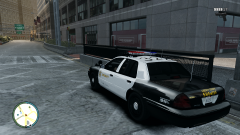 There is no traffic!
 -
-
Is that the wrong section? Can one of the moderators move it please? Tryed both. No luck with that... Tryed again to upload: Error No file was selected for upload
-
Hi there, I have a big problem wih uploading files. I tryed since friday last week. Different times. Different files. No luck with that... So I can´t upload the cop content. Any help here? Moderator didn`t respond my PM. It still - says no file selectet - Still working with WINXP SP3, Firewall isn´t the problem - check, Filesize is ~25MB, tryed .zip and .7z. What now?
-
My mistake, wrong car replaced! Did not know that makes any difference. But they're a little big!
-
I noticed that the lights of the Aerodynic do not turn. Is that still on the to do list? The Liverys are a bit too small to create respectable textures. Anyway really great cars! Keep on modding! And many thanks for shareing it!!!
-
Great! A caprice with NonELS ( I hope)!
-
Great car and very good work! Question: Can you make a NonELS Version? Maybe with an FedSig - Aerodynic? This would be great!!!
- 9 comments
- 5 reviews
-
-
In the SNT is an option to disable cop cars, helicopters aso. But you can try out no police from Skorpro. Link: http://www.gtaforums...howtopic=502278
-
If you replace a civil car it still be a civil car. Even it is an CVPI, or other cop car. GTA don
-
Try the Strobes Mod in DL section. You can also try out this: http://www.gtaforums.com/index.php?showtopic=502278
-
How great is this!! Very cool mod, but the drivers aren
-
I´m runnin with xp - "no vista fan club". The SNT aren´t the problem. I sort it out and no luck with that. I´m pretty sure it is the LCPDFR. But I firstly cut my arm off befor I remove LCPDFR! Maybe its truly XP - the ALPR script didn´t work as well.

