


The Beast 105
Members
-
Joined
-
Last visited
Everything posted by The Beast 105
-
Don't tell me a trainer isn't useful. e.g. simple trainer is quiet good. I'm sorry, but I don't have a clue.
-
-
So it works with the arrow keys?
-
What about the arrow keys. Does it work with them? (To be honest, I'm not sure if you even use the arrow keys for simple trainer.)
-
No problem dude. You're welcome!
-
You said So you don't play LSPDFR anymore, right?
-
Sorry, but when LSPDFR caused the crash, how can you play LSPDFR?
-
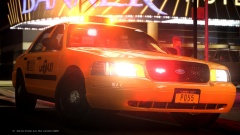 ...breathtaking...
 -
Well, I have Win10 too and it works. To be honest, I had a similar issue with RPH and the new creators update.
-
Hi, same. So the game crashes on the loading screen, right? Could you tell me which mods you have installed? (I know you posted the log file, but I'm not an expert in this stuff.) Because maybe a specific mod causes the crash. Take it easy!
-
Maybe not the best tip, but you could reinstall RPH and LSPDFR and see if it works.
-
"Don't bump your threads or reply to threads older than 30 days (unless they're pinned)"
-
Thank you @Starmix! Now I can see the console. But I still can't see the questions during a traffic stop.
-
You're speaking about the Traffic Policer, right? I guess, we have the same issue. (I also can't see the RPH console, but I can type the commands blind.) I'm not sure, but maybe it's something with DirectX 11.
-
I'm not an expert in this stuff, but maybe these two mods just don't work together. (sorry for my bad english)
-
Let me get this right, steam tells you that GTA 5 is not installed, but you say it actually is!? I'm not an expert, but maybe some files are missing. Maybe you deleted a file through an oversight. Or some files are in the wrong folder. But as I said before, I'm not an expert in this stuff. If it's possible, maybe you could post a screenshot of your GTA 5 folder. (I hope my english is not too bad.)
-
Thanks man @tzioneretz, appreciate your help.
-
Thank you so much @tzioneretz! It works fine again. So the only problem that I (well I think a few other people too) have is, the console is invisible. But works fine (if you know the commands). So basically, LSPDFR and RPH run smoothly. So, it wouldn't be a problem if I install some mods, right?
-
Thank you @tzioneretz! I'll try it.
-
Another question, can you @tzioneretz still go on duty (besides the fact that you can't see the console and police radio) ? Because, now I can't even go on duty. I can see the police stations, but I can't go on duty. (Although I didn't tried it with "force to go on duty" or something like that.)
-
Maybe because of the new Windows 10 update?
-
Try to remove all your mods. Then add your mods again, but not all at once. Just add one and then test your game. Repeat that, until you find the mod that causes the crash.
-
My logfile: [18.04.2017 13:12:28.935] Started new log on 18.04.2017 13:12:28.935 [18.04.2017 13:12:29.532] ==================================================================================================== [18.04.2017 13:12:28.726] Log path: F:\steam\steamapps\common\Grand Theft Auto V\RagePluginHook.log [18.04.2017 13:12:29.533] Log verbosity: Trivial [18.04.2017 13:12:29.533] Initializing input system [18.04.2017 13:12:29.594] Initializing game console [18.04.2017 13:12:29.831] Console key has been set to F4 (key code: 115) [18.04.2017 13:12:30.700] Initializing console variable "ConsoleScrollAmount". [18.04.2017 13:12:30.701] Type: System.Int32, Reading section: "Miscellaneous", key: ConsoleScrollAmount [18.04.2017 13:12:30.748] Read value: <null> [18.04.2017 13:12:30.749] Initializing console variable "DisableRenderVersionText". [18.04.2017 13:12:30.749] Type: System.Boolean, Reading section: "Miscellaneous", key: DisableRenderVersionText [18.04.2017 13:12:30.752] Read value: True [18.04.2017 13:12:30.752] Setting value of console variable "DisableRenderVersionText" to stored value. [18.04.2017 13:12:30.752] Initializing console variable "ConsoleKey". [18.04.2017 13:12:30.752] Type: System.Windows.Forms.Keys, Reading section: "Miscellaneous", key: ConsoleKey [18.04.2017 13:12:30.753] Read value: F4 [18.04.2017 13:12:30.753] Setting value of console variable "ConsoleKey" to stored value. [18.04.2017 13:12:30.753] Console key has been set to F4 (key code: 115) [18.04.2017 13:12:30.753] Initializing console variable "PluginTimeoutThreshold". [18.04.2017 13:12:30.753] Type: System.Int32, Reading section: "Miscellaneous", key: PluginTimeoutThreshold [18.04.2017 13:12:30.754] Read value: 10000 [18.04.2017 13:12:30.754] Setting value of console variable "PluginTimeoutThreshold" to stored value. [18.04.2017 13:12:30.754] Initializing console variable "AlwaysShowConsoleOutput". [18.04.2017 13:12:30.754] Type: System.Boolean, Reading section: "Miscellaneous", key: AlwaysShowConsoleOutput [18.04.2017 13:12:30.755] Read value: <null> [18.04.2017 13:12:30.755] Initializing console variable "ShowConsoleCommandInfoOnPluginLoad". [18.04.2017 13:12:30.755] Type: System.Boolean, Reading section: "Miscellaneous", key: ShowConsoleCommandInfoOnPluginLoad [18.04.2017 13:12:30.755] Read value: <null> [18.04.2017 13:12:30.755] Initializing console variable "ShowOnScreenWarnings". [18.04.2017 13:12:30.756] Type: System.Boolean, Reading section: "Miscellaneous", key: ShowOnScreenWarnings [18.04.2017 13:12:30.756] Read value: <null> [18.04.2017 13:12:30.756] Console initialized [18.04.2017 13:12:30.756] Initializing forms manager [18.04.2017 13:12:30.779] Version: RAGE Plugin Hook v0.52.1061.10387 PUBLIC ALPHA for Grand Theft Auto V [18.04.2017 13:12:30.798] ================ RAGE Plugin Hook ================ [18.04.2017 13:12:30.835] Command line option -disableCustomLoadingScreen is specified; disabling custom loading screen rendering. [18.04.2017 13:12:30.889] Detected Windows 10 Professional (64-bit) (10.0.15063.0)! [18.04.2017 13:12:30.890] Checking game support [18.04.2017 13:12:31.825] Product name: Grand Theft Auto V [18.04.2017 13:12:31.826] Product version: 1.0.1032.1 [18.04.2017 13:12:31.826] Is steam version: True [18.04.2017 13:12:31.827] Initializing DirectX [18.04.2017 13:12:31.829] Initializing Direct3D [18.04.2017 13:12:31.829] Loading C:\WINDOWS\system32\d3d11.dll [18.04.2017 13:12:31.830] Loaded at 0x7FFE82F10000 [18.04.2017 13:12:31.830] D3D11CreateDeviceAndSwapChain at 0x7FFE82F70980 [18.04.2017 13:12:31.830] Creating Direct3D 11 device and swap chain [18.04.2017 13:12:31.926] Attempting feature level 10_1 [18.04.2017 13:12:31.941] Failed to create D3D11 device for Grand Theft Auto V: 887a0001 [18.04.2017 13:12:31.955] Attempting feature level 10_1 for fallback [18.04.2017 13:12:31.968] Fall back attempt failed with: 887a0001! [18.04.2017 13:12:31.969] Initialized DirectX [18.04.2017 13:13:04.129] LoadingScreenMsg: Initializing game support [18.04.2017 13:13:04.380] Initializing game support [18.04.2017 13:13:04.797] LoadingScreenMsg: Velocity limit removed [18.04.2017 13:13:05.161] Compatibility level: 0 [18.04.2017 13:13:05.162] Supported version detected [18.04.2017 13:13:05.162] ================================================== [18.04.2017 13:13:05.163] LoadingScreenMsg: Patching code [18.04.2017 13:13:05.414] LoadingScreenMsg: Waiting for game initialization [18.04.2017 13:13:05.665] Waiting for game initialization [18.04.2017 13:13:05.766] LoadingScreenMsg: Initializing core [18.04.2017 13:13:06.017] Initializing hook [18.04.2017 13:13:06.017] LoadingScreenMsg: Completing interoperability [18.04.2017 13:13:06.268] Completing interoperability [18.04.2017 13:13:06.268] Initialization code 1. [18.04.2017 13:13:06.269] Initialization code 2. [18.04.2017 13:13:06.269] Initialization code 3. [18.04.2017 13:13:06.276] 1 Address: 0x00007FF6FCB63E1C [18.04.2017 13:13:06.276] Calling func 1 [18.04.2017 13:13:06.290] 2 Address: 0x00007FF6FD654DDA [18.04.2017 13:13:06.290] 3 Address: 0x00007FF6FC175CB6 [18.04.2017 13:13:06.313] Address: 0x00007FF6FD654D78 [18.04.2017 13:13:06.313] Unknown var: 0x00007FF6FE5A7D00 [18.04.2017 13:13:06.314] Initialization code 4. [18.04.2017 13:13:06.314] Initialization code 5. [18.04.2017 13:13:06.314] Completing interoperability, phase 1 [18.04.2017 13:13:06.315] Completing interoperability, phase 2 [18.04.2017 13:13:06.315] Completing interoperability, phase 3 [18.04.2017 13:13:06.315] Completing interoperability, phase 4 [18.04.2017 13:13:06.316] Completing interoperability, phase 5 [18.04.2017 13:13:06.316] Completing interoperability, phase 6 [18.04.2017 13:13:06.316] Completing interoperability, phase 7 [18.04.2017 13:13:06.317] LoadingScreenMsg: [18.04.2017 13:13:06.567] LoadingScreenMsg: Loading Story Mode [18.04.2017 13:13:39.357] LoadingScreenMsg: Loading and Populating Game World [18.04.2017 13:13:39.609] LoadingScreenMsg: [18.04.2017 13:13:52.520] Initializing console variable "IsDeveloperModeEnabled". [18.04.2017 13:13:52.520] Type: System.Boolean, Reading section: "Miscellaneous", key: IsDeveloperModeEnabled [18.04.2017 13:13:52.521] Read value: False [18.04.2017 13:13:52.521] Setting value of console variable "IsDeveloperModeEnabled" to stored value. [18.04.2017 13:13:52.564] Initializing console variable "TimeScale". [18.04.2017 13:13:52.565] Type: System.Single, Reading section: "Miscellaneous", key: TimeScale [18.04.2017 13:13:52.566] Read value: <null> [18.04.2017 13:13:52.842] Loading plugin from path: F:\steam\steamapps\common\Grand Theft Auto V\Plugins\LSPD First Response.dll [18.04.2017 13:13:54.755] <UNLOADED PLUGIN>: Initializing input system [18.04.2017 13:13:54.757] <UNLOADED PLUGIN>: Initializing game console [18.04.2017 13:13:54.758] <UNLOADED PLUGIN>: Initializing forms manager [18.04.2017 13:13:54.969] Plugin "LSPD First Response" was loaded from "LSPD First Response.dll". [18.04.2017 13:13:55.611] --------------------------------------------------------------------- [18.04.2017 13:13:55.611] LSPD FIRST RESPONSE [18.04.2017 13:13:55.611] Version 0.3.1 [18.04.2017 13:13:55.611] A G17 Media Modification [18.04.2017 13:13:55.611] - Developed by LMS & Sam [18.04.2017 13:13:55.611] - Special thanks to Cyan, Lt.Caine, Alexander Blade, The OpenIV Team, LukeD & MulleDK19 [18.04.2017 13:13:55.611] © Copyright 2015-2016, G17 Media, www.lspdfr.com [18.04.2017 13:13:55.611] --------------------------------------------------------------------- [18.04.2017 13:13:55.611] [INFO] Running LSPD First Response 0.3.1(0.3.38.5436) [18.04.2017 13:13:55.611] [INFO] Copyright © 2015-2016, G17 Media, www.lspdfr.com [18.04.2017 13:13:55.709] [18.04.2017 13:13:55.842] F:\steam\steamapps\common\Grand Theft Auto V\lspdfr\lspdfr.ini [18.04.2017 13:13:55.926] F:\steam\steamapps\common\Grand Theft Auto V\lspdfr\lspdfr.ini [18.04.2017 13:13:55.928] Callouts: 280 [18.04.2017 13:13:56.481] [TRACE] Thread CopManager #1 initialized
-
Ich weiß nicht ob wir in deutsch schreiben dürfen. Ich habe das Problem schließlich auf englisch geschrieben, somit könnten sich auch englischsprachige Mitglieder an der Lösung des Problems beteiligen. It looks like we have the same problem. Kann ich leider erst in ein paar Stunden.
-
Hey guys, I have a problem with LSPDFR / Rage plugin hook. I started gta 5 via RPH.exe (as admin) and it loaded completly fine. After I got on duty, I pressed "N" but nothing happened. Just a small sign, like a w-lan sign next to the mini map. Also when I pressed "Y" to accept a callout it didn't worked. The only thing that worked was "B" for backup, and "E" for the police computer. My issue with RPH is, when I press F4 the console didn't open. In the settings is F4 the key to open it. I thought RPH loaded correctly. Please help me. Thank you. (sorry for my bad english)


