Skip to content
View in the app

A better way to browse. Learn more.

LCPDFR.com

A full-screen app on your home screen with push notifications, badges and more.

To install this app on iOS and iPadOS
  1. Tap the Share icon in Safari
  2. Scroll the menu and tap Add to Home Screen.
  3. Tap Add in the top-right corner.
To install this app on Android
  1. Tap the 3-dot menu (⋮) in the top-right corner of the browser.
  2. Tap Add to Home screen or Install app.
  3. Confirm by tapping Install.

kmandersonjr

Members
  • Joined

  • Last visited

  1. kmandersonjr changed their profile photo
  2.    FireMedic153 reacted to a comment on a file: (ELS) 2014 Bowman,SC Police Dodge Charger
  3. Yeah what he said.... a bowman police officer never helped with this model..... Lord help us all (no pun intended)
  4.    LtSnoDawg69 reacted to a comment on a file: (ELS) 2014 Bowman,SC Police Dodge Charger
  5. kmandersonjr started following t0y
  6. In Open IV, Click on the YTD file you have set for the Charger. Delete all the other chr2_sign files besides the SCHP one. Then change the name to chr2_sign_1. That should work.
  7. He received the message above from me, I just wanted to clarify it with everyone else that has seen the comments flying around. It's best just to leave it as it is and chalk it up to a misunderstanding.
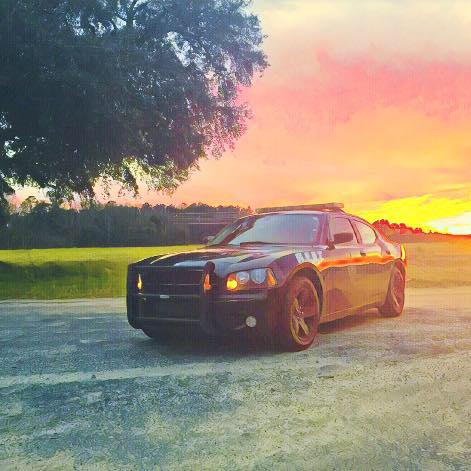
  8. So I want this to be out there for everyone else as well so it can be clarified. I have sent this message out, but I figured I'd copy and paste it into the comments so this can be known! How's it going? Just came by to introduce myself and clarify some things that I had seen in the comments on the "Bowman Charger". I was just browsing through and had seen everything that you had said. As of right now, I am no longer employed with Bowman PD due to medical reasons and I have to have surgery on my wrist again, so I was not able to complete the academy. I was previously employed with Bowman PD for almost 2 years (august would have been two years). This is how everything started, so I can be real with you and start from the beginning. I contacted GUMP the week before Easter. I had seen on his page for LCPDFR he had previously made a Bowman Heat Charger. I was completely blown away to actually see our charger on here since we're so small. I contacted GUMP to see if he could re create the charger for me, so I could play with it in LSPDFR. I am completely new to PC gaming and this was the first time I have every played/modded any games on PC, so i have no idea how to do these things myself. Anyways, I told GUMP what was in the car all the way down to how there's no console on the inside and I usually put the remote for the light bar in the passenger's seat. I just wanted to let you know that when I contacted GUMP i was 100% employed with Bowman PD and had been for some time now when he was contacted. I know it didn't need to go into full detail about these things, but I just wanted to clarify this with you so that you would know that he was in fact not lying about corroborating with me on the build for the Charger. Have a good evening and God Bless! would know that he was in fact not lying about corroborating with me on the build for the Charger. Have a good evening and God Bless!
  9. Actually I did help him create this model to be as close to 100% perfect. But it's cool. Believe what you want

Account

Navigation

Search

Search

Configure browser push notifications

Chrome (Android)
  1. Tap the lock icon next to the address bar.
  2. Tap Permissions → Notifications.
  3. Adjust your preference.
Chrome (Desktop)
  1. Click the padlock icon in the address bar.
  2. Select Site settings.
  3. Find Notifications and adjust your preference.