
Fiddle
Members
-
Joined
-
Last visited
Everything posted by Fiddle
-
-
 ok
ok -
 Yikes, this is way outdated idk what to tell you lol. However, I'm 99% sure this works with FiveM, unless R* got rid of DOOR_OPEN.
- 27 comments
- 3 reviews
-
-
.thumb.png.671fe2556e8b8794279af378563456b5.png) Oh that's really weird, there definitely used to be some lol; Thank you so much for pointing that out I'll fix it. Just realized there is actually audio, it's just very very very quiet; But I will fix it thanks again
Oh that's really weird, there definitely used to be some lol; Thank you so much for pointing that out I'll fix it. Just realized there is actually audio, it's just very very very quiet; But I will fix it thanks again- 9 comments
- 2 reviews
-
If you looked through my other comment you'd see that I said I couldn't do it. The audio he gave me wouldn't work with Audacity, so I referred him to another mod on LCPDFR.com. My guy you're commenting on post that was made over a year ago (Enough time for me to not even be into LSPDFR anymore), the least you could've done was read.
- 27 comments
- 3 reviews
-
No, the sound is universal for all vehicles in the game. I can't do anything about that, sorry.
- 27 comments
- 3 reviews
-
-
 Holy crap, thank you so much for this! Lol, I do agree with several others on no pushbar; But hell, this is better than nothing lol. Thanks so much again dude.
- 93 comments
- 17 reviews
-
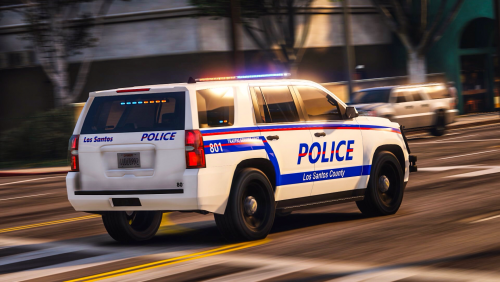 Ummm I fucking live in Suffolk County, def was not expecting to see Suffolk anywhere on this site, ever. All I have to say is thank you lol. It's not exact (It's obviously not supposed to tho lol). 5/5 for making me smile.
- 19 comments
- 7 reviews
-
-

- 1
-
-
Hi there, I know this is an old ass post; But I'd like to help you out if you still need it (I'm the author of the mod lol). Your problem isn't really a problem lol, it's actually GTA V's stupid way of playing the audio. It only plays the door chime audio when the headlights are on. An easy solution is to turn the "Leave engine and lights on" option on in one of your trainers; Such as Simple Native or Menyoo to name a couple. Again, so sorry for the late reply.
-
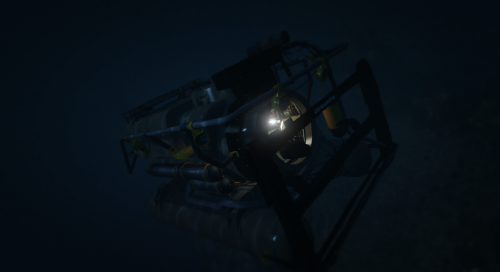 This is the best vehicle in my game... ever. Not a fan that's it's not ELS tho, I wanna see some buggy ass environmental lighting coming out of the Alamo sea like it's a rave at a 15 yr old's house when his parents went on vacation.
- 7 comments
- 10 reviews
-
-
- 1
-
-
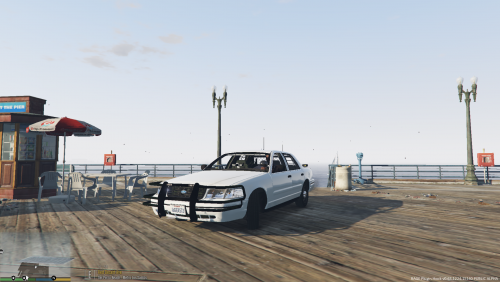 My guy... calm tf down lol. There are problems with your model, there's no denying that fact. But you getting angry and toxic because people are pointing out factual problems is not gonna get you anywhere in the LSPDFR community; If anything, it'll get you reported. Just take into account what people say are wrong with your cars, and try your best to fix those problems if you want.
- 11 comments
- 5 reviews
-
-
- 2
-
-
-
Nope, not your fault or mine lol. I've recently figured this out too, it's just GTA's retarded way of playing DOOR_OPEN. My suggestion is just going to one of your trainers and turning on a "Leave Engine & Lights On" or something along those lines.
- 27 comments
- 3 reviews
-
-
Thanks again, my man. You're the best! Oh and not even lying, I used the same exact model in the preview that I made lmao; Your's is a lot better tho.
- 9 comments
- 2 reviews
-
Did you replace "DOOR_OPEN" in the vehicles folder? Also make sure that "vehicles.oac" is in the same location as the Vehicles folder. (For Example: put them in a folder together on your desktop)
- 27 comments
- 3 reviews
-
Oh hi Mark! Or whatever your name is, but I have another seatbelt/door ajar chime, except this time for 2009+ FCA vehicles..... but let's be honest you're gonna appreciate it on a Charger Pursuit (my favorite). Anyways, thanks so much for even viewing this; Try it out! Let me know about any of your opinions, questions, and/or concerns in the comments below. If you don't have any, please leave a Review! -Credit to: @Logans for the preview, once again 🙂 - @t0y for the model in my screenshot -Do NOT re-distribute this to ANYWHERE, I will not give permission to ANYONE, I don't care if you're Jesus Christ. -Back up your files please, as I will not be responsible for your game being screwed up because you didn't read the ReadMe (Not unless directions are unclear to a lot of people.
- 9 comments
- 2 reviews
-
-
- 4
-
-
 This thing is fucking beautiful, I love it so much. However I'll admit, I did make a transparent skin for it; Since I like it's unmarked look is a lot better to me lol. Nice job, my man.
- 253 comments
- 53 reviews
-
-
- 2
-
-
You're 100% sure you installed it correctly? If you did, I know for sure that it works.
- 27 comments
- 3 reviews
-
-
Okay, I'm gonna have to disappoint you on this one, it's gonna be damn near impossible for me to make this sound good; As GTA's format/way of playing the audio for the DOOR_OPEN is completely jank, it'll sound like shit (and it does after me making several tries and testing them). So what I'm gonna do is refer you to this: http://www.lcpdfr.com/files/file/18031-crown-victoria-seatbelt-chime-for-albos-seatbelt-chime-mod/ . With that you must use Albo's Seatbelt Chime Plugin: http://www.lcpdfr.com/files/file/11219-seatbelt-chime/ . So sorry about that, man. But with the mods above it will come out much better than my attempt lol. Appreciate it brotha, for sure will give you credit 🙂
- 27 comments
- 3 reviews
-
-
- 1
-
-
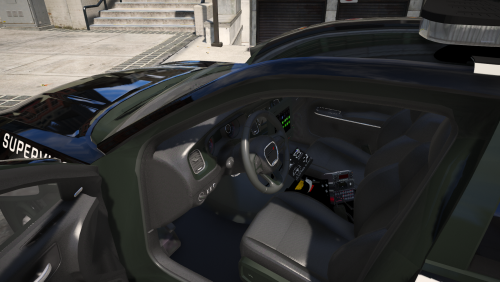 Oh cool, it's just a different look; Only asked because many people who put 2 lightbars don't realize what they're doing and think it's "normal". Awesome job tho man.
- 7 comments
- 1 review
-


.thumb.png.671fe2556e8b8794279af378563456b5.png)