


greasemonkey98
Members
-
Joined
-
Last visited
Everything posted by greasemonkey98
-
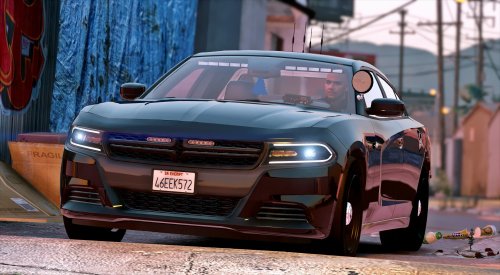 Whenever I look at the model's author and find "POLICESCO" I know that I'm in for quality work! Every texture is exactly where it is supposed to be and the lighting is always top-notch. This model continues that trend of excellence! The interior and exterior are of equally high quality and plenty of care was taken to layout a great unmarked unit that is functional as well as aesthetically pleasing. This model features an appropriate level of lighting. Perfect for Bait car operations in Vinewood or a violent crime unit in Davis. I would love to see some HG2s on there for additional intersection lighting but I won't cry without them, probably not anyway.
- 47 comments
- 27 reviews
-
-

- 1
-
