




ShaeBakes
Members
-
Joined
-
Last visited
Everything posted by ShaeBakes
-
Slendis here is an update if you still care, I edited the lines took some lines from other slots where the same model was placed, which is the 2016 FPIU I have a marked and unmarked one i use and they both flip in the RDESHERIFF file which I edited in both update.rpf and edited in the RDESHERIFF meta aswell, it seems to not change the handling at all. Am I going to the wrong places?
-
I was able to change it, but im still having trouble with cars flipping even though I imported the included meta lines.
-
-
-
does anyone know where the sheriff handling files are for rde, I have searched everywhere and cannot find them?
-
Installed RDE now in the process of installing els vehicles over the base vehicles, that come with rdesheriff, after installing some new textures the game goes to fatal crash. Verified files, using a mod folder, cant risk deleting all the files due to the amount of rework I have done. I am using reshade that comes with MVGA. *first log (RagePluginHook_10012017_162256.log) is from this morning. * * second log (RagePluginHook_09012017_235336.log) is from last night.*
-
-
 the issue is the lights are flashing amber but with a blue or red corona, and the light bar only works on one hlaf of the bar.
- 21 comments
- 2 reviews
-
@CamTheMan97yeah i got it working, im using RDE and the lights are messed up, do you have a fix?
- 21 comments
- 2 reviews
-
-

- 1
-
-
-
TL;DR is this, installed RDE but the installer did not replace the EMSUnits.xml. Can someone please post a copy of thier xml for me? It has been such a headache.
-
 Having an issue with the better ems, not replacing the emsunits.xml file, anyone have a fix for that?
- 1,524 comments
- 85 reviews
-
EMSUnits.xml getting the error, cannot load stations. xml is fine. pls help.
-
is there a easy way to just have it use a random livery?
-
my issue was im using lt.caines default ems pack which comes with different textures for each ambulance, however whenever i call its the same one each time. is there a certain line i need to add in your xml?
-
is there a way to add a randomized livery?
-
-
So I saw that someone has a coroner vehicle model with a light bar. My question is does someone have a link to how I can add it into the game so when I use police raido it will use the light bar when coming on scene? or any help would be appreciated.
-
No wonder you have 712 rep, Thanks <3
-
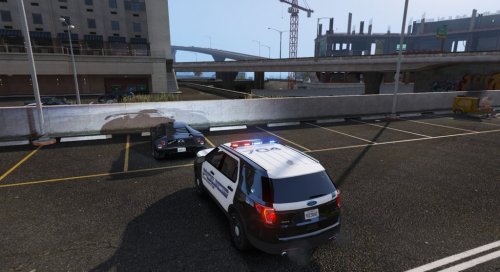 mcso I like all your cars, but could you add scene lighting and take down function please?
- 18 comments
- 5 reviews
-
Does anyone know if the vehicles are implementing the function yet, or are we doing something wrong, I have tried everything at this point and cannot figure out the problem.
-
what do you mean through RDE? I thought RDE wasn't compatible? and what do you mean they "needed a car variations meta to work"?
-
IDK I'm just frustrated because the keybinds arent working
-
nope just reinstalled everything same issue. any other options?
-
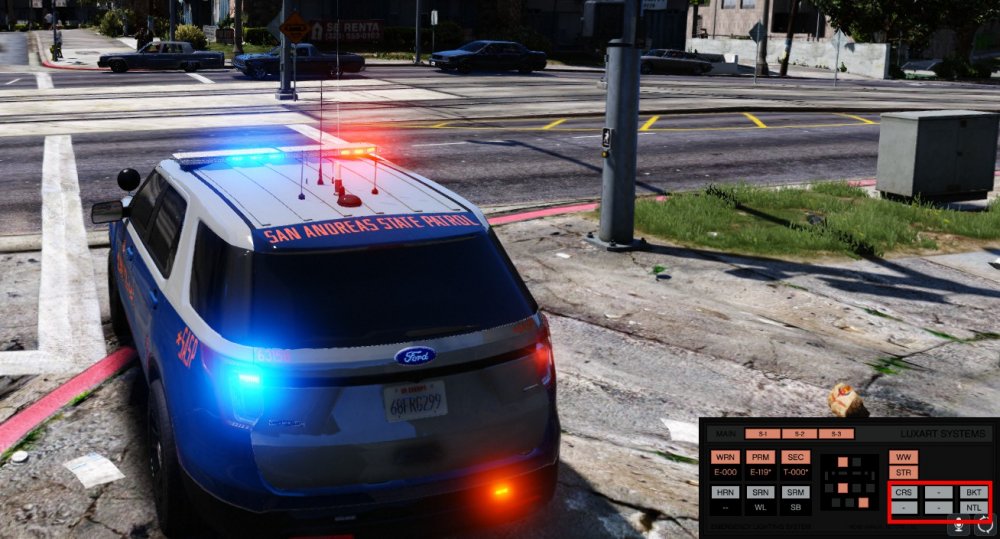
Can someone tell me how to fix a bug im having where none of my els vehicles will work with the scene light takedown function. ive tried but even on the display it does not show take down option.


