Skip to content
View in the app

A better way to browse. Learn more.

LCPDFR.com

A full-screen app on your home screen with push notifications, badges and more.

To install this app on iOS and iPadOS
  1. Tap the Share icon in Safari
  2. Scroll the menu and tap Add to Home Screen.
  3. Tap Add in the top-right corner.
To install this app on Android
  1. Tap the 3-dot menu (⋮) in the top-right corner of the browser.
  2. Tap Add to Home screen or Install app.
  3. Confirm by tapping Install.

Ooboy

Members
  • Joined

  • Last visited

  1.    Ooboy reacted to a comment on a file: ELS Vanilla Emergency Vehicles
  2. Hey! I had that idea as well for a future vehicle pack, but it hasn't been possible for me to work on my projects lately.
  3. Sorry to hear that, maybe something went wrong in the installation. I might be able to help you if you provide more details on what the issue is exactly.
  4.    Ooboy reacted to a file: Real Beta Cops
  5.    Ooboy reacted to a file: Unmarked Police Cruiser
  6.    Ooboy reacted to a review on a file: ELS Vanilla Emergency Vehicles
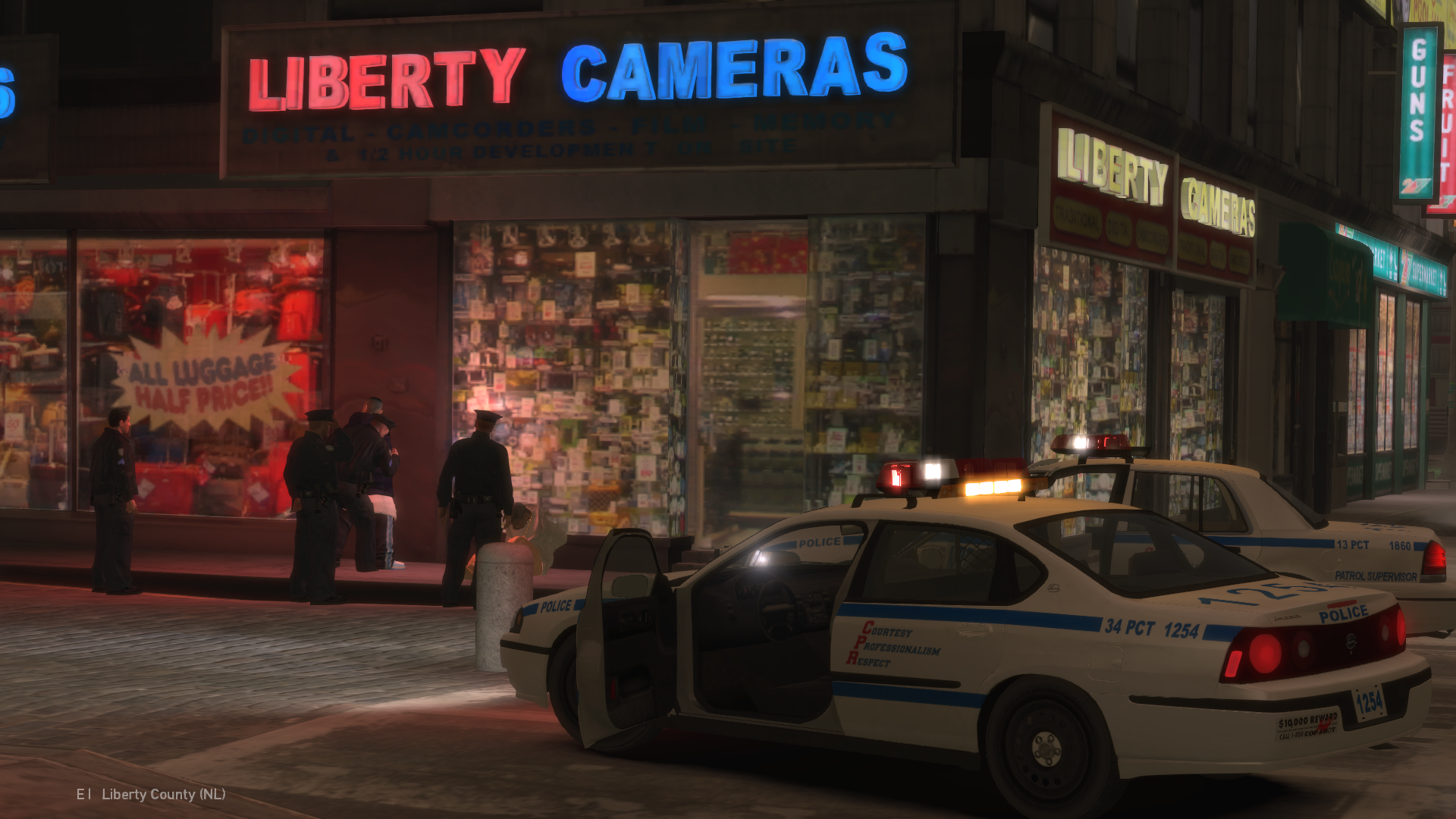
  7. Hi, thanks for your comment! I'm glad to hear that you enjoyed these vehicles, I made them with that exact thought in mind: make them as authentic and realistic as I possibly could. I spent hours researching image and video archives of the actual NYPD vehicles and it definitely paid off! As for the '97 Crown Victoria, I actually did make one for the 9/11 vehicle package but I scrapped it in the end because the model was really buggy and unoptimized, and I couldn't figure out how to fix it back then, I might revisit the model again in the future Here's a screenshot I took years ago:
  8. Hey! Taxis aren't really my thing but I will keep it in mind for future projects. I'm glad that you liked the vehicles, I appreciate the feedback!
  9.    Ooboy reacted to a file: SilentCityIV
  10. caasi started following Ooboy
  11.    Ooboy reacted to a file: Traffic Stop Backup
  12. I believe those were made by Olanov, the one in the screenshots was modified by me.
  13. NYCTMTAKid started following Ooboy
  14. WillNotTheGamer started following Ooboy
    • 865 downloads
    • Version 1.0
    New York City Police Department - 2006 Dodge Charger RMP === Important Information === - ELS Version 8.51 is needed for the Emergency Lights to work properly. - Ensure you install the provided ELS config file properly, or the emergency lighting may not function properly. - Also make sure you install the data lines I provided, or the vehicle could not function properly. - Please back up your files. I am not responsible for any issues with your game caused by improper installation. About This Modification: - The vehicle was designed to resemble it's real NYPD counterpart as close as possible - All vehicle features work properly (Working collisions, breakable glass, working lights, etc) - Properly optimized LODs for better performance - Camera offset has been properly adjusted ---------------------------------------------------------------------------------------------- If you encounter any bugs or want to make a suggestion, feel free to leave a comment below. I hope you enjoy this mod! Video preview:
    Works as intended, officer is happy now!
  15. Ooboy started following LCPD Defender Pack
    Such a simple yet good script, it's a nice little addition to the game, works fine and no issues, good job on this one!
  16. I'm sorry but, that's highly unlikely as I do not make modifications for GTA V, if you're lucky someone else converts it to V.
  17. HOLYDAYSs started following Ooboy
  18. Olanov started following Ooboy
  19. Ooboy started following Olanov
  20. Ooboy started following GQ Supply Co. LTD
    • 5,313 downloads
    • Version 2.0
    New York City Police Department - Mid - Late 2000's Vehicle Package === Important Information === - ELS Version 8.51 is needed for the Emergency Lights to work properly. - Ensure you install the provided ELS config files properly, or the emergency lighting may not function properly. - Also make sure you install the data lines I provided, or the vehicles could not function properly. - Please back up your files. I am not responsible for any issues with your game caused by improper installation. About This Modification: - This Package contains 3 distinct vehicles with 9 variations. (9 vehicle models in total) - Vehicles were designed to resemble their real NYPD counterparts as close as possible - All vehicle features work properly (Working collisions, breakable glass, working lights, etc) - Properly optimized LODs for better performance - Camera offset has been properly adjusted ---------------------------------------------------------------------------------------------- I left a little bonus inside, check it out! If you encounter any bugs or want to make a suggestion, feel free to leave a comment below. I hope you enjoy this mod! Video preview (Previous version):
  21. My man that is GTA V, this is a mod for GTA IV not GTA V
  22. Get OpenIV, open it, select your GTA IV directory then head to the following path pc\models\cdimages\ open the file "vehicles.img" drag and drop all the taxi and taxi2 files inside and you're done.
  23. Grand Theft Auto IV\pc\models\cdimages\vehicles.img (Import the files with OpenIV)
    • 706 downloads
    New York Police Department - Chevrolet Caprice Car Pack - The pack includes 3 cars: Chevy Caprice 1991, 1993 and 1994 models. - There's also a Snow Mod variation of the vehicles! (Snowy Glass and Tires) ---------------------------------------------------------------------------------------------- - It is important that you install the ELS.ini files correctly for each vehicle, otherwise the lighting may not work properly - Make sure to backup your files. (If for some reason your game breaks then thats not my problem) ---------------------------------------------------------------------------------------------- If you find any bugs or you want to suggest something feel free to post a comment below. Hope you enjoy this mod!

Account

Navigation

Search

Search

Configure browser push notifications

Chrome (Android)
  1. Tap the lock icon next to the address bar.
  2. Tap Permissions → Notifications.
  3. Adjust your preference.
Chrome (Desktop)
  1. Click the padlock icon in the address bar.
  2. Select Site settings.
  3. Find Notifications and adjust your preference.