GeneralFord1
Members
-
Joined
-
Last visited
Everything posted by GeneralFord1
-
 @bounty518 Do you have EUP?
 -
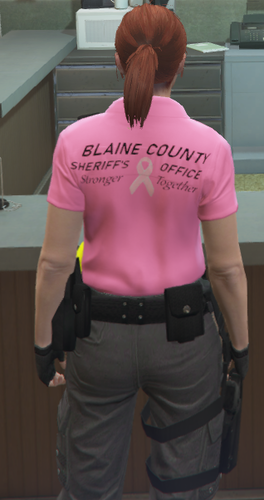
These are Polo shirts I made for Breast Cancer Awareness month. I figured I'd share them with the community. MAKE SURE YOU BACK UP THE DEFAULT POLO SHIRTS BEFORE YOU ADD THESE SO YOU CAN GO BACK TO THE DEFAULT SHIRTS WHEN YOU ARE DONE WITH THESE! A STEP BY STEP INSTALLATION .TXT FILE IS PROVIDED WITH EACH SHIRT. IF ANYONE HAS ANY ISSUES DOWNLOADING, FEEL FREE TO COMMENT.
-
 @GCode2k1 On those textures, you have to cut the red out and then copy paste the blue. You can't just paste the blue over the red like other textures.
- 380 comments
- 31 reviews
-
@GCode2k1 You just needed to edit this texture. I went ahead and did it for ya.
- 380 comments
- 31 reviews
-
-
-
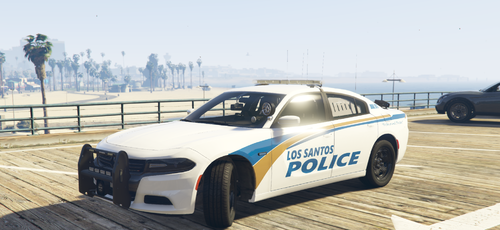 @joshtheman165 If you send me a screenshot of the vehicle, I will look into it for you.
- 3 comments
- 1 review
-
-
@ThisIsAwesome55 I need the model you want done and are you asking for all red lights? If so, I'd have to send those to you privately since they aren't relevant to this file.
- 380 comments
- 31 reviews
-
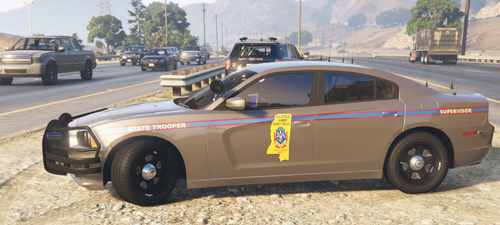 I live in Mississippi and decided I wanted the highway patrol textures in my game, so I made them and decided to share them. I may decide to expand the pack depending on how the community receives these. MODELS USED IN THE SCREENSHOTS: 2014 Chargers:
- 4 comments
- 1 review
-
-

- 1
-
-
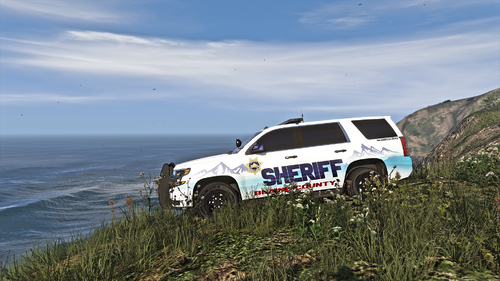 This looks really good, especially for a first try! Excellent work and keep going. You can only improve from here and you're already doing amazing!
- 36 comments
- 1 review
-
 Finally a stable, diverse, realistic callout pack for lspdfr. Highly recommend!
- 1,007 comments
- 63 reviews
-
-
- 1
-
-
I've been loving this callout pack! It's nice to finally have some more realistic and new callouts in the game. I did notice with the police impersonator call in paleto bay, the security car spawns on top of a wall so it's a bit whacky. I can try and get a screenshot in the future if you need, but other than that, keep it coming!
- 1,007 comments
- 63 reviews
-
-
- 1
-
-
These are textures I made based off of the PD of Pearl, Mississippi. I plan on adding more vehicles and if anyone has vehicles they'd like to see added, please leave a comment with a link to the model! MADE FOR THESE MODELS: TickleMyElmo's LSPD Pack(2016 FPIU and 2018 Charger)
- 3 comments
- 1 review
-
-
-
-
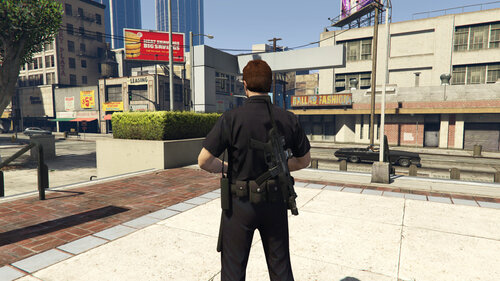 Would it be possible to add a strap to the stowed weapon so it looks like it's being worn? I'm definitely going to try this either way but I was curious because that would look sick.
- 248 comments
- 21 reviews
-
-
- 12
-
-
@sgtkiller634 He included the all blue textures with that pack. You just have to replace the textures in the ytd.
- 380 comments
- 31 reviews
-
-
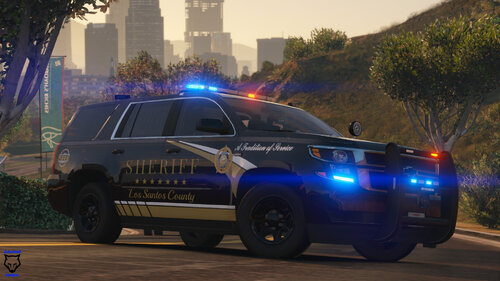 @DatzeScaniaV8 The model links are legit in the description mate. Anyways, I was wondering if you could add this Charger by chance.
- 15 comments
- 9 reviews
-
This work is truly amazing. You're my current favorite texture creator for sure!
- 15 comments
- 9 reviews
-
-
@locke1214 Reddington released support for that pack if you know how to install the textures individually.
- 380 comments
- 31 reviews
-
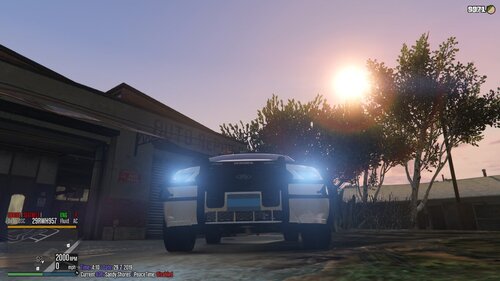 @scottie2950 He uploaded the model which is maurice's yesterday.