sheepdog6024
Members
-
Joined
-
Last visited
Everything posted by sheepdog6024
-
-
-
I optimize my setting in GeForce before I start and I realized optimizing it changes them.
-
I was having a problem with my lights on my police vehicles being very dull, I found a video on YouTube that said to change the “particles quality, shader quiality and postFX” to high or above; and I did and the lights were bright again but everytime I start up gta they go back to normal, any way to keep them where I want them? Btw I have GeForce experience.
-
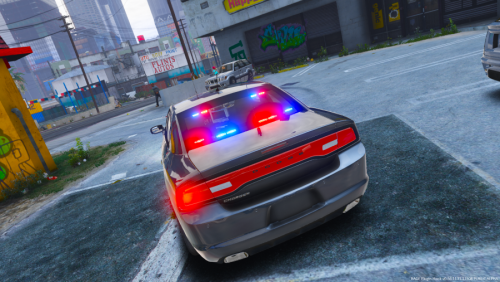 Is there a way you can change the lights on the pushbar to red and blue instead of just all blue?
- 24 comments
- 11 reviews
-
-
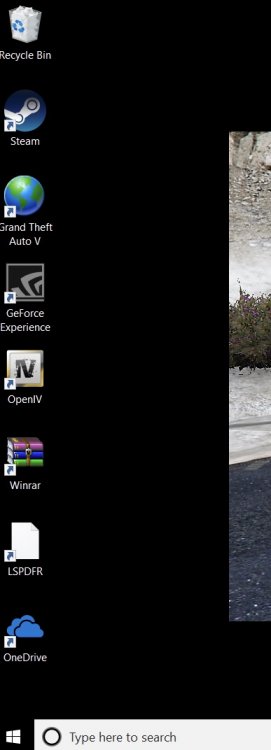
I noticed my LSPDFR desktop icon change to a page a couple weeks ago, it works fine but I noticed my GTAV icon just changed to a globe, idk what cause this to happen I didn’t change anything. Any help? Sorry I’m advance if this is in the wrong place.
-
Bump. I fixed it by putting in an old modded folder back up but randomly this happened again. The lights are dull just plain white. I tried putting in a back up modded folder but same thing happens, even the headlights on cars are dull.
-
I noticed my ELS lights are very dull after I downloaded fiveM, I understand that FiveM and LSPDFR are not associated together but I deleted fiveM and put in an old back directory and the els lights were bright again. I deleted that one to put in my newest back up directory which I accidently deleted so I reinstalled the older one and the lights are dull again. I checked my visual data settings and the car.default emissive day and night are 3000 and 1200. I also downloaded "Bright Lights" and still same issue. I'm stuck any help? I apologize in advance if this is in the wrong section.
-
-
-
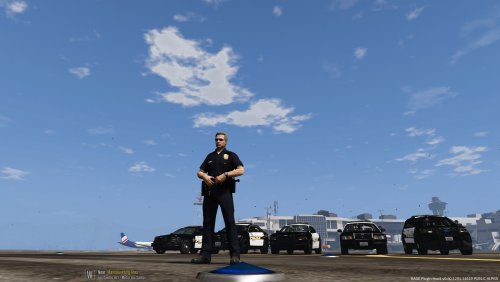 Damn I wished you kept it I liked it. Btw the skin still overlaps onto the fenders on the right of the FPIU. Would you be able to make it for this pack also? https://www.gta5-mods.com/vehicles/s-a-p-o-p-p-theme-pack-jjdawkins30
- 14 comments
- 2 reviews
-
Oh gotcha I thought it was from a different department. Did you take out policeSCO’s cvpi?
- 14 comments
- 2 reviews
-
Awesome and btw the explorer skin is a little overlapping on the front fenders and if it’s an LSPD skin why is there a sheriff badge?
- 14 comments
- 2 reviews
-
Is there anyway you can make the skins for the rest of the LSSD pack? the taurus, 16 Charger, cvpi
- 14 comments
- 2 reviews
-
-
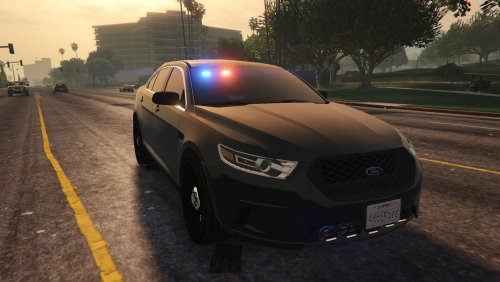 Idk if it’s my game or the car but I downloaded it and the game crashed right when I walked out my house, uninstalled the car and the game works fine. Hope you can fix it looks like an awesome car.
- 6 comments
- 7 reviews
-
-
 I tried again but still won’t change, I checked in open iv and there is 4 skins 1-3 is the marked skin and #4 looks like it’s plain for unmarked.
- 114 comments
- 37 reviews
-
-
-
-
-
Awesome car man, have nothing bad to say about it, If you plan on editing the light bar at all I would like to see the same light bar but with the LEDs instead of rotators. 5/5
- 114 comments
- 37 reviews
-
-

- 1
-
-
 I tried to follow the uninstall steps but I can’t find any of those folders in OpenIV but I do have eup in the game
- 631 comments
- 71 reviews