Drakedge
Members
-
Joined
-
Last visited
-
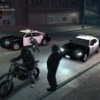
I only got one screen shot for the evening, but peak play time we had about 6 people online. Tons of fun as always, thanks for coming out!
-
There are 4 of us online now. Please feel free to join us.
-
-
Okay, so yes there will be a game tonight. Everyone is welcome to join us. Same bat time, same bat channel. In an effort to ensure smooth gaming tonight only the following mods are approved: LCPDFR latest version DAS latest version Trainer Please do not use or have installed any others, though sound files for different sirens should be fine. That means no car mods, no ELS or anything else, we found a much smoother experience with little to no crashes by running the game this way last night. Please also do not abuse the trainer during gameplay. Too much teleporting, changing mods, exploading things, etc etc etc will cause desync errors and crash people. K.I.S.S. and have a good time. This includes calling in NPC back up, and prisoner transport. As these are known to cause crashes as well in multiplayer. Please do not spawn events, with as many players that were showing up last night, there will be PLENTY of calls for you to go assist with. To join us in multiplayer follow these steps: Join the teamspeak server by downloading teamspeak at : http://www.teamspeak...?page=downloads Next log onto the teamspeak server: http://www.lcpdfr.com/page/teamspeak Then follow the download and install instructions found here: Once you have done that, download and install DAS: http://gtapolicemods...?do=file&id=799 Once you have done all of the above, log into the game, and add Drakedge to your windows live friends list. You can also add me to your steam list of friends. Lots of steps but its not as bad as it seems.
-
I will know here after lunch, keep a look out here.
-
-
A chase during our multiplayer game tonight.
-
-
-
Here are a couple screen shots from the evening.
-
Tons of people online right now, come join =D
-
Hey guys we have 7 people online right now, if you want to join up come onto teamspeak and add drakedge to your friends list.
-
Hey Officer Havok, To join us in multiplayer follow these steps: Join the teamspeak server by downloading teamspeak at : http://www.teamspeak.com/?page=downloads Next log onto the teamspeak server: http://www.lcpdfr.com/page/teamspeak Then follow the download and install instructions found here: Once you have done that, download and install DAS: http://gtapolicemods.com/downloads.php?do=file&id=799 Once you have done all of the above, log into the game, and add Drakedge to your windows live friends list. You can also add me to your steam list of friends. Lots of steps but its not as bad as it seems.
-
Sorry buddy its just when i get home from work. This weekend I will likely be playing again, but you have that airsoft game hehe.
-
I will be hosting another game, in about 3 hours from now. ( 6 PM EST )
-
If you downloaded custom vehicles, a lot of them use ELS 6 for their lighting system. You would need to download ELS and follow the readme there to install it. If you dont know how to install custom vehicles into the game at all, run a search on youtube for spark 4 tutorials, you should be able to find one out there. It is how i learned to use it. Also the readme files included in most modded content will tell you how to install them using spark 4 if it is needed. or what to do otherwise.
-
There will be another game tonight, at the same time using the same mods as before. Last night we had a good game with only a couple crashes. FAR less crashes than we had experienced using additional mods.
-
Well that was a lot of fun thank you everyone for coming along. Keep an eye out on the forums here, I will post when i bring up another game like that.