Drakedge
Members
-
Joined
-
Last visited
Reputation Activity
-
 Drakedge reacted to MSKI8877 in Planned Multiplayer Game 6 PM ESTTonight's game was insane!!!! I loved it!
-
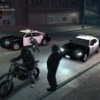
Drakedge got a reaction from BlackerCracker in Planned Multiplayer Game 6 PM ESTA chase during our multiplayer game tonight.
-
Drakedge got a reaction from Rollyhood in Planned Multiplayer Game 6 PM ESTHere are a couple screen shots from the evening.
-
Drakedge reacted to Break in [How-To] Listen to NYPD radio in game.Since many people hate the fact that there is no police-scanner action in game, I'm gonna teach you how to have soem sweet radio talk in the background, when you're on patrol.
We will listen to the NYPD radio over internet, this is legal.
Now, GTA IV doesn't accept M3U files anymore, so we will have to have a program running in the background. Use what-ever program you'd like to use, for example Windows Media Player or iTunes. For this tutorial though, and for my own game, I'm going to use VLC. You can get it from here.
First Step:
Download VLC or any media player of your choice. I'm going with VLC, from here.
Second Step:
Open your media player, in this case VLC and go to "Media > Open Networkstream..." (or similar on other media players)
What you want to do now is enter the following address into the field...
http://relay.radioreference.com:80/931287466
...and hit Play.
Now you will have a police scanner running in vlc. If you don't hear anything, don't worry, they don't always talk; just wait a bit.
Third Step:
Open GTA IV and play. You might wanna adjust the volume of your media player so it isn't too loud ingame.
Have fun!
-
Drakedge got a reaction from Ekalb in LCPDFR ConcernsNope, I don't think so. Could it potentially inspire one person who doesnt seperate reality and video games, maybe. But in my opinion the base game that the mod is on inspires a far worse lifestyle than being a police officer lol.