




maddriller
Members
-
Joined
-
Last visited
Everything posted by maddriller
-
some of the vehicles I use and downloaded and got skins for
-
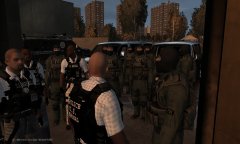 help is here
-
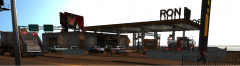 officer involved shooting
-
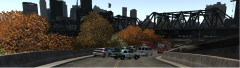 story one
-
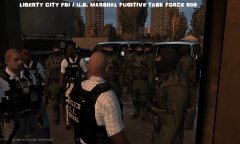 FUGITIVE_TASK_FORCE_POSTER.jpg
-
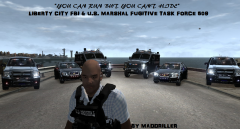 FUGITIVE_TASK_FORCE_POSTER_2.png
-
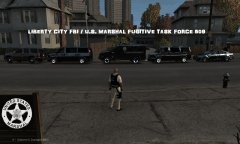 2015-05-29_00010.jpg
-
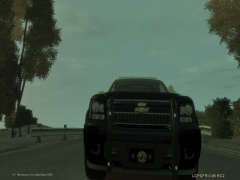 fhp k9 front liscense plate
-
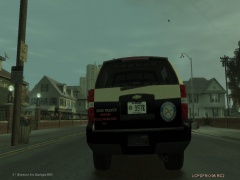 fhp k9 tahoe back
-
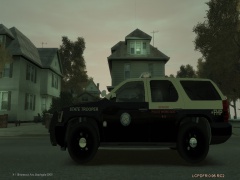 fhp k9 tahoe side
-
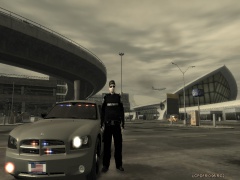 fhp unmarked charger
-
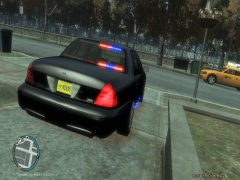 pbso unmarked
-
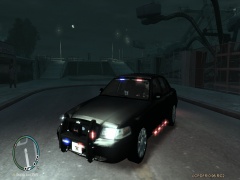 pbso unmarked cvpi
-
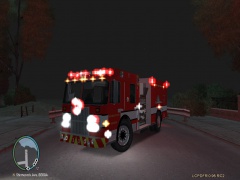 palm beach county fire rescue E33
-
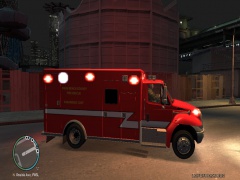 palm beach county fire rescue R29
-
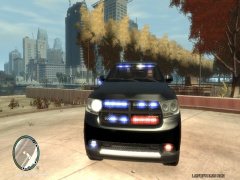 unmarked durango 2
-
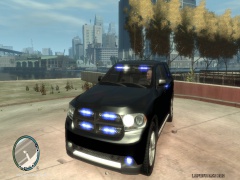 unmarked durango 1
-
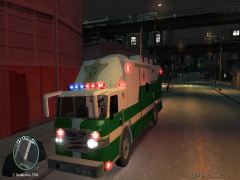 command unit new texture
-
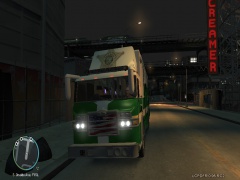 command unit new texture
-
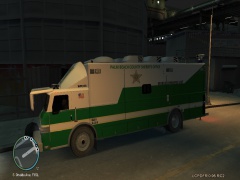 command unit new texture
-
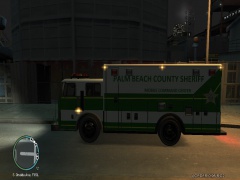 pbso command center v2
-
-
From the album: my vehicles
HELP TO FIGHT RISING CRIME RATE IN LC Assistance is arriving to Liberty City to help fight the rising crime rate in Liberty City. After a heated city meeting the mayor still wouldnt back down from his city hall and parks restoration project after hearing the voiced concerns to hire more law enforcement officers, firefighter, and paramedics. The total call volume now involving law enforcement is still overwhelming it would take three whole departments road, foot, air, sea, and tactical units combined to meet the demand of the cities rising crime rates from homeless causing a ruckus to rape and murder. The fire and ems calls are not far behind with the rising crime rates almost 80% of their calls are directly related to the aftermath of the crimes commited. The mayor is shortly announcing the hiring of firefighters and paramedic with only a little room left to fund his expensive and extensive project with little to show for it. The Cheif of LCPD and the Sheriff of LCSO had a personal meeting together with the Governor of Liberty and agreed to ask for the assistance of the U.S. Marshal service and the FBI Joint Fugitive Task Force to help fight the rising crime rates the Marshal service will assist from fugitive arrest warrants to computer crime, the FBI will assist also in fugutive arrest warrants and investigations from murder to money laundering. Talks of DEA and ATF soon to be present in Liberty City but it is only hear say. -
From the album: my vehicles
ROBBERY FOILED BY LCSO DEPUTY LCSO investigators are investigating a robbery plot foiled by LCSO Deputy. When the deputy entered the gas in Little Bay, Bohan to get his morning coffee and paper as he does every day to start his morning shift in Bohan to fight the ever so rising crime rate of the borough. He got more than a cup of coffee and paper to go. "As he walked up to the door he noticed a male subject standing at the counter with a pistol in hand pointing it at the cashier, while the subject was concentrating on the cashier removing the money from the register he fired a fatal shot as soon as he noticed the deputy entering the store. The deputy then drew his weapon and discharged several fatal shots into the subject. And are still investigating the entire event from start to finish." Says public relations liaison of LCSO. The deputy has been put on administrative leave with pay pending the investigation and autopsy results. both the identities of the deceased and deputy are still remaining unidentified until full completion of the investigation. -
From the album: my vehicles
RISING CRIME RATE STILL BLIND TO MAYOR Around 7am workers for the new East Borough Bridge in South Bohan called 911 for a unconscious female. Shortly after FDLC arrived with LCSO on scene with them because of the recent attacks on FDLC crews it is now standard protocol for LCSO to be present on every EMS and Fire call the LCSO and LCPD are stretched to its limits already from budget cuts and terrorist threat levels heightened in the Liberty City that the mayor is still blind to the rising crime rates and lack of staff in both FDLC and law enforcement do to the budget allocations to the city hall and parks restoration project. The woman was pronounced deceased on scene by FDLC crews. Investigators are still looking into Jane Doe's cause of death no witnesses were present around the incident police are covering the surrounding area for any possible leads Jane Doe's body was transported to the local medical examiners office pending examination. Officials are still investigating the scene for any evidence. The Public Relations Liaison for LCSO stated " the crime rate is not going down its actually up 150% since the budget cuts for the project two years ago and we are asking the citizens of Liberty City to come forward with any information regarding the incident." -
thanks for the awesome caprice dude love it you keep up the awesome work also
-
From the album: my vehicles
-
From the album: my vehicles
-
From the album: my vehicles
-
anyone want to play tonight please no immaturity add me and pm me on here will give further info rkb010 if you want to get in with us you can just pm me and ill give you the info
-
starting a mp game anyone want to join message me here or gfwl killermuddawg
-
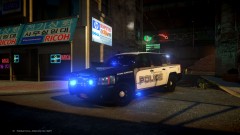 nice one dude I think you got it the way it is two thumbs up
 -
setting up an mp game now if your interested hit me up on steam hardenthefup running pss das bravehaeart police 95 lessovertake setting up multiplayer no my steam is hardenthefup running policing das lessovertake vehicles in our lobby when u message me ill give u ts link
-
im up to play to patrol no blow each other up kinda thing steam id is hardenthefup xboxlive id killermuddawg I kept 0.95 rc2 1.0 wasn't working for me still have to get a mic lol just up to play and got a few mods I can take me off if anything its getting to be boring playing sp PM me in LCPDFR first please
-
From the album: my vehicles
-
-
-
From the album: my vehicles
-
-
From the album: my vehicles
-
patience is a virtue ill just wait til there is an update guess im just one of the many unlucky ones lol
-
I tried to automatically install and manual and following the instructions of deleting 0.95 still didn't work for me im just going to go back to rc2 0.95 until things get worked out I think 1.0 has a lot of potential but everything will work out in due time. Im greatly appreciative of the hard work they have done to get it where it is now and cant wait to see what is in the future for LCPDFR
-
Appreciate the comment but it is correctly spelled it is a fire rescue we no longer have fire departments :)
-
From the album: my vehicles
Spartan gladiator skin I made on my local fire rescue -
From the album: my vehicles
international durastar ambulance skin I made on my local fire rescue -
From the album: my vehicles


