prgamolvej
Members
-
Joined
-
Last visited
Everything posted by prgamolvej
-
I ran it and it said Windows Resources Protections did not find any integrity violations. Any ideas? I will be going afk soon so if I didn't reply please don't dump this theread.
-
I tried that but I didn't restart right away so I gonna give it another try.
-
I found the main problem, its that Window Installer Service could not be acess, can someone help me?
-
-
I got error code 641.
-
Found the problem, windows update keep failing, cheack out my other theread: '?do=embed' frameborder='0' data-embedContent>>
-
I been getting this issue for 2-3 mounths now and I been searching on the internet and many tell to install stuff but I am aware of malware and stuff so I want you guys to help me because I don't really trust the internet these day, so many malware. I am using a Window 7 Viao laptop.
-
Ok, when you come back, I got the error message here: I uninstalled my .net framework 1.1 and still crash and got that message, now I have no .new framework.
-
The UAC was never on.
-
What do you think of the color coded list? I will keep updating it.
-
4.5 Installer keep crashing, what do I do?
-
Make sure you aren't using a crack - We don't support cracks: I have the 100% legal version, it worked with 0.95 Update GTA IV to 1.0.7.0 (the latest version of the game, or 1.1.2.0 for EFLC) - This sometimes fixes a wide variety of issues: I updated it Make sure that you run the game as an administrator.: Did it Make sure that your GTA IV root folder (and every subdirectory) is not set to "read-only": Still nothing Ensure that ScriptHook.dll, ScriptHookDotNet.asi and Dsound.dll OR Xlive.dll are in the GTA IV ROOT folder: They are as in the picture Ensure that there is a folder titled 'LCPDFR' in the ROOT GTA IV folder.: They are as in the picture Check that all the above files exist, if they do not, reinstall LCPDFR with the MANUAL installation.: I have alway use the manual installation Ensure that you are using up to date versions of every LCPDFR dependency and LCPDFR itself.: I think I am, how do I cheack? Install these: .Net Framework 4.5, Microsoft Visual C++ Redist 2012: I have the C++ but remember about .Net Framework 4.5? I have the 4.0 is that ok or if not, can you help me resolve the problem from last time because I still can't get it working. Green: Done already/not a problem Yellow: Trying Red: Failed
-
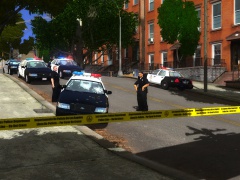 It look awsome, release it. If possible, can you do the NYPD and LCPD one too?I am here because I tried everything, I looked at this thread: '?do=embed' frameborder='0' data-embedContent>> I search the forum, I search the internet, trying to use xlive, I even reinstall GTA IV completely and try launching as admin with LaunchGTAIV and still nothing. Heres the log of scripthook.net:The installer crash and the updates failed. This is hopeless, migh as well play the old 0.95. Another question does 1.0 work with .net Framework 4 because I think I have it but everytime I go in it said failed to load the LoadLcpdfr thing and I tryed everything.I know this is a stupid question but, where can I update window?I don't which of window 7 I have but the installer I have the one I got from you.I got 100% legal copy of window 7.I have x86 and I try run as admin and it didn't work :(Yep, plain crash, I am using a 64/86 bits ethier one. I am going to try running it as admin now. The version of the installer is the one you sent me.First of all, WOW thats was a quick reply and second, it said .Net Framework Setup has stop working, you know, the window 7 trying to resolve problem thing(thats never ever solve anything and very useless).Everything els installed just fine but .net Framework 4.5 still crash after it's install.Where can I find it? Other thing, my Visual C++ 2010 Redistributable crash after it finish install.I am using a Window 7. Sorry for the wait, I was busy with school.