


TereziDreams
Members
-
Joined
-
Last visited
-
 Thankfully I've fixed that issue by pure luck, but it seems that anytime I attempt to use the Manager and press "Y" to accept a callout, I hear this beep that occurs when there's an error in-game and the callout doesn't function properly.
- 138 comments
- 34 reviews
-
Doesn't seem to want to work for me. I installed everything in the proper folder, but pressing F12 in game does nothing but take the normal Steam screenshot.
- 138 comments
- 34 reviews
-
Not too sure how to make a command line, as I'm a dingus, but someone gave me a nice solution here. Check out this video.
-
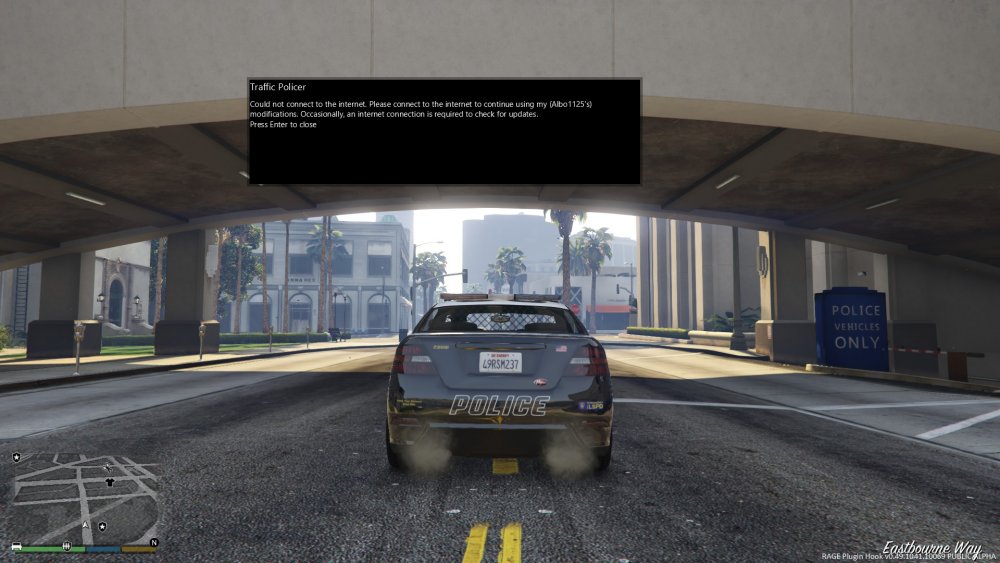
As you can see in the uploaded image, this error message pops up. I looked at another topic in this forum, but it proved no assistance. I allowed all instances of GTA V in the firewall, and I did the same with RAGEPluginHook. I restarted Steam afterwards, as well. No dice. Can anyone help me out?
-
Still need some help, here.
-
I allowed GTA V (All instances) and RAGEpluginhook in my firewall, but nothing seems to be working. The error message is still there.
