officer 21
Members
-
Joined
-
Last visited
Everything posted by officer 21
-
use the one outside the mods folder and overwrite it to the mods folder
-
 it make it more realistic the guns stored in the car and to get it u have have to go to the car and collect it as in real life as pulling the gun out the your characters ass ant real. unless that is how u roll
- 135 comments
- 22 reviews
-
-

- 1
-
-
its aslome script mate well done so more realistic it will be Amazing once the shotguns added to the script i love it
- 135 comments
- 22 reviews
-
-
- 1
-
-
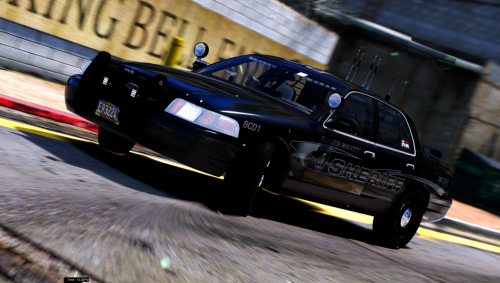 when will you release the other vehicles in the pack this are alsome or more vehicles they are the best mate keep up the good work
- 26 comments
- 17 reviews
-
i dont think so but could be wrong @Breally989
-
so normal cars not emergence vehicles or standard police cars etc with non els @East Coast Design
-
@GunnDawg i think its this one Code 3 Mastercom B Siren
-
yes sorry for got to put that in thank you for that
-
only if they have changed the dlc list addon cars would not show up this file has noting to do with the x64.e or the patchdays update rpf is when the dlc list are vehilce metas visual enhances etc you can easy see this when you in the file though open iv which you copy and paste the files like that out update it then add them back in but looking at the log is crashing at the loading of the story mode which i was wondering this also but ive only seen it crash at the next stage for the game config
-
its not a rockstar problem ragehook fourm @ Salty Sarge it a ragehook issue with updates if your new at this listen i just told you what to do you will still have the issue of the crashes everyone has the issue of the crashes after updates
-
so have u change any files in update. rfp under update in the mods folder. like graphic enhancers ect, make visuals better or visual v etc or add car to the game automatic car packs and need to change the vehicle meta files will help sorry every time there is a update in the game you have to update the mods update.rpf folder as rage hook uses the mods folder to load the game under the bits that have changed what you can do is copy and paste the one in the mods folder out for a copy paste it to the desktop then go to update out side the mods folder and copy this one to the mods folder update file and try the game to see if it loads. dont delete to one from the mods folder if it works u need it have you used open iv to change any files
-
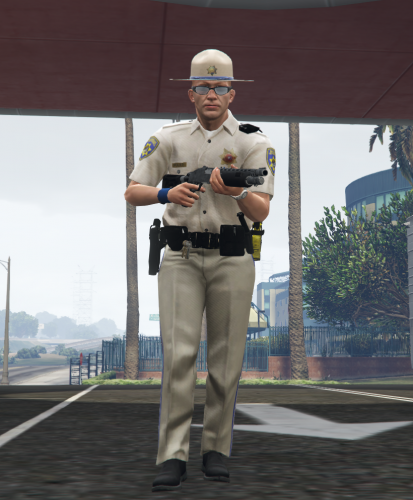
hi guy there uses to be a ped that was SAHP with a black vest on lspdfr site can anyone point me to the ped i carnt find it anywere thanks for the help guys
-
but the crash is happening not in game looking at the crash report its still loading the story mode did you manually update the games update. rpf after the update in the mods folder it will keep crashing if thats not updated
-
you can use paint .net which is free
-
did you update the update.rpf file in the mods folder cation the update will take the file back to stock so save what you changed in that file first then copy paste it back after you update it
-
-
-
-
-
the recommended for gtav is this Processor: Intel Core i5 3470 @ 3.2GHZ (4 CPUs) / AMD X8 FX-8350 @ 4GHZ (8 CPUs) Memory: 8GB Video Card: NVIDIA GTX 660 2GB / AMD HD7870 2GB Sound Card: 100% DirectX 10 compatible HDD Space: 65GB DVD Drive gtx 970 would be a perfect graphic card of it both those are too small cpu also the more plugins to the game the harder the cpu works spend the extra and buy a bigger one
-
use captains and then remove the dlc and change it with the one you want that the easiest way i found'
-
use search warrant mod for searching car that you pull over https://www.darkmyre.net/files/file/9-search-warrant/ both you will need https://www.darkmyre.net/files/file/24-darkapi/ Alfredo Helper is just for the load out
-
in the vehicle meta file in use Openiv MODS folder updates, update.rpf, common, data, levels, gta5 try changing the flags to the same as police 1,2,or 3 keep the old one just incase it doesnt worjk
-
it can sorry not it car also
-
place the xml file that comes with the els cars you download into els folder, pack_default folder place into there # try reinstalling els and the required things for that # try another car to make shore that its not the model # it car also be the vehicle files in the game if changed to make non els cars work in that slot so check that.