



bilal4430
Members
-
Joined
Everything posted by bilal4430
-
Hello I managed to relaunch it but I have a problem with the ped outfits. When I installed the mod outfits in the game the peds still have the basic outfits. It does that for the swat the paramedics and the police
-
Ok thanks you 🙃😄 Hi I put eup and lspdfr crash in the loading screen
-
Oh tanks you !! It's working
-
yes i get that as an error
-
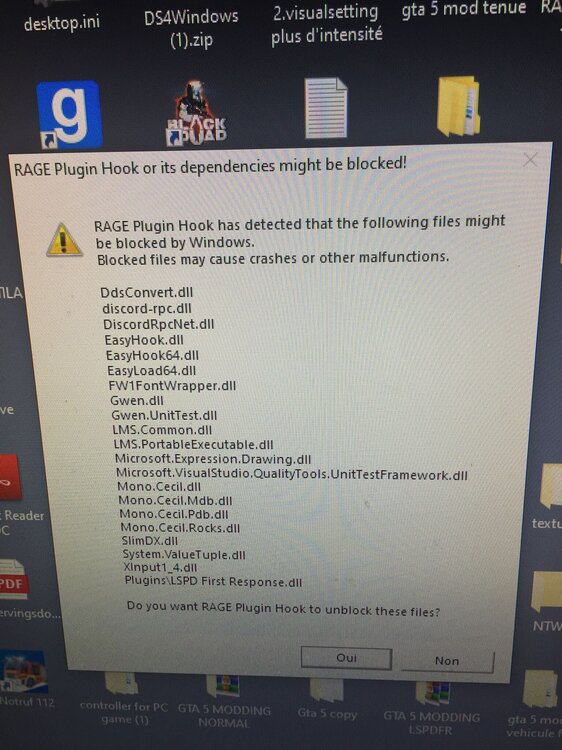
Hello, I have a problem I added the gta file in my antivirus exclusion. And Rage Plugin Hook crashes on launch, even after disabling firewall and antivirus. I have reinstalled lspdfr and rage several times. I have no mod and I even reinstall Gta 5 without success. And when I will try to see in the plugin hook rage logs. I don't see the files in the gta 5 directory. Do you have a solution please ?
-
Bonsoir, j'ai un problème j'ai ajouté le fichier gta dans mon exclusion antivirus. Et Rage Plugin Hook se bloque au lancement, même après avoir désactivé le pare-feu et l'antivirus. J'ai réinstallé plusieurs fois lspdfr et rage. J'ai aucun mod et j'ai même réinstaller Gta 5 sans succès. Et quand je vais essayer de voir dans les logs de rage plugin hook. Je ne vois pas les fichiers dans le répertoire de gta 5. Avez vous une solution svp ?
-
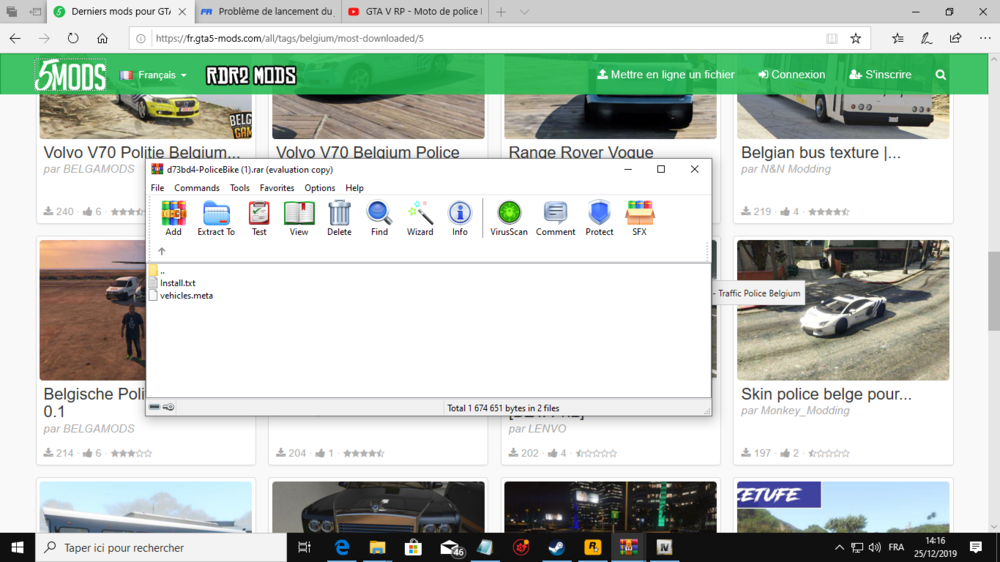
Hi I have a problem which is quite annoying on lspdfr I have a problem with the BetterEMS plugins when I launch the game there is a message that says "BetterEMS status check Attention Online check failed. There as problem cheking the mod server status: Privacy / Policy / NotAccepted" here is thank you sorry for my English i'm belgian i speack french.ah d'accord merci 😉J'ai le même problème et je n'arrive pas à le résoudre. « J’ai pas lancé le mod avec rage »Bonjour, Joyeux Noel ;). j'ai une question le fichier "vehicules.meta" c'est pour quoi faire, Svp ??e svp ??
 Bonsoir j'ai aucun problème j'aimerais juste essayez cette mise à jour plus tard pour éviter les crash/bugoui j'ai bien une version légale mais mtn gta 5 fonctionne mais rage continue a crasher c'es régler lspdfr fonctionne vraiment j'ai juste un petit problème avec le mod better ems. il ne s'active pas je ne sais pas pk. Même quand je réinstalle le mod better ems. "j'en ai besion pour les rapport des victimes.Mon jeux crash même quand je le réinstalle, il crash le jeux et fait crash Rage aussi c'est quand je lance le mod histoirec'est quoi ça rage crashc'était avant d'envoyer le log c'est carrément gta 5 qui crash je ne sais pas quoi faire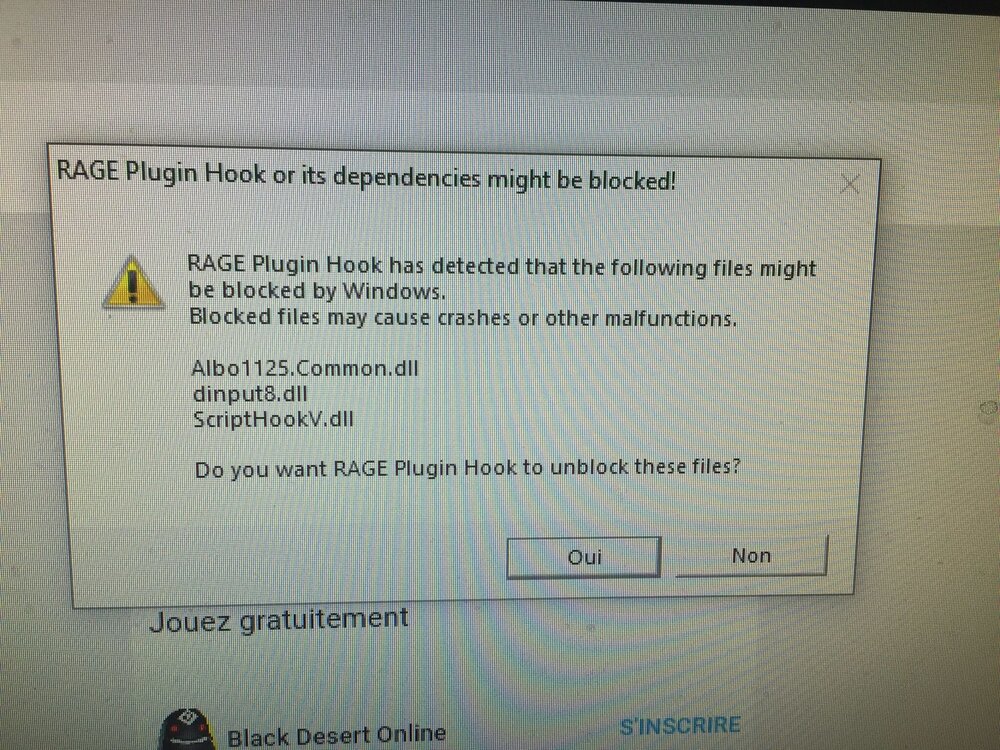
 c'est le problème du début le jeux se met en sous fenetre et impossible de revenir dans le jeux il fait ça quand il met "loading lspdfr" j'arrive pas à régler se problèmeJ' ai rien dit :) C'est bizzare j'ai fait la même chose que lui mais sauf que mtn gta 5 crash.merci je vais éssayer Vous savez comment on accède a ces fichier ?? Je veux dire comment on fait un backup de mon agency.xml ?? j'ai trouvé j'avais pas bien regardé oui mais ça c'est pour les sheriff ?? Moi c'est les policiersoui 🙂 les skin d'origine je vois quand je les portes sur moi et les autres policiers certain oui certain non "je voulais dire pour les tenue, et les véhicules je vois qu'ils sont moddés mais quand je m'éloignes je ne les vois pas je vois juste les 2 policiers assisExcusé moi pourquoi je ne vois pas les véhicules modés de loin ??attendez v'est bizzare voilà
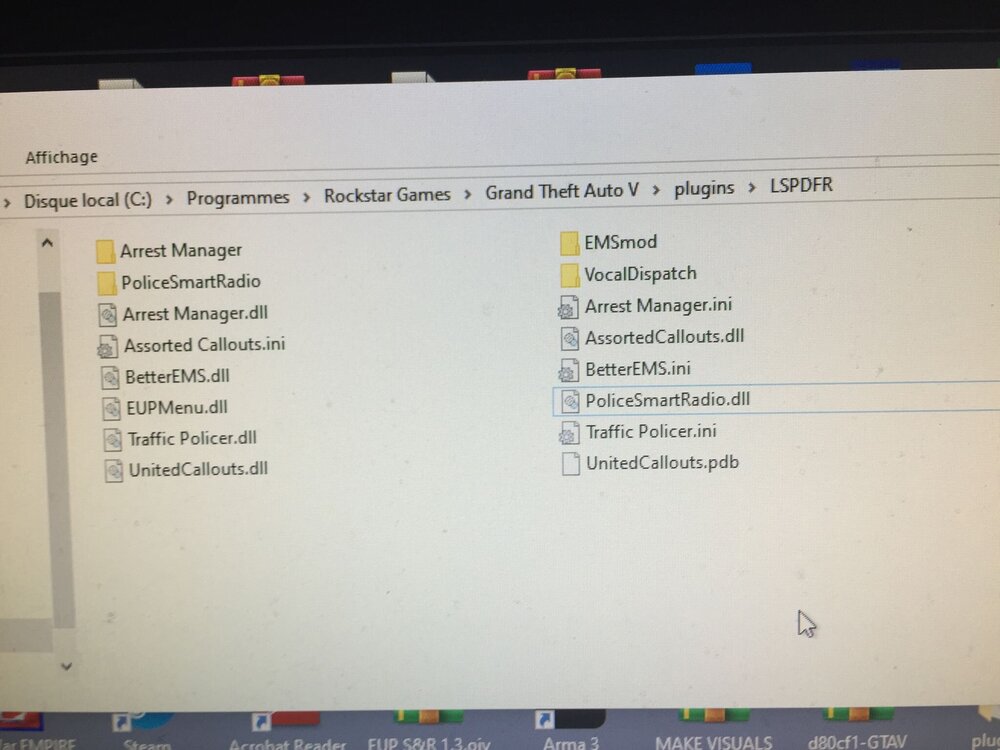 j'ai enlevé tout mes plugins et j'ai mis ceux là


.png.e1f7a260a0acf35acf715d0f39420799.png)
.png.e7867d064e4bbc31819fc0edbdafbef0.png)
.png.afb82d0ddd9fceb7e5d18bb26fae11f6.png)


Account
Navigation
Search
Configure browser push notifications
Chrome (Android)
- Tap the lock icon next to the address bar.
- Tap Permissions → Notifications.
- Adjust your preference.
Chrome (Desktop)
- Click the padlock icon in the address bar.
- Select Site settings.
- Find Notifications and adjust your preference.
Safari (iOS 16.4+)
- Ensure the site is installed via Add to Home Screen.
- Open Settings App → Notifications.
- Find your app name and adjust your preference.
Safari (macOS)
- Go to Safari → Preferences.
- Click the Websites tab.
- Select Notifications in the sidebar.
- Find this website and adjust your preference.
Edge (Android)
- Tap the lock icon next to the address bar.
- Tap Permissions.
- Find Notifications and adjust your preference.
Edge (Desktop)
- Click the padlock icon in the address bar.
- Click Permissions for this site.
- Find Notifications and adjust your preference.
Firefox (Android)
- Go to Settings → Site permissions.
- Tap Notifications.
- Find this site in the list and adjust your preference.
Firefox (Desktop)
- Open Firefox Settings.
- Search for Notifications.
- Find this site in the list and adjust your preference.