Skip to content
View in the app

A better way to browse. Learn more.

LCPDFR.com

A full-screen app on your home screen with push notifications, badges and more.

To install this app on iOS and iPadOS
  1. Tap the Share icon in Safari
  2. Scroll the menu and tap Add to Home Screen.
  3. Tap Add in the top-right corner.
To install this app on Android
  1. Tap the 3-dot menu (⋮) in the top-right corner of the browser.
  2. Tap Add to Home screen or Install app.
  3. Confirm by tapping Install.

TrooperClark3469

Members
  • Joined

  • Last visited

Everything posted by TrooperClark3469

  1. Hi, yes I have it in my mods folder and the sheriff in my gta folder is the original one so there is no way that those textures should be in the game because they aren't in the files.
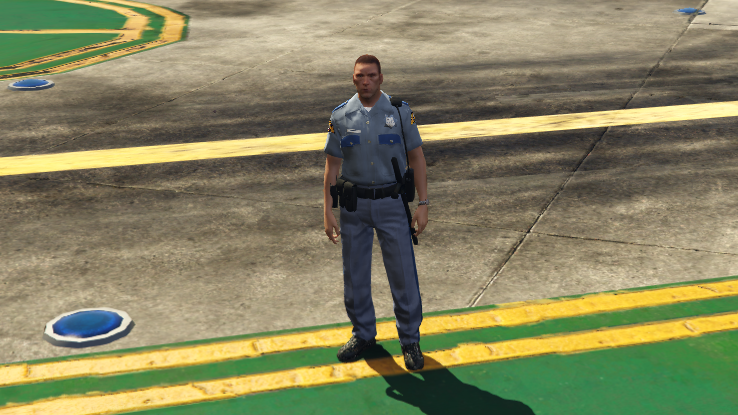
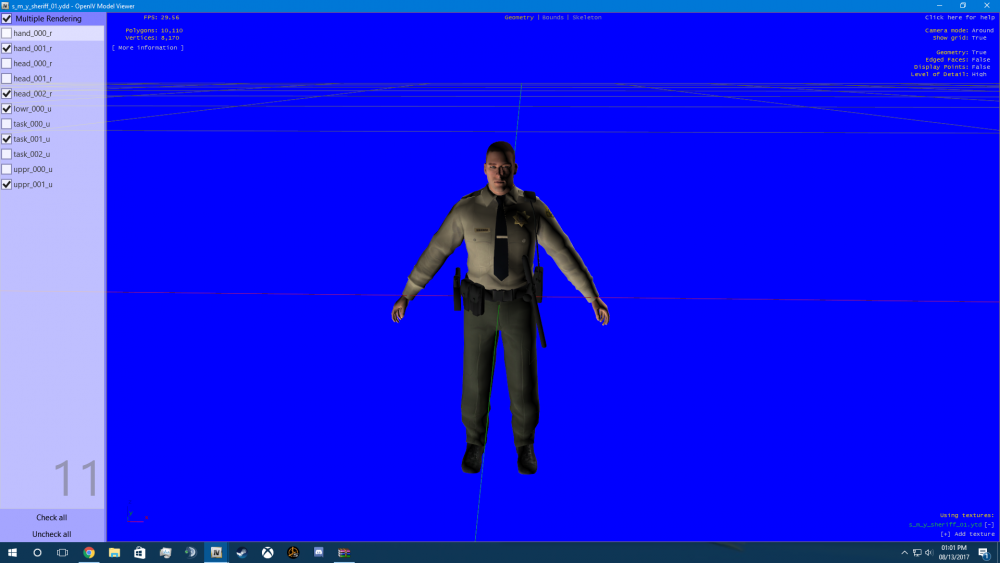
  2. This is my first post and my last option for help. I replaced the sheriff files to Washington State patrol, but when I wanted to replace it with another sheriff, it messed up the textures. I got frustrated so I replaced the files with the original sheriff PED (the one that came with gta) and I'm still getting the Washington State Patrol skin even though there are no files of WSP in there. the folder I installed it to was mods>x64e.rpf>models>cdimages>componentpeds_s_m_y.rpf I have attached some pictures to help.
  3. I didnt know that, I will look back through the files
  4. you should make a pack for bxbuggs' 2011 CVPI. that would be awesome

Account

Navigation

Search

Search

Configure browser push notifications

Chrome (Android)
  1. Tap the lock icon next to the address bar.
  2. Tap Permissions → Notifications.
  3. Adjust your preference.
Chrome (Desktop)
  1. Click the padlock icon in the address bar.
  2. Select Site settings.
  3. Find Notifications and adjust your preference.