
Candice
Members
-
Joined
-
Last visited
Everything posted by Candice
-
-
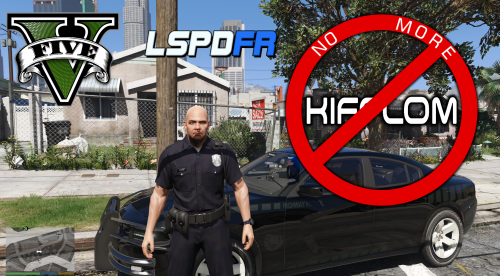
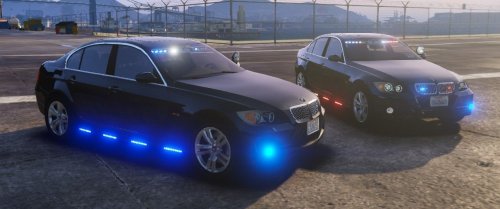 Duncan Inspired BMW ADDON/REPLACE Can be use as an Unmarked, Ghost, or Marked Patrol modeled after Duncan police ghost BMW, minimal interior equipment Replaces POLICE4 Skin byHDBadgertemplate include, and light textures for all blue or red and blue, your going to need to edit or replace ur ELS VCF for blue lights if your change lights over. 3 lighting Stages, Stage 3 turns on siderunners and license plate lights. Dashlights Siderunner Option with or without spotlight Rear window lights Whelen L/S control module 90% Tint all around which hide front light bar, if you don't like this tint option just change the therwintemp in the ytd to the tint option you want ive included several options in the download. Option for no tint on front windshield and an option for tint all around Livery options: Pick one 1. ghosted black skin (default), 2. transparent skin so you can change car colors with trainer 3. Transparent ghost skins with ghosted logos so you can change the color in trainer, darker colors work best with ghosted logos using open IV (replace) install in latest patchday or mods\update\x64\dlcpacks\patchday8ng\dlc.rpf\x64\levels\gta5\vehicles.rpf install as an add on Use Open IV autoinstaller add file, note this addon installer only adds a dlc entry and files doest not alter any other files in your game directory to delete the dlc just delete the folder. add on spawn name is BMW550 add on install video YOUTUBE VIDEO LINK for install help please go to discord text chat for help, support in reviews will not be answered and is against LSPDFR policy https://discord.gg/sMSRr6j *known bugs* report bugs in discord, front lightbar partially obstructs first person view. quick fixes - tint is too dark: remove tint in trainer to stock or none, this will expose the stock tint you can change in the ytd and be able to see through the tint to drive around or hide. Please Link to this download, You are not allowed to reupload or redistribute this modification. you are not allowed to rip from this modification or upload to a different site and claim as your own Join the Discord Server for GTA Modding, Dev resources, dev supports, and feedback https://discord.gg/WBUXsaU please ONLY report bugs in discord chat Support Chat & Bug Reports https://discord.gg/sMSRr6j Check out my other downloads >>> My Downloads
- 8 comments
- 5 reviews
-
-

- 2
-
-
-
Polygon >> Vertix Mode hight light then set id
-
You need to merge in a new copy after installing the fix. New document >> merge >> export
-
-
-
-
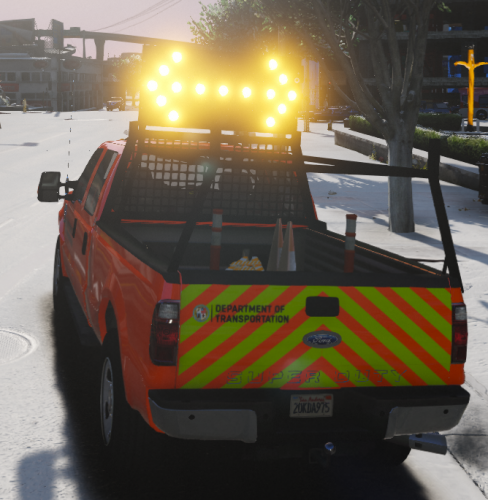 Can you join discord for support. @echo04 metas are in the update. https://discord.gg/sMSRr6j
- 19 comments
- 8 reviews
-
-
-
-
-
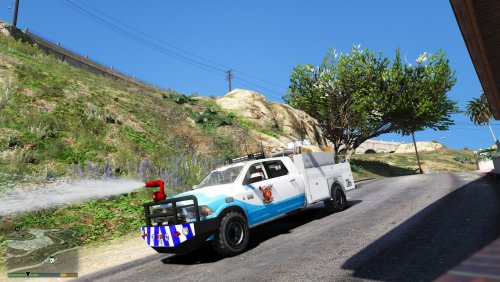 you want me to send you the meta for the turret ? you should use the add on meta the meta works in there, the auto installer ive added a version without the water cannon
- 15 comments
- 4 reviews
-
-
-
-
-
-
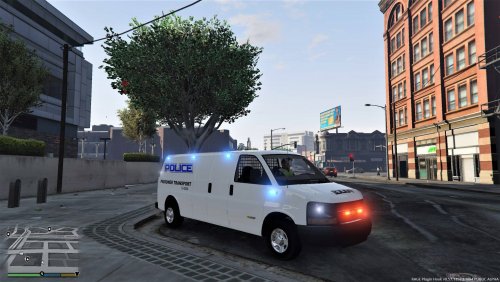
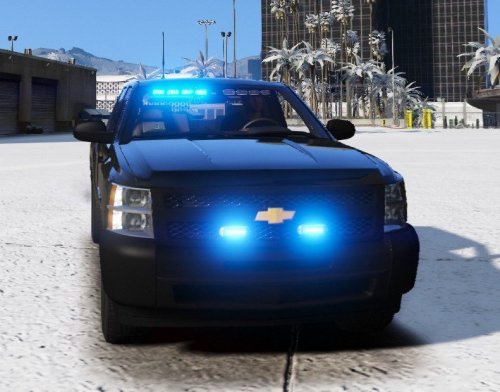 zmodeler likes to be tempermental i had wanted totally different lite setup for this truck, but when i first tested it in game, lights gave no emissive, tried so many things to fix it, then i just scrapped the model and started with different lights. im working on an update give me your suggestions in comments, and link any lightsbars youd want to see on this truck. if you dont like the seat organizer i can remove or attempt a different placement
- 31 comments
- 15 reviews
-
-
you are very correct sir, thats all it is, took me a few months to figure that out . did some research and found out how to do it. now that i have rename the winrar to OIV it no longer triggers a manual review, thats good cause i plan on updated all my 15 vehicles to to use this install method,
-
ok thank you
-
http://docs.openiv.com/doku.php?id=packages:overview when you create the winrar package just rename the extention to .oiv and thats it. sample package http://docs.openiv.com/files/Package11.zip complete code on link, OIV Package version 2.1 must be a ZIP archive without password, the compression level is not important. Files List of files and folders inside package archive: assembly.xml icon.png content assembly.xml Type: XML File Required: Yes The main package file, contain metadata, appearance and content description. icon.png Type: PNG Image Required: Optional The icon representing this mod. Must be exactly 128×128 (px) size. content Type: Folder Required: Yes Folder with files of mod. assembly.xml Root node must be named “package” and must have three required sub nodes: “metadata”, “colors”, “content”. <?xml version="1.0" encoding="UTF-8"?> <package version="2.1" id="{12345678-90AB-CDEF-1234-567890ABCDEF}" target="GameId"> <metadata> ... </metadata> <colors> ... </colors> <content> ... </content> </package> Package attributes version Type: Package Version Required: Yes Value: “2.1” The version of package format, always equal “2.1” this method should make your mods alot easier to install Package Contents. your dlc.rpf must be in the content folder. hope this helps. uploading just the rar file will have the same results, but will trigger a manual review on LSPDFR
-
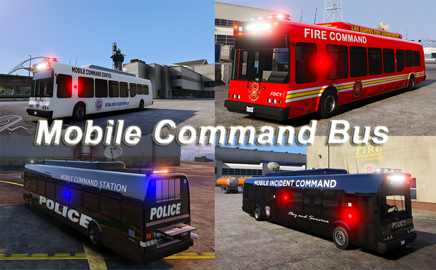
ive created package installers using winrar what is compatible with open iv but it always triggers a manual review of my files on LSPDFR. does anyone know how i may go about creating an actual OIV installer method instead of using the winrar package. package installer uses a DLC.rpf and a assembly.xml that tell open iv where to install the dlc, and add the necessary entries in your meta files <?xml version="1.0" encoding="UTF-8" ?> - <package version="2.0" id="{51ce532d-a499-42dc-add2-070f31ea730e}" target="Five"> - <metadata> <name>Mobile Command Center Add On</name> - <version> <major>1</major> <minor>0</minor> </version> - <author> <displayName>Candice Modifications</displayName> <actionLink>https://discord.gg/sMSRr6j</actionLink> <web>https://discord.gg/sMSRr6j</web> </author> - <description> - <![CDATA[ Please note, spawn with trainer "mobilecommand" , dont forget to install a corresponding ELS VCF, Special Thanks to Tiisha for helping make this auto install method possible. for help join the discord ]]> </description> - <licence> - <![CDATA[ You aren't allowed to upload this mod anywhere. for colloborations and custom requests please join the discord server https://discord.gg/sMSRr6j and follow for updates ]]> </licence> </metadata> - <colors> <headerBackground useBlackTextColor="True">$FFFFFFFF</headerBackground> <iconBackground>$FFFFFFFF</iconBackground> </colors> - <content> <add source="dlc.rpf">update\x64\dlcpacks\mobilecommand\dlc.rpf</add> - <archive path="update\update.rpf" createIfNotExist="False" type="RPF7"> - <text path="common\data\dlclist.xml" createIfNotExist="False"> <add><!--WORKAROUND, YOU CAN DELETE THIS LINE--></add> <delete condition="Mask">mobilecommand</delete> <insert where="Before" line="*/paths*" condition="Mask"><Item>dlcpacks:\mobilecommand\</Item></insert> </text> </archive> </content> </package here a sample assembly files, two questions, how do i do OIV and how do i make it add to my dlc rather than overwrite it ?