
HTownman77
Members
-
Joined
-
Last visited
Everything posted by HTownman77
-
 No and he'll get to it when he can.
 -
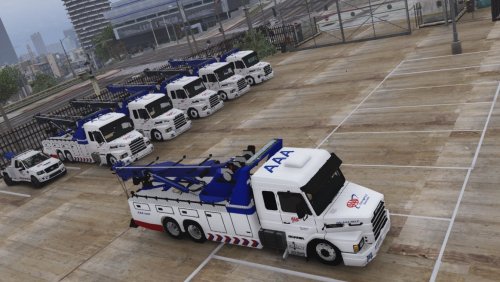 It's odd because if you click on the link to the original model, it does not have those plates.
- 21 comments
- 2 reviews
-
-

- 1
-
-
 Please do. Us non-ELS fans will make you a king for it.
 -
You're not the only one who is on the "...using Captain14's car packs" boat. I can't possibly tell you how long I've been using Captain14's vehicles and regardless how much stuff is coming out regarding ELS, Captain14's packs will never leave me - period. In keeping with this suggesting a livery pack theme, I'm out of the running for wanting to make any suggestions for two things: My hometown (Houston, Texas) now has black and white patrol cars - even though there's a bunch still bearing the all white scheme. Google for photos and you'll see what I mean. I'm not into the theme where you base liveries off the real thing. I'd prefer the real thing.
-
That is correct. Just do the package installer and it'll handle the rest.
-
http://www.lcpdfr.com/forums/topic/71123-how-do-i-fix-this-glitch-problem/?do=findComment&comment=468632 No. All of those packs have their own carcols.meta so it shouldn't mess with each other. FYI, if you want to use the following, you'll have to manually spawn them in via the trainer: Police 5-7 and Sheriff 3 (the CVPI).
-
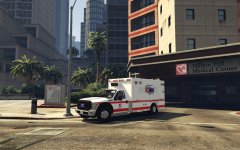
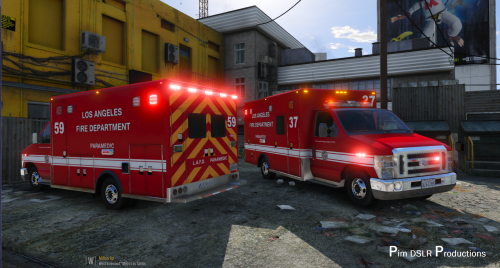 I recently installed this ambulance model and the exact same thing happens to me and like what Kilyin said, it's the model itself.
- 42 comments
- 19 reviews
-
@Geralt @Play3r2 Any assistance you can provide with this problem? See below. I'm stumped as to what is causing that issue.
-
You think you can post a picture just to show the exact problem (if you can)? I've never had that problem of things disappearing when I turn the emergency lights on.
-
Yes. If it still doesn't help, you may wanna ask around and see why your game is not loading.
-
Did you download some other gameconfig.xml file or the one from the link I have given to you? Some may work while others don't. That one works for me - for the most part.
-
Did you install it correctly from Open IV?
-
You may need to update your gameconfig file. Go here https://www.gta5-mods.com/misc/gameconfig-xml-fix-for-bikers-update to download and update. See if that works. Filepath=>mods\update\update.rpf\common\data. Replace the gameconfig.xml file already on there with the one in the download. FYI, always backup what you're replacing so if things go wrong or you're not satisfied with your replacement, you can go back to your "original," put it back where it belongs and find something better.
-
So true.
-
Albo will release it once it's fully ready. A little patience can go a long way these days.
-
https://www.gta5-mods.com/misc/gameconfig-xml-fix-for-bikers-update If that doesn't work, then you may have to sacrifice getting rid of some cars.
-
 Looks like the real thing to me. Now in regards to who exactly has that look, you'll have to look around and see.
 -
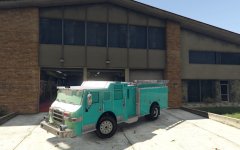
From the link I have, there will be three firetrucks (2 pumpers and one ladder) and two medium-duty ambulance models coming soon.
-
Way ahead of ya. I added the link to my bookmarks folder so I can go to it for updates. Looking good so far. Keep up the great work! :) EDIT: Just signed up and subscribed to all of what I saw.
-
That makes three of us. I currently (and still) use ALL of Captain14's vehicles: LSPD, FIB, and Sheriff packs.
-
I see. We'll just have to wait and see. About time there's some real firetrucks being done for once.
-
. Still a great looking truck.
-
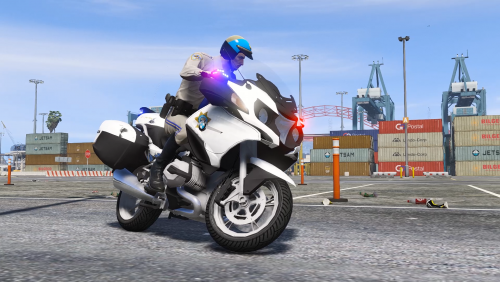 @samtoxie Yup - exactly like that one but as an American version - similar to Thehurk's 2014 version of said BMW R1200RT.
- 23 comments
- 4 reviews
-
Good things come to those who wait.
-
Will this truck ONLY work for ELS or can it be used for either one? I ask because I don't do ELS but this truck would definitely replace what I already for the firetuck slot.