




SNIT
Members
-
Joined
-
Last visited
Everything posted by SNIT
-
I live in a farm in SA. Maybe we can swap speeds, your 80Mbps for my 4.3Mbps.
-
To be fair, the NZ version of the NBN was a lot cheaper to do with a lot less area to cover so you guys got a pretty quick install with out spending a lot of dosh. That said, the primary reason the NBN is behind is because of the Liberal party changing everything to save costs and time. Ironically the change has ended being more expensive than what it would have been if they stuck to FTTP, and due to delays caused by lengthy and expensive negotiations with Telstra, other companies and changes to the roll out plan, the NBN has been push further behind schedule. All the LNP have done is made things significantly worse while they cover up their mistakes and draw media attention away from what is becoming a massive issue.
-
I should've had FTTP two-three years ago, but they haven't even started. Fucking Liberal party.
-
Yep.
-
This: <timeMultiplier value="1.00000000"/> <lightFalloffMax value="70.00000000"/> <lightFalloffExponent value="10.00000000"/> <lightInnerConeAngle value="2.29061000"/> <lightOuterConeAngle value="70.00000000"/> <lightOffset value="0.00000000"/> and these for each corona item: <intensity value="1.00000000"/> <light value="true"/>
-
Altered Macs carcols line to add in proper environmental lighting.
-
HA! Wasn't aware that Aust thread existed on here as well. Apparently we're taking over everywhere.
-
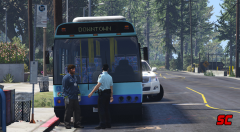 "A man is wanted for questioning after he repeatedly hit the front of a bus with a hammer." This happened in Sydney a few months back.
 -
-

From the album: GTA V AET
More Screenshots here: http://www.gta-mod-center.com/forum/index.php?/topic/35-australian-emergency-thread/?p=3821 -
 Haha about three agencies in one here.
 -
Hopefully the DOA and FIBSec peds will be add to the character selection menu
-
Yeah there are still some issues present, thanks for letting me know your issue.
-
You're in luck, I just released this today. http://www.gta-mod-center.com/forum/index.php?/files/file/486-lights-and-sirens-script/
-
If the trailer isn't set to music by The Killers it'd be a great shame.
-
Am I to assume RAGEHook is a new advancedhook/scripthookV alternate? What exactly makes RageHook different or special?
-
-
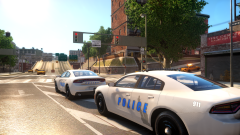
From the album: new stuff
My favorite screen of the 2015 I threw together yesterday. -
I'm very aware of C++ nature, from what you've said there, you definitely aren't getting the idea of what I'm saying and with out being there in person it's a difficult thing to explain. I wasn't saying LCPDFR had any control of gtas pools, I wasn't suggesting a complete rewrite, I know what Access Violations and null pointers are, I'm not new to programming and have quite a few years behind me. The premise behind my pseudo was to limit LCPDFR to decrease the chance for instabilities, also keep in mind that I have no idea how you've coded LCPDFR and my theories are based solely of assumptions of how you've coded it, which may be wrong. However to put it in the simplest possible way, stop lcpdfr from doing to much at any given time to increase stability, all the other issues may remain but if you do have a shit ton of things going on it wont crash as much.
-
I do actually have significant knowledge, there are limits to resources games can only handle a certain amount of resource before becoming unstable, and by 'preventing further writes' I meant stopping anything from being written to any address in memory (potentially overwriting something existing) (i.e stop an object from being created) as .NET apparent has a tough time managing memory on it own.. I don't you quite understand what I'm saying the issue is. But in essence what I'm saying is, is that if GTA wont manage resources, then LCPDFR should. some pseudo: If Number_of_Objects > object_Limit throw exception edit: You could also free some existing objects here and then create the object. else object o = object();
-
I know that, which goes back to my point about LCPDFR not being able to detect the resource limit and stop any further writes. No doubt bad game code is the underlying issue, it would be nice for that safe guard though. That said, let's hope GTA V will be a better port.
-
It is definitely LCPDFR dude trust me, LCPDFR in crashes the game, LCPDFR out and I can play all day. Something in there is giving me issues, I'm not saying LCPDFR is fully to blame but it is what sets it off. I am still trying to figure out the issue, I'll post here if I fix it.
-
Thanks for the insight, but this just raises more question about what exactly is causing LCPDFR to crash the game.
-
certainly gta has it's issues with memory, but if LCPDFR had the proper preventative measures I'm sure the majority of errors would good away.
-
The one above is the only error I get, I think LCPDFR is trying to adding things memory during the pursuit and it's causing a stack overflow. I'm not sure how LMS went about memory management but it seems like LCPDFR doesn't have preventions in there to avoid an overflow, this is particularly prevalent when allowing model pre-loading which causes some stability issues.


