
Sebo
Members
-
Joined
-
Last visited
Everything posted by Sebo
-
 Probably not. You are able to choose between the two Carbine Rifles, but I think I'll keep the rest as it is now.
- 135 comments
- 22 reviews
-
-

- 2
-
-
Haha, yea. That is actually planned for a future update. But customizable weapon attachments are next :)
- 135 comments
- 22 reviews
-
-
- 1
-
-
Maybe. But that's a big maybe. I prefer having the gunrack between the front seats.
- 135 comments
- 22 reviews
-
-
- 1
-
-
-
-
 Looks like you have to replace <ReticuleStyleHash>WEAPON_PISTOL</ReticuleStyleHash> with <ReticuleStyleHash>WEAPON_INVALID</ReticuleStyleHash> or whatever weapon you want the crosshair removed for.
- 6 comments
- 5 reviews
-
Hey, I'd recommend using my meta file, and doing the changes for having no crosshair in in this file. I've compared the meta in my download with the one used by the mod you linked, and yours is missing a lot of stuff. Probably related to the mod not being updated for the last 3 years haha. If I find out how to disable the crosshair I'll let you know what to adjust.
- 6 comments
- 5 reviews
-
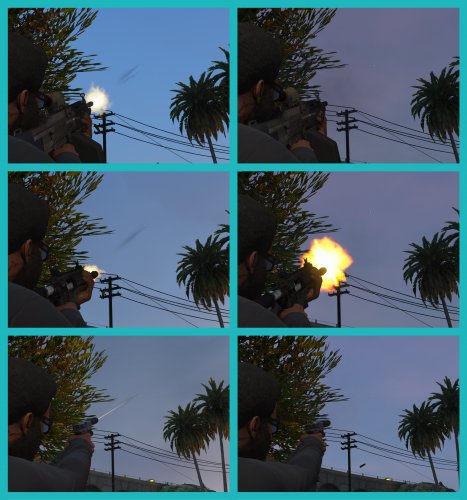
This .meta removes the bullet tracer effect that occurs when shooting with any gun. NOTE: I recommend making a backup of your weapons.meta, just in case something goes wrong. If you have made any changes to your weapons.meta file, for custom weapons or whatever, make sure to redo those changes to the .meta file that I provided Installation: INSTALLATION FOR UNMODIFIED WEAPONS.META: 1. Open OpenIV 2. Navigate to \mods\update\update.rpf\common\data\ai 3. Replace the weapons.meta with the one provided in this download 4. Enjoy. INSTALLATION FOR USE WITH THE FOLLOWING SOUND MOD: https://www.gta5-mods.com/weapons/realistic-shootouts-enhanced-0-9-beta-gtav-weapon-sound-mod 1. Download No Bullet Traces RSE.zip 2. Open OpenIV 3. Install the linked sound mod 4. Navigate to \mods\update\update.rpf\common\data\ai 5. Replace the weapons.meta with the one provided in this download 6. Enjoy. INSTALLATION FOR USE WITH THE FOLLOWING SOUND MOD: https://www.gta5-mods.com/weapons/gun-sounds-overhaul-2-0 1. Download No Bullet Traces GSO.zip 2. Open OpenIV 3. Install the linked sound mod 4. Navigate to \mods\update\update.rpf\common\data\ai 5. Replace the weapons.meta with the one provided in this download 6. Enjoy. Disclaimer: Do NOT upload or redistribute without my written permission. This includes private sharing or uploading to any other website.
- 6 comments
- 5 reviews
-
-
- 3
-
-
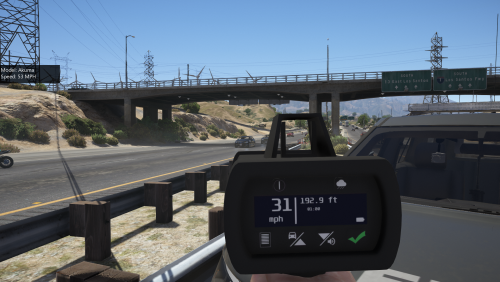 Excellent model and fits perfectly into the game. No problems with the installation whatsoever.
- 79 comments
- 17 reviews
-
-
-
-
Heya, well, if you'd want to give it a try, we could have a chat via Discord or so and figure something out.
- 135 comments
- 22 reviews
-
-
- 1
-
-
 Sooo you just renamed the files and uploaded them somewhere else without getting permission to do so? Good job.
- 207 comments
- 94 reviews
-
That might be why. I thought most people would get their loadout before they get into their car. I might add a another keybind for that then.
- 135 comments
- 22 reviews
-
-
- 1
-
-
Do you have a rifle in your inventory before getting in your car and pressing the key?
- 135 comments
- 22 reviews
-
-
- 1
-
-
Eaxctly. It's a good idea, but I'm not a vehicle modeler. So I guess you'd first have to find someone to add this as an extra to their car(s), before anyone could make use of that with a plugin.
- 135 comments
- 22 reviews
-
-
- 1
-
-
That would mean I'd have to modify every vehicle that people might want to use... As in "editing the model itself". No thanks :D
- 135 comments
- 22 reviews
-
-
- 2
-
-
I've only tested with the latest RPH version, which is 0.61. I don't know how far the backwards compatibility goes with this one. Thank you for your suggestion, I'll definitely keep it in mind, but I'll work on features that are on my ToDo list first :)
- 135 comments
- 22 reviews
-
-
- 1
-
-
For all vehicle creators/modelers: I've included a documentation file, in case you want to make a compatible vehicle, where people can toggle the weapons in a gunrack. It's not complicated at all, and if you upload a vehicle with this feature, please send me a message so I can put a link up on this download page 🙂 This plugin allows you to store your Carbine Rifle, Shotgun, SMG, as well as Body Armor and Fire Extinguisher in your police car, and also to retrieve it. It does NOT require compatible vehicles, however, they will add additional features, like seeing your weapons appear/disappear from the gunrack. Features: Store your Carbine Rifle, Shotgun, SMG, fire extinguisher and armor in your patrol vehicle. Retrieve the same from either inside the vehicle, or from the outside. Stand near the driver door and press the key to retrieve your weapons, stand near the trunk and press the key to retrieve your armor + medkit and/or your fire extinguisher Includes some fancy animations Customizable attachments for the weapons Customizable keybinds Installation: Put the .dll and the .ini into your "Grand Theft Auto V\Plugins\" folder. Make sure to take a look at the .ini file to set your name and preferred keybind. You have to sit in a Police car to store and retrieve your rifle/shotgun. It does not matter whether it's a default police car, a replacement, or an addon, as long as you added the Police car correctly. It works with the Carbine Rifle(MK2) and PumpShotgun, which come with an equipped flashlight upon retrieving. Disclaimer: Do NOT upload or redistribute without my written permission. This includes private sharing or uploading to any other website. And here's a link to my Discord server, where you'll find information about the current state of development for my plugins, and you'll get early access to beta builds: https://discord.gg/RbSGF2d The first compatible vehicle. Made by @panoszaf. Thank you 🙂 Thanks to FirstThirtyMinutes for showing the plugin in action!
- 135 comments
- 22 reviews
-
-
- 25
-
-
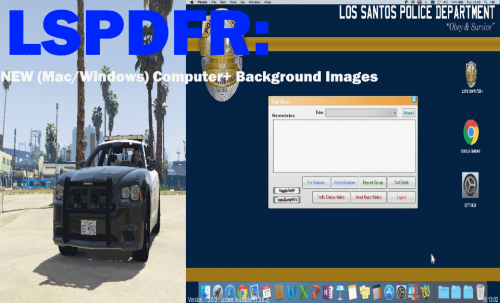 Different quality of the icons, taskbar, and status bar. Most of it has been squeezed instead of properly resized. Looks like it's been made with Paint. Also combined "OS X" with Windows icons, and added some iOS icons to it.
 -
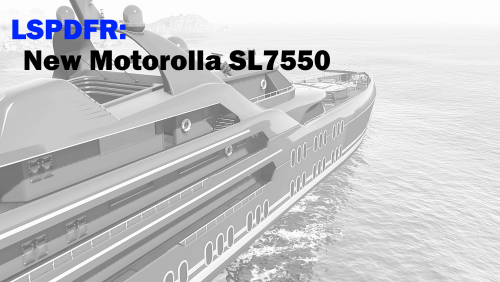 The quality of this is very low. You need to work on your cropping skills.
 -
 Yea, it really is. Looking at the comments here this seems to be a common issue though. Ive tried yours, police, police2, 3, 4, FBI, fbi2, buffalo, and some others. It feels like I'm driving a motorbike when taking corners. The front left or right lifts a little when taking a turn in the opposite direction, and the other one lowers.
- 65 comments
- 36 reviews
-
Thank you very much for that, but I didn't notice any difference. I'll start messing around with CentreOfMass and other values, maybe that helps. Edit: Nope, no difference at all. I could move the centre of mass to the front, back, up or down, and it doesn't make a difference at all. This model is just broken.
- 65 comments
- 36 reviews
-
Please fix the handling :( Or upload an unlocked model so somebody else can fix it.
- 65 comments
- 36 reviews