
Sebo
Members
-
Joined
-
Last visited
Everything posted by Sebo
-
 Would you DM me your log when it crashed? Either you're the first one to have it crash, or it's a mod conflict. Either way I'd like to find out what's causing it 😛
- 168 comments
- 35 reviews
-
-
-
Just wanted to say thank you for being so patient, and your patience shall be rewarded 🙂
- 168 comments
- 35 reviews
-
-

- 4
-
-
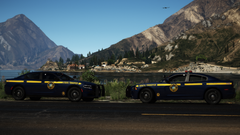 (I'm the one on the left)
 -
Yes I am 🙂 And it's nearly done. The older version without the overlay is still up for download, and the new one with overlay will be done soon.
-
Yes, and I am really sorry about that. I just had other priorities like Uni and work starting shortly after I released the plugin. But rest assured, It's done (besides a small bug where it shows the overlay in the pause menu), and HoldMyGun is also nearly done. Send me a DM on Discord and we'll see what I can come up with to make up for the long waiting time 🙂
- 168 comments
- 35 reviews
-
-
- 2
-
-
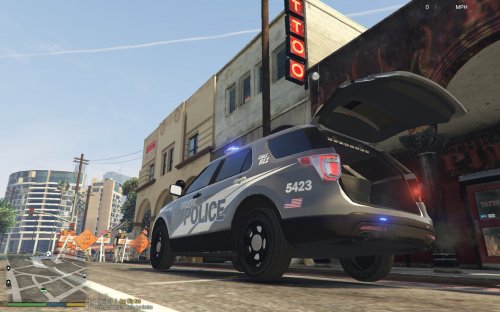 §420 Art. 42: Thou shall not add junk to your trunk. Especially not if you're a snake. There 🙄
 -
@Viper212 @Quasar Hooooold up. This is illegal. Even in Canada 😠 But yes, HoldMyGun does allow you to open your trunk and retrieve some gear and weapons.
-
-
Yes, it only works in first person. No, that's not planned. It's a plugin for immersion, and third person wouldn't make sense here.
- 168 comments
- 35 reviews
-
Haha, alright. Appreciate it. My offer to take a look at your log and try to fix it still stands though.
-
-
-
Add me on Discord and I'll take a look at your log. Don't need any bad press saying that it's not working when it is 😄
-
It's working perfectly fine 🙂
-
-
-
-
 I see. I was just going through the usual troublemakers, but I'll get my GTA set up again and do some testing myself. About your review: It's not outdated (which you acknowledged). It's not a plugin for LSPDFR, so I didn't expect it to need an update, but that will be fixed. Same with the keybinds. I don't get it either why it stopped working, but I'll fix that asap. 🤷♂️ About your suggestions: I can't update it for LSPDFR 0.4, because it's not a plugin for LSPDFR. The keybinds will be fixed. I won't add a sniper rifle, and I cannot add visual armor. Just not possible. I also won't put any more vehicles in the description, as I don't want to turn this mod page into a showroom for other people's mods. You can however check out panos_zaf's LSPDFR profile, and you'll find more compatible vehicles. Overall, you did a good job on the review, it's definitely something I can work with. I hope you'll edit your review as soon as I fix those problems 🙂 Edit: Well, I can't seem to reproduce those issues. It's working perfectly fine for me on a fresh installation with LSPDFR 0.4
- 135 comments
- 22 reviews
-
-
- 1
-
-
You can turn off the update checker in the .ini file. Make sure you put the .dll and .ini file into your Grand Theft Auto V\Plugins folder, and not plugins\lspdfr. You also need to load it via the RPH settings or ingame via command.
- 135 comments
- 22 reviews
-
-
- 1
-
-
I’ll look into the NumPad issue, but I’ll probably wait until .4 before I release an update. And no, Sniper Rifle is not planned.
- 135 comments
- 22 reviews
-
-
- 1
-
-
-
I don't know if you're referring to my plugin that Viper mentioned or not, but yea, HoldMyGun supports key modifiers. I'm sure Viper's plugins will support that as well sooner or later.
-
-