ChiefGala
Members
-
Joined
-
Last visited
Everything posted by ChiefGala
-
 Is it available for download yet?
 -
-
Like i have no idea how to make a carvariations file from scratch. Is there a way i can make one for strictly all police vehicles? Im sure someone on here has dealt with this already or made one or something
-
I don't know where to start tho for adding a new carvar any idea? Can someone help me out with that
-
Can someone help me out with this. Im trying to change the default color for my police vehicles. I can change the one i use with my trainer but than lets say i call for backup or im in a pursuit the default color (which is usually white for alot of vehicles) pop up and i have 7 cars now white with myself in black. I cant find the carvariations folder for lets say police, 2, 3, 4 sheriff fbi etc. i know there is a carvariation for most of them can someone help with where to find it?
-
 where is it lol?
 -
Hopefully someone can help me out with this. So some cars I download from here unmarked like the Unmarked CVPI Pack 3.0 I can change the color with my trainerV to whatever I want where other vehicles it wont let me change the exterior color at all it will just remain white. I downloaded BxBugs123 2011 cvpi pack which includes 4 diff variations of it including an unmarked version but for some reason the unmarked version never pops up. I tried everything from going into the ytd files and deleting the "cvpi signs" skins of the marked version and than just leaving it plain but all I can seem to get is a white unmarked with no plates. When I try to change the color with my trainer its as if it wants to change (glitch) but remains white. Can anyone help me out with this.
-
-
I did make a mods folder luckily lol
-
So my game keeps crashing at the same point everytime i start it up. Even if i run without rage plugin it still crashes at some point. This all started after i installed the fib and sheriff pack with the package installer by captain14 and a few other vehicles. Any suggestions? IMG_5068.MOV
-
Is there an update for vehicle search or would that not be affected because mine doesn't seem to be loading?
-
 Hey man hoping you can help me out with this problem. I installed arrest manager and traffic policer correctly but when I get into my game and load lspdfr the rage plugins run down menu (F4) gives me the following message for both of them "Arrest Manager (traffic policer as well) not loading. The current game version is newer than 1.0.791.2 and is incompatible". Is this a fixable problem right now or do I have to wait for you to update them? Thanks man and awesome work you have.
- 1,915 comments
- 242 reviews
-
How do you correct the lights on unmarked vehicles or any police vehicle to be brighter or look better in color?
-
Can someone explain to me what script or plugin is needed to not only have a partner but to be able to change his uniform to match yours? For instance if your doing a US Marshall tour or Gang Unit...How do you get them to match you or similar?
-
So than I need to know what folder is the newest update patch folder correct? Should I just restart the whole process? So is it not possible for me to run my rageplugin with gta until a new update is released?
-
Well I want to play lspdfr but using vehicle mods I'm adding in. I'm actually new to all this I just set everything up to be able to play lspdfr and now this update comes out of nowhere lol. I guess ill have to just wait
-
So how long usually for them to update new rage hook? So we cant play at all now with mods until they update a new ragehook?
-
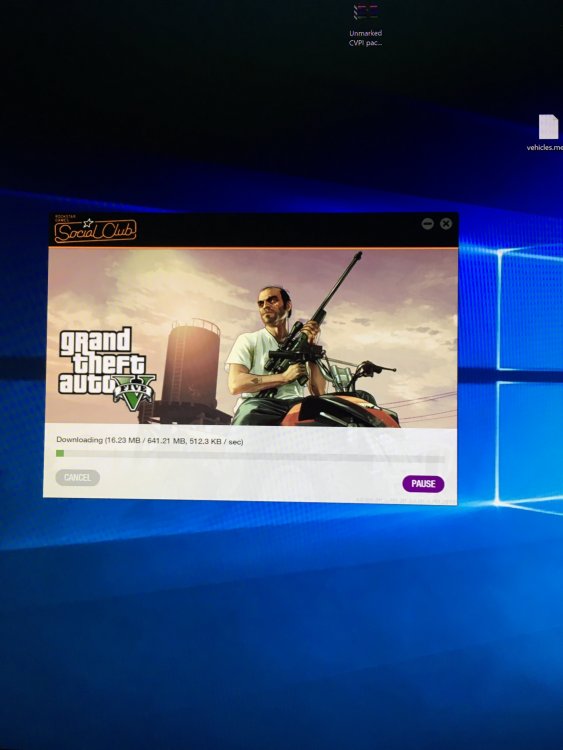
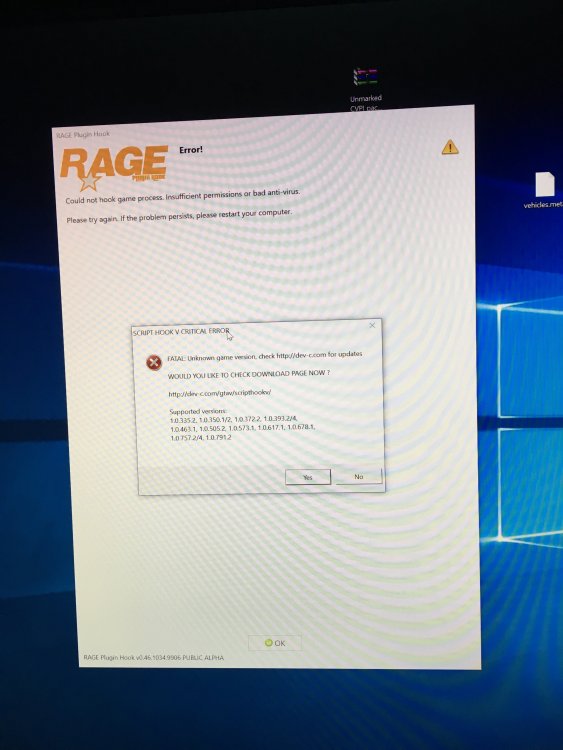
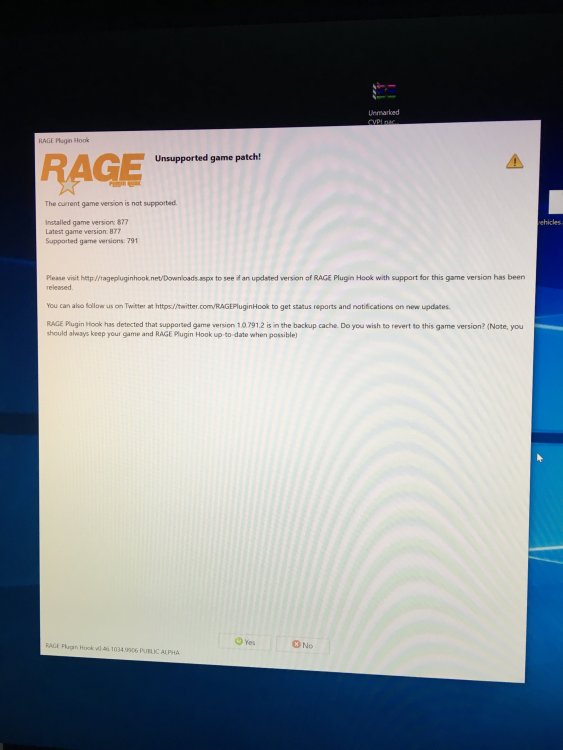
This is the third time doing this update and when it finishes is the pictures above are what I get. Don't know what to do here
-
So now I'm having a new problem lol unreal any suggestions? This problem started after I did what you said copied into mod folders redid adding the vehicle to police4 waited for it to update and when it said ready to play I hit play and get this
-
Crystal. Just redid everything again. Does it usually take a bit to now update before the game startups? Just adding a vehicle and it's usually about an hr before I get on after making the changes.
-
Ok the plugins that I downloaded I guess rage now comes with a mods folder it's purple so your saying copy those 2 folders into the mods folder and try loading up again and it should work?
-
Hey guys so I'm having this problem and not sure what's wrong because I'm following the steps to the T. I do everything rename the files replace them let's say with police4 'I double click the yet after I'm done in openiv to make sure it's there and it is now I go to run rageplugin for the game to start where it now updates for almost 2 hrs which I assume is due to the changes I made. Game loads up I try to spawn police4 and the original game unmarked cruiser pops up. I leave the game to go back to openiv and double click the yet and the regular cruiser comes up this time. I did try to openiv while the game was updating for ragehook and I saw a message "x64e file is corrupted blah blah" but I figured it was cause it was in the middle of updating a change to that file. Something's not right and it's getting me so frustrated because I've tried diff vehicles I've done everything. I want to just delete everything and start from scratch. Any help would be really appreciated. If someone. Am even email me its robman148@hotmail.com. Thank you in advance!