



Faceman Actual
Members
-
Joined
-
Last visited
Everything posted by Faceman Actual
-
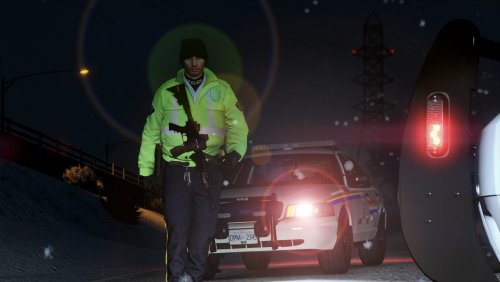 Only problem I have is that I can't get EUP L&O 8.1 anymore since EUP doesn't make their previous versions available 😞
- 23 comments
- 1 review
-
 Would be nice to have access to previous versions of Law & Order the time it takes for EUP Uniform Makers to update their stuff, if they even want to.
- 2,349 comments
- 238 reviews
-
Hello, So I've installed the Royal Canadian Mounted Police Pack 1.0.0 by Venom Snake and I've had issues with vehicles flipping. The usual fix to cars flipping at high rates of speed would be to edit the vecCentreOfMassOffset in the vehicles.meta file, but it seems to be missing from the pack. It used to be there and I was able to edit it to my liking, but now I'm not able to. Is there something else I can do? I noticed there was a line for <buoyancySphereOffset>, could that work as well? Thank you in advance for any suggestions.
-
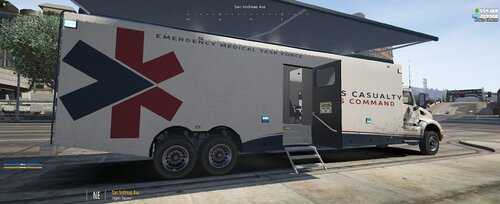 Yeah, the OpenIV installation file seems to cause my game to crash on the startup screen. Also, the truck's extra for the awning seems to not be working using the trainer. Lastly, the emergency lights aren't turning on and just the siren. Should also be noted that an error pops-up inside the carvariations file (fixed by deleting some of the green text). Would love to see ELS for this awesome monster of a vehicle.
 -
-
Will there be an update adapted to EUP Law & Order 8.2? There seems to be bugs after updating EUP L&O to 8.2 As seen below:
- 23 comments
- 1 review
-
-

- 1
-
-
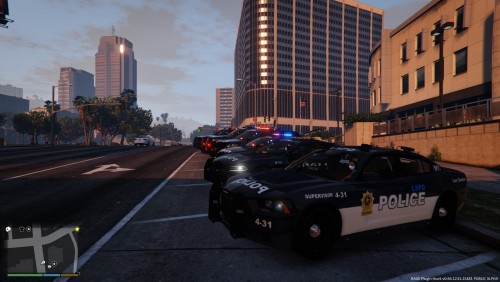 Would be nice to have the skins for the entirety of the pack suggested (missing impala and '10 charger) as well as link for Chevy Express (if I find it before, I'll post the link).
- 2 comments
- 3 reviews
-
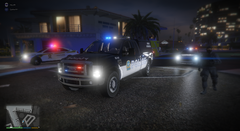 Travailles-tu toujours sur ce pack du SPVM? Ça serait le fun de voir un pack avec la nouvelle flotte de véhicule chez le SPVM espècialement puisque le pack que t0y a fait n'est plus disponible.
 -
-
.png.9dd312f55ef5ef040eb53988f62cab81.png) Salut, je sais ça fait un bout, mais prépares-tu toujours le pack SPVM? J'aurais hâte de voir le progrès maintenant que t0y a enlevé son pack du SPVM.
Salut, je sais ça fait un bout, mais prépares-tu toujours le pack SPVM? J'aurais hâte de voir le progrès maintenant que t0y a enlevé son pack du SPVM. -
Been having this problem too. One solution was to set the timeout threshold in RPH to 30000, which worked. Although, if it crashes while in-game, it's impossible to execute ReloadAllPlugins in the console due to it crashing. Update: From what I can see on other posts regarding plugin compatibility and similar crashes, LSPDFR+ seems to not be working for 0.4 at the moment.
-
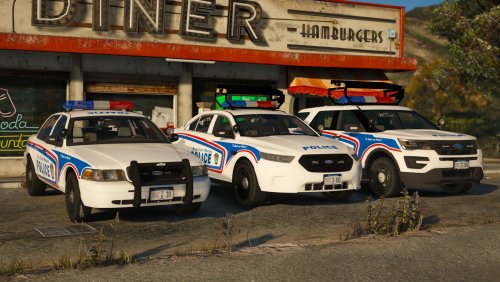 Hey there, the rotators on the cars aren't working for me. All the other lights work perfectly fine except for the rotators which only has the blue light on/solid and not turning. It was working fine before.
- 55 comments
- 17 reviews
-
 Hey there, really love your plugin, but I've been staying away from it for awhile now because it keeps crashing LSPDFR whenever I accept any Highway Accidents. I know another person brought it to your attention so I'm hoping that there's a fix to it in regards to my files or maybe a future update? If needed, I can put my crash report.
- 221 comments
- 63 reviews
-
Alright so I've been having problems launching the game (Insufficient permissions or bad anti-virus) like many people who have posted in the many support forums. The popular fix to this problem was to copy the update.rpf from the update folder into the mods folder. Now my issue is this: whenever I go to update>update.rpf, I get the red notification to "show in mods folder" (which I click), but whenever I go back to the update.rpf from the update folder (after going in any other file), it asks me again to "show in mods folder". Is this an OpenIV issue? Now I've thought of an alternative to doing exactly that by copying the update.rpf from the update folder onto my desktop and then replacing the update.rpf in the mods folder with the one on my desktop, but wouldn't that overwrite all the dlcpacks that contain custom vehicles and replace them with the default vehicles? Anyways, if there's a good solution to fixing my initial issue about the "Insufficient permissions or bad anti-virus", that'd be appreciated. Otherwise, I could use some input as far as how I go about my update.rpf folders.
-
I haven't tried it, but wouldn't all your custom vehicles under the mods folder be overwritten by the default vehicles of the update.rpf under the update folder? Hence, this could potentially explain why a lot of people are saying that they only have the default vehicles whenever they play. Additionally, does your method of updating the update.rpf under the update folder result in OpenIV failing to actually update the update.rpf under the mods folder (as in bringing you to the update.rpf under the mods folder but still asking to update once you go back to the update.rpf under the update folder)?
-
Well this is a variant, but similar to the MX7000 lightbar: Not sure what you mean about these "intersection lights", though.
-
I hope you know that ASI Manager is what runs all your plugins hence the reason why most of them have a ".asi" file type. As for your default cruiser problem, I can only suggest, based on popular replies, that you rename your game folder to the default name "Grand Theft Auto V". Otherwise, maybe look into the file location of your mods folder.
-
Not a big fan of the arrow board design, but I love that someone has finally made a public vehicle pack with one available to everyone! I would love to see more canadian packs and this arrow board below inspired from the Service de Police de la Ville de Montréal (SPVM). Overall, looking forward to putting that arrow board to use!
- 55 comments
- 17 reviews
-
-
- 1
-
-
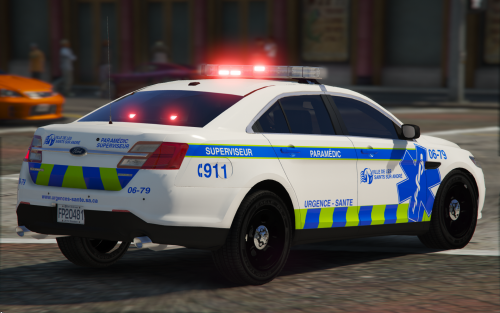 Not a big fan of the lightbar, but the concept is interesting. - And since you talked about a French Canadian pack, would you mind giving a sneak peak of what to expect from it? (Will it include PD, FD, EMS, etc? What will the pack be based on?)
- 12 comments
- 6 reviews
-
 I love these vehicles! What makes it more special to me is the fact that there is just 1 lighting stage and with ELS, can still be able to turn on both warning and secondary lights. Also love the lights interacting with the sirens played. I would love to see unmarked vehicles as an extra for this pack!
- 89 comments
- 63 reviews
-
-
- 1
-



.png.9dd312f55ef5ef040eb53988f62cab81.png)
