


0sc4r
Members
-
Joined
-
Last visited
Everything posted by 0sc4r
-
totally yes, look up some tutorial
-
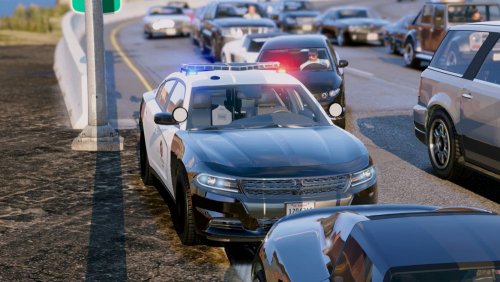 That is why it was fictional Maybe try searching it up I saw it on the in internet one day and I thinks it's cool so I added it in Thanks for the review @RyWilson didn't see it the first time. Do you have the video uploaded on YouTube so I can watch and added it in here
- 38 comments
- 10 reviews
-
-
-
Ok, I am pretty busy this may so I will text you when available
-
Try install your visual mod inside the mods folder
-
Try change your handling. You might have change it. Your explain is not that clear sorry if it didn't help
-
Nope just remember to turn siren off before you exit or you can exit then stand next to the driver's window and hold g it will turn off
-
Mine is officer oscar
-
That is a bad car model. At LO which is the closest distance everything looks fine. BUT at L1 which is further things will get mess up
-
Use siren mastery for it you will solve the no siren problem. Compare your vehicle meta of the original vehicle to the police vehicle. Compare the audio hash and change the audio hash for the sheriff or police line
-
If you are a modeler then delete extra 1-4 if you are not a zmodeler amd trying to config the xml. Idk sorry if I haven't understand you fully
-
Then run the game as admin and turn off any anitivirus program or allow gta through their firewall and windows firewall
-
Do you have skype so i can help
-
@majorpaine2015 els caprice have that arrow board feature
-
Reinstall it and run it as admin. turn off any antivirus program or allow it through
-
Exit steam and launch it manually by find the install location of your game and launch with steam exited
-
Yeah
-
Did you install all the asi
-
You have to export in openformats the vehicle.awc. To do that right click and select export opem formats then drag the siren files from your download inside the folder that just got exported. Next to the folder there will be a file called vehicle.oac go to open iv right click in a open space and select imports open formats. Find the vehicle.oac and import it then you should be good to go. Some come with a oac so just import that oac
-
You don't have to replacea anything when your original car files is not there. Just drop it in thhere and it will work. Don't replace it with anything else. Name your car properly. police.yft police_hi.yft police.ytd police2.yft police2_hi.yft police2.ytd same for the rest. Just change the name for the slot. Don't ever change the _hi. So anything further than _hi or .ytd and .yft don't change it
-
Send me a picture of your openiv in patchday14 vehicle.rpf and click on tools at the top left corner and select asi manager screenshots that too
-
Try to find any settings that is related about that. Or you can just reinstall rph
-
Patchday14/dlc.rpf/64x/vehicle.rpf you have to go to vehicle.rpf explorer around
-
They do that so others like you who want to have a unmarked car can start making texture for it and the community wil have a lot more texture

