


MrJeeves
Members
-
Joined
-
Last visited
Everything posted by MrJeeves
-
I double click the shortcut. The process runs for about 10 secs then the game never launches. EDIT: The game works now. Reinstalling xlive helped a lot :)
-
I've got the scripthook files and only have xlive. Turns out I attached the wrong log file (old one). Here's the new one! Diagnostics_25.9.2016_18_14_35.log
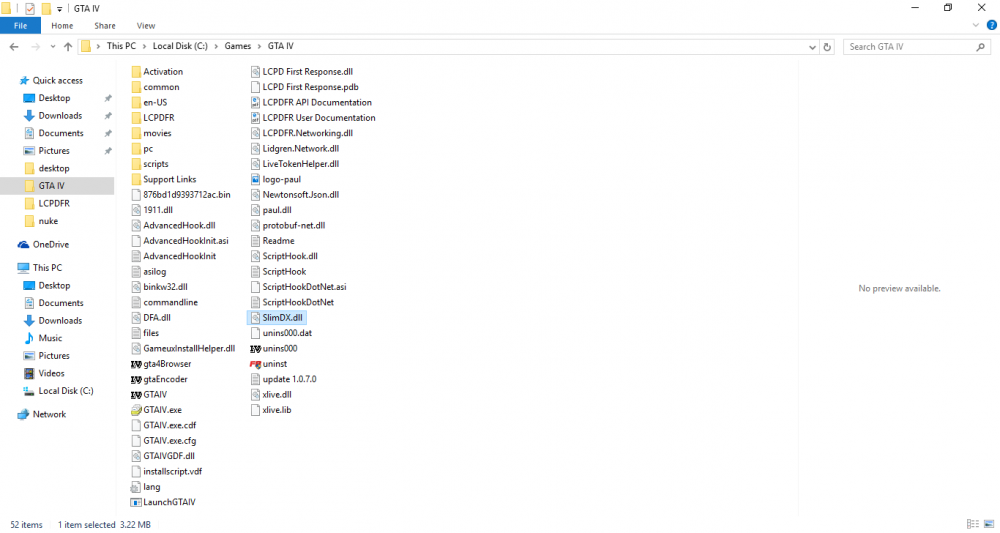
-
My specs: CPU: AMD A6-6400K @ 3.9 GHz - OCed to 4.3 GHz RAM: 4GB DDR3... Don't know brand! GPU: ASUS GTX 750ti OC with 2GB GDDR5 HDD: 1TB ~4yr old SAMSUNG HDD that still works unlike my Seagate 750GB HDD which is about 9 months old... Runs GTA IV absolutely terribly!
-
I have GTA IV installed on my PC and my laptop. Both have LCPDFR. The laptop's LCPDFR works "perfectly". My PC's one won't launch. When I uninstall LCPDFR, it works fine. I have no clue what's happening. The diagnostic tool tells me to check my logs and it has several errors. I don't know how to fix it, and would be grateful if you guys could help. :) Thanks! Diagnostics_25.9.2016_11_56_50.log



