




Sammmy
Members
-
Joined
-
Last visited
Everything posted by Sammmy
-
-
-
You need to go into OpenIV, Mods, Update, and delete the update2.rpf and copy the new one over from the non modded update folder 🙂
-
could you post your crash log here, in your game directory its called RagePluginHook.log 🙂
-
Have you copied the new update.rpf to your mods folder in OpenIV? If you have done that then if you have add on vehicles have you reinstalled a new modded gameconfig?
-
try downloading and installing the new ragenativeui if you haven't already, that should solve your problem : https://github.com/alexguirre/RAGENativeUI/releases/tag/1.8.2
-
are you able to load into the game or are you stuck on the loading screen?
-
Post your crash log 🙂
-
Since updating have you gone into OpenIV and copied the new update.rpf to the mods folder? If not when you open openiv click 'edit', then a green bar will appear at the top saying "copy new update.rpf to mods folder".
-
Bump.
-
this is the latest ragepluginUI, you'll need to update for it to work 🙂 https://github.com/alexguirre/RAGENativeUI/releases/tag/1.8.2
-
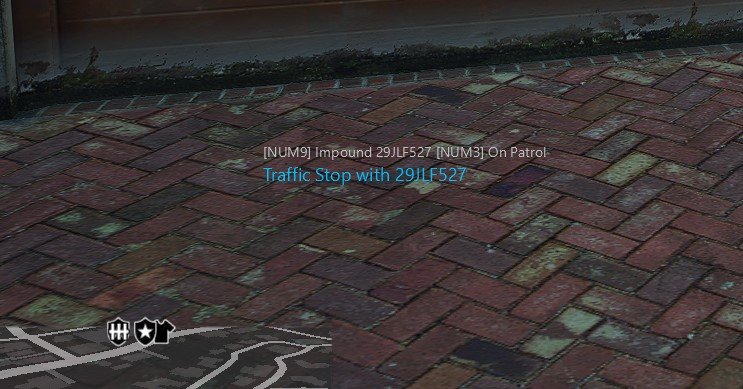
Does anyone know how to get rid of this? Wondering if its from LSPDFR or from a plugin
-
there is no lspdfr launcher, i think what you mean is ragepluginhook. You can go to their site and re-download it again, drag it into your gta root folder then run it from ragepluginhook.exe and it'll work 🙂
-
 I have the same problem, game never loads the first time with this new update, i have to keep trying and about the 4th or 5th time i try it'll finally load.
- 338 comments
- 20 reviews
-
-

- 1
-
-
Since the latest update, have you gone into OpenIV and copied the new update.rpf?
-
Open up "OpenIV" and there will be a green prompt at the top of the screen saying "copy new update.rpf to mods folder". Click yes, that'll fix the infinite loading
-
Open up "OpenIV" and there will be a green prompt at the top of the screen saying "copy new update.rpf to mods folder". Click yes, that'll fix the infinite loading but without the new LSPDFR update the game will just crash mid loading screen 🙂
-
You post that only 3 hours after posting for help? wow impatient.. Its something to do with "PoliceSmartRadio". What did you click when it wanted to assign buttons for the radio? Its usually 1 for yes and you would have had to press that multiple times to get through it all, did you get up to that bit before the crash? It crashed somewhere around there also had something to do with you 'X' button because that's where it failed.
-
Update Blocker no longer works because GTA is ran through the Rockstar Launcher and there's no way to block that. I Have heard of a way to stop updates using the Epic Games launcher but i haven't looked into it
-
Open Rage and click "Don't load any plugins on startup" , and see if it loads in fine then. If it does then just load the plugins manully with (F4, reloadallplugins)
-
Go into OpenIV, click 'edit' and there should be a pop up saying to copy the new update.rpf to your mods folder. Click that and it should fix your problem
-
You have updated everything except for the latest scripthook, download it from here: http://www.dev-c.com/gtav/scripthookv/
-
Try open GTA without ragehook and see if your up to date. Also try adding an exception for ragepluginhook.exe in your antivirus program.
-
Try adding an exception for ragepluginhook.exe in your antivirus program.
-
the most common fatal error on loading is from rage trying to load multiplayer vehicles in single player, when you load rage, click the gear icon and make sure the option "Enable counter measures against online vehicles being removed in singleplayer" isnt ticked.


