



Ruskiyvix
Members
-
Joined
-
Last visited
-
 BlueLine Vibes reacted to a review on a file:
LAPD Federal Signal Smart Siren SS2000 [ELS and Siren Mastery]
BlueLine Vibes reacted to a review on a file:
LAPD Federal Signal Smart Siren SS2000 [ELS and Siren Mastery]
-
-
-
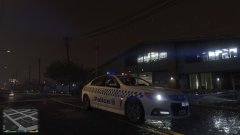
I've installed PCVP71's 2011 CVPI in the police4 slot with a new skin to use as a highway patrol vehicle. The only issue is that by default, police4 is an unmarked unit and the light bar isn't lighting up properly. I just need to get police4 working identically to police1. Any help would be greatly appreciated, thanks.
-
Ruskiyvix changed their profile photo
-
Ruskiyvix reacted to a comment on a file:
LAPD Federal Signal Smart Siren SS2000 [ELS and Siren Mastery]
-
-
-
-
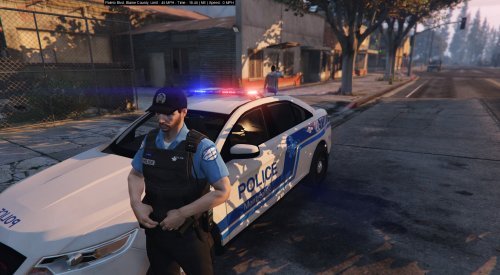
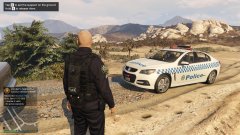
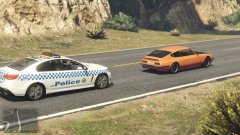
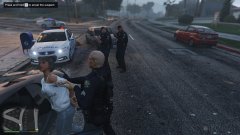
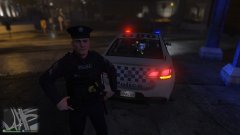
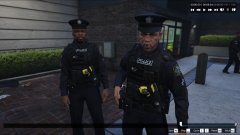
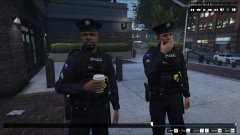
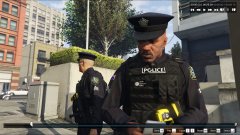
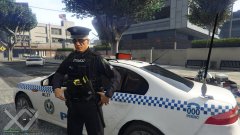
Work in progress. A fictional uniform I'm working on using Rekram's New LSPD COP M V3 uniform pack. Vehicle models credited to several modders, notably SkillfulCorpse and Macgregor. Vehicle liveries have been altered by me but are originally from another modder. If I can find out where I got it from, I'll be sure to credit you.
-
-
-
-
-
-
-
-
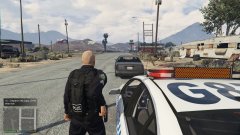
 I changed <modelName>REPLACE ME WITH MODEL NAME</modelName> to <modelName>police2</modelName>, unfortunately the lights are still like in my screenshot.
- 74 comments
- 30 reviews
-
-
-
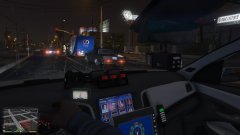
Great model, but my lights aren't working for some reason. There's no corona or anything. This screenshot is with lights on: I didn't alter the CarVariations line so I assume that's where the problem is. But the carvar.txt file mentioned in the installation isn't anywhere in the download. "To install the CarVariations line, all you have to do is go to: mods\update\x64\dlcpacks\mpvalentines2\dlc.rpf\common\data Add what i put in the carvar.txt to the end of your carvariations."
- 74 comments
- 30 reviews
-
-
.thumb.png.8980890ccc7e74bd895d7c3981d6a3dd.png) Ah ok, cheers. Do I rename the sheriff.yft, sheriff_hi.yft and sheriff.ytd files to police3 before adding them into vehicles.rpf?
Ah ok, cheers. Do I rename the sheriff.yft, sheriff_hi.yft and sheriff.ytd files to police3 before adding them into vehicles.rpf?- 22 comments
- 1 review
-
This method uses the OpenIV mod folder. If you do not have the mod folder, follow these instructions, but use the files in your main GTA V directory Vehicle: 1. In OpenIV, locate your Grand Theft Auto V location, and turn on edit mode in the top of the tab. 2. Navigate to mods > x64e.rpf > levels > gta5 > vehicles.rpf 3. Right-click anywhere in there and click add. 4. Navigate to where this folder is and select sheriff.yft, sheriff_hi.yft and sheriff.ytd and click open. Did that. 11. Navigate to mods > update > update.rpf > common > data > levels > gta5 12. Right-click on vehicles.meta and export it. 13. Just like the handling line, open it and navigate to the sheriff vehicle line, and replace it with the one included above. 14. Save, close, and in OpenIV right-click and replace the vehicles.meta with the one you just edited. Did that. I've tried it a few times now, it just isn't working for me.
- 22 comments
- 1 review


.thumb.png.8980890ccc7e74bd895d7c3981d6a3dd.png)