




Burco Games
Members
-
Joined
-
Last visited
Everything posted by Burco Games
-
EDIT: Seems to have fixed itself with a PC restart, which I have never had to do when going through this. Alright, so the gist of what I'm doing is basically just testing and playing around with random ELS vehicles from the website. I've done this countless times before and have never had an issue. The issue is that none of the stage 1 and stage 2 lighting is working with ELS, however stage 3 DOES work on some vehicles, and this happens on ALL of the vehicles I downloaded (all DLC addons, yes - I did the gameconfig adjustment and all that). A bunch of different vehicles from different devs with different settings, I'm 99% certain I did the process correct (I don't use RPH for this, at least not that I remember using it, using the latest scripthook, ELS, proper file path placement for ELS VCF's, etc.) but for some reason it's not working this time. https://gyazo.com/5f0bf88f9191d5752f4d8ef46e915a3f - This GIF shows the issue, no lighting works on any stage. https://gyazo.com/ca268acdcdfe1d7596dab11482dcb910 - This image shows that the lighting DOES work with the cruise function. Again, this is not an isolated issue, it happens with ALL the vehicles (with varying degrees of function) from different people and different lighting setups. They should be working, theoretically. Thanks in advance.
-
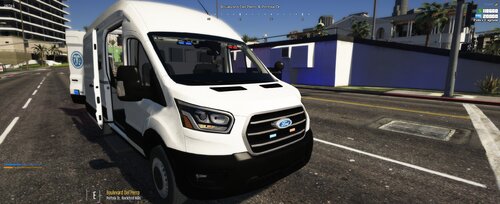 Looks like a nice vehicle but having an issue with it. I've put it in my local host test server to give it a look, and for some reason the lighting does not show up at all. No emissives, no coronas, nothing. I've already looked at my existing resources and determined it should not be a conflicting siren ID, not sure what else I can do. Any help would be appreciated.
 -
I did have one, and I tried removing stuff I had recently added in the same time I added the stuff that I mentioned in the first post, and it didn't seem to work. Thought it might be one of my vehicle packs (which was causing texture loss, incidentally) so I took it out, same thing. Just going to start over and try again. I've been through this whole thing many times (more times than I'd like to admit) so it's nothing new to me. But thanks for attempting to help me anyway, I appreciate it.
-
Weird thing is, I'm not sure if it's related to callouts. I had my callouts in LSPDFR turned off, as I mostly run traffic anyway. Anyhow, I'm reinstalling GTA and LSPDFR and hopefully this doesn't happen again.
-
Did that, and it still crashed. Something else is at play and I'm not sure what it is. New log attached. I'll start removing things and seeing what works and what doesn't. RagePluginHook.log
-
GTA seems to be crashing constantly after I installed Ultimate Backup, EUPFR and 2 callout packs. I removed all of those so it's how it was prior to the crashing... but it still crashes. Here is the log, hopefully someone smarter than me can figure it out. Thanks in advance. RagePluginHook.log
-
 Not sure if this is a reported issue or not, but I installed both of the packs (L&O and S&R, latest versions of each) and for some reason it doesn't seem to work correctly. Outfits missing proper clothing, textures re-arranged, etc. Anyone know of a possible solution to this? I have the latest Scripthook, RPH, game version, etc., all of it is latest version at the time of this comment, and did everything as I have done it before.
- 79 comments
- 27 reviews
-
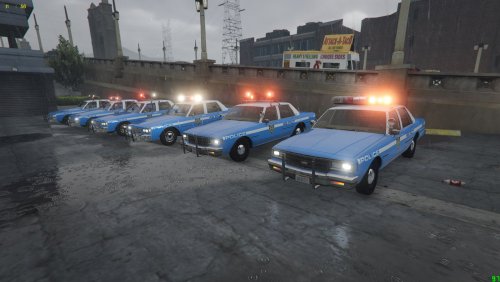 Ah, okay. Makes sense now. Just put in the 1.5x for both and it launched perfectly fine, and this pack already looks stunning. Amazing work on it!
- 37 comments
- 2 reviews
-
I downloaded it, but not sure exactly what the different options mean. Like... "0,5x peds, 0,5x traffic" confuses me. Which one do I need?
- 37 comments
- 2 reviews
-
EDIT: This seems to be an issue with more than just this one pack, unsure of what is causing it, it's the same "no error message" type of deal. So it's probably something I'm doing wrong, but when I go through the process to put in the addon, when loading into the game, it just crashes, with no error messages or anything. Just a crash to desktop. I've tested game without this pack installed and it loads just fine. Wondering if anyone else has had this problem. And yes, I have also attempted the Pack File adjustment, the Heap adjustment and the gameconfig and it still crashes the game.
- 37 comments
- 2 reviews
-
-
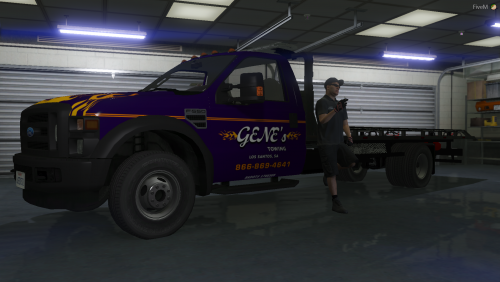 Absolutely stunning vehicle model, love the lights and everything! One thing I did notice, though - I put this into a FiveM Server and found that the rear end of the vehicle does not have proper collision with buildings. The vehicle clips through the buildings and freaks out at a certain point. Wondering if this is something I forgot to do, or if it is a problem with the model itself. I'm not sure which is the case. Any ideas as to what the issue is? Thanks in advance!
- 18 comments
- 1 review
-
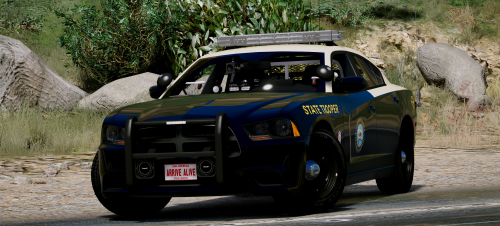 Can't get enough of this pack. Absolutely stunning quality and craftmanship here. 5/5 my friend. 👍
- 21 comments
- 28 reviews
-
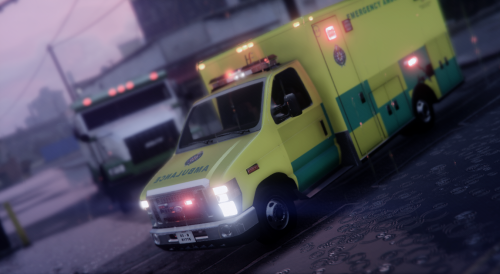 It's not a vehicle pack, you have two files in each folder, both of which would not equate to a full vehicle. These are more or less "textures".
- 8 comments
- 1 review
-
-
 An absolutely amazing plugin, done by the man who continues to produce absolutely fantastic mods. 5 stars for this, the realism this plugin provides in unmatched. Great work my friend!
- 851 comments
- 108 reviews
-
-

- 1
-


