MuffinQueen92
Members
-
Joined
-
Last visited
Everything posted by MuffinQueen92
-
-
 You could use the 90s one that's included. I don't think i'll make a special separate one for just 1992. Sorry
- 7 comments
- 2 reviews
-
::::::::::::::::::::::::::::::::::::::::::::::::::::::::::::::::::::::::::::::::::::::::::::::::::::::::::::::::::::: What does it do? ::::::::::::::::::::::::::::::::::::::::::::::::::::::::::::::::::::::::::::::::::::::::::::::::::::::::::::::::::::: This mod simply replaces the popgroups.ymt and makes sure that no more modern cars spawn in traffic. It also allows classic DLC cars to spawn, such as the Classic Turismo. the Classic Sentinel and so on. (High-End Sports Cars will only spawn in the rich areas just like the vanilla game does it with the standard cars) My aim was to give a more immersive experience for those of us who like to "retronize" our GTA 5. I also included 2 version. 90s and 80s You can find a full list of the cars allowed to spawn in the CarList.txt ::::::::::::::::::::::::::::::::::::::::::::::::::::::::::::::::::::::::::::::::::::::: What it doesn't do ::::::::::::::::::::::::::::::::::::::::::::::::::::::::::::::::::::::::::::::::::::::: This mod does not add any cars that aren't in the game by default (except DLC cars) The police cars and the taxi you see in the screenshots are mods and are not included. ::::::::::::::::::::::::::::::::::::::::::::::::::::::::::::::::: Installation ::::::::::::::::::::::::::::::::::::::::::::::::::::::::::::::::: 1. Use OpenIV to head to mods/update/update.rpf/x64/levels/gta5 2. Make a backup of the original popgroups.ymt 3. Replace it with one of mine 4. Done You might also need this: (I haven't tested it without it) https://www.gta5-mods.com/scripts/mp-vehicles-in-sp If you use modded cars you might want to get a mod like Non-Redundant Popcycle Otherwise, the game might reduce the variety of traffic due to modded cars having a larger file size https://www.gta5-mods.com/misc/non-redundant-popcyle-for-modded-vehicles :::::::::::::::::::: Credits :::::::::::::::::::: Original file by Lundy Modified by me to include cars after 1970 as well as DLC Cars
- 7 comments
- 2 reviews
-
-

- 5
-
-
LSPD Stuff
-
-
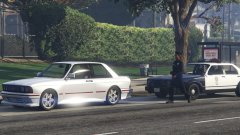
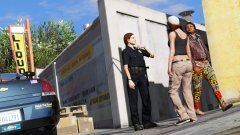
From the album: LSPD on Patrol
LSPD Esperanto by Lundy: https://www.gta5-mods.com/vehicles/albany-esperanto-police-roadcruiser -
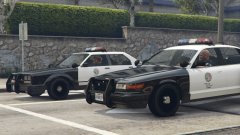
From the album: LSPD on Patrol
Mods: https://www.gta5-mods.com/vehicles/albany-esperanto-police-roadcruiser https://www.gta5-mods.com/vehicles/vapid-stanier-police-cruiser -
Anything Sheriff Related
-
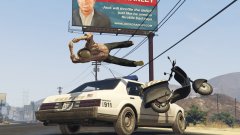
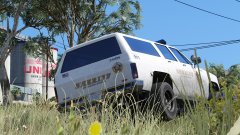
From the album: Backwoods Patrols
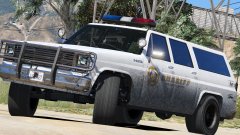
Sexy Esperanto by Lundy: https://www.gta5-mods.com/vehicles/albany-esperanto-sheriff-roadcruiser -
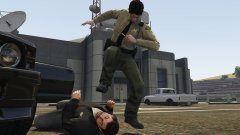
From the album: Backwoods Patrols
-
 I really like it! Question though, any way to add new pictures to ComputerPlus\images\vehicles for DLC cars? I have some of them spawn in traffic, so when I use the computer it obviously shows no image for the car. So I'm wondering if I could just add them
- 1,743 comments
- 172 reviews
-
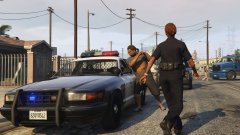
From the album: LSPD on Patrol
Lundy's Stanier seems very popular o.O -
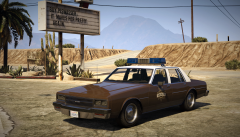 Oh wow. Looks pretty awesome!
 -
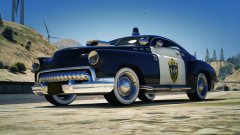 Sexy
Sexy -
Awesome!
-
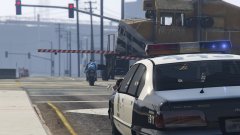
From the album: LSPD on Patrol
Mods: -
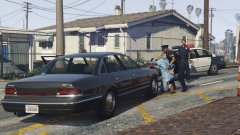
From the album: LSPD on Patrol
Mods: -
 What nice Idea! Its something simple, something you gonna use all the time while playing, yet once you try it you really wonder how you managed without it. For me its one of those mods that you just can't play without anymore once you tried it. Obviously, it's only really gonna be useful for you if you play with keyboard and mouse but yeah. It's a no-brainer really. 5* from me
- 330 comments
- 24 reviews
-
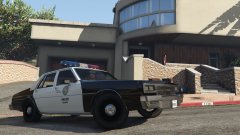
From the album: LSPD on Patrol
Made by 11john11 -
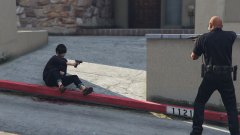
From the album: LSPD on Patrol
-
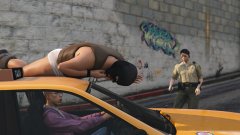
From the album: Backwoods Patrols
-
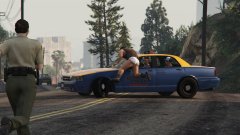
From the album: Backwoods Patrols
-
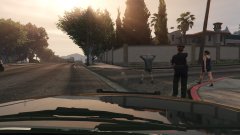
From the album: LSPD on Patrol
Ocean 10 responding to an indecent exposure call -
From the album: LSPD on Patrol
-
From the album: LSPD on Patrol