


t0y
Members
-
Joined
-
Last visited
Everything posted by t0y
-
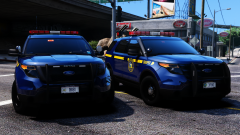 >beautiful state >most visited state >least mass shootings per population >least terrorist attacks >safer cities than nevada >not a desert >has 4 seasons >not in a drought >higher law enforcement budget >lower homicide rate per population >an actual city >On the night of October 1, 2017, a gunman opened fire on a crowd of concertgoers at the Route 91 Harvest music festival on the Las Vegas Strip in Nevada, leaving 58 people dead and 851 injured. Oh, but being heavily policed with ever decreasing crime rates and low terrorist attacks is bad? >what else
 -
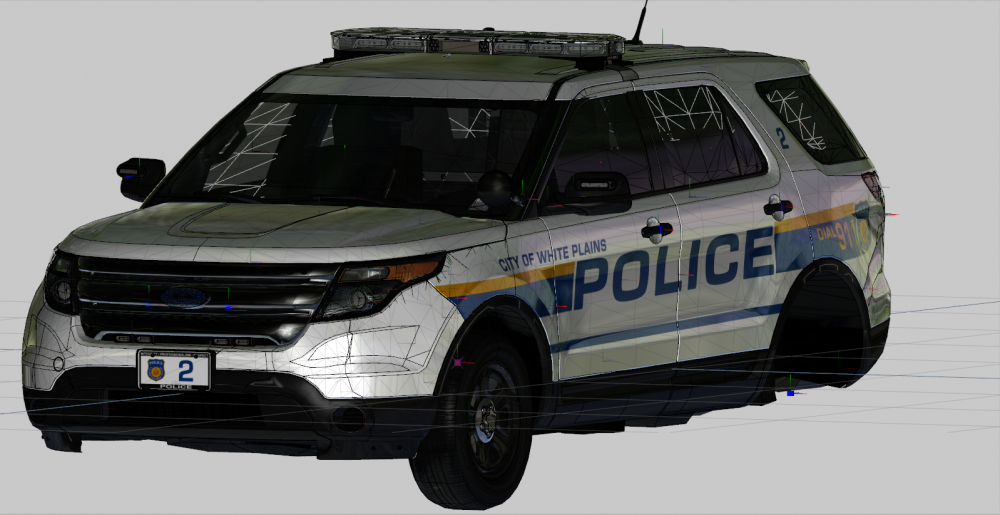
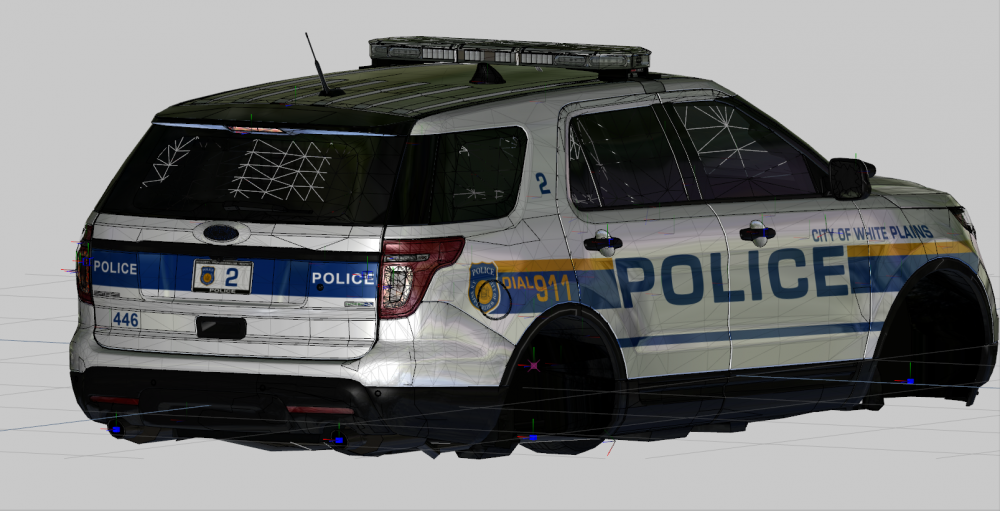
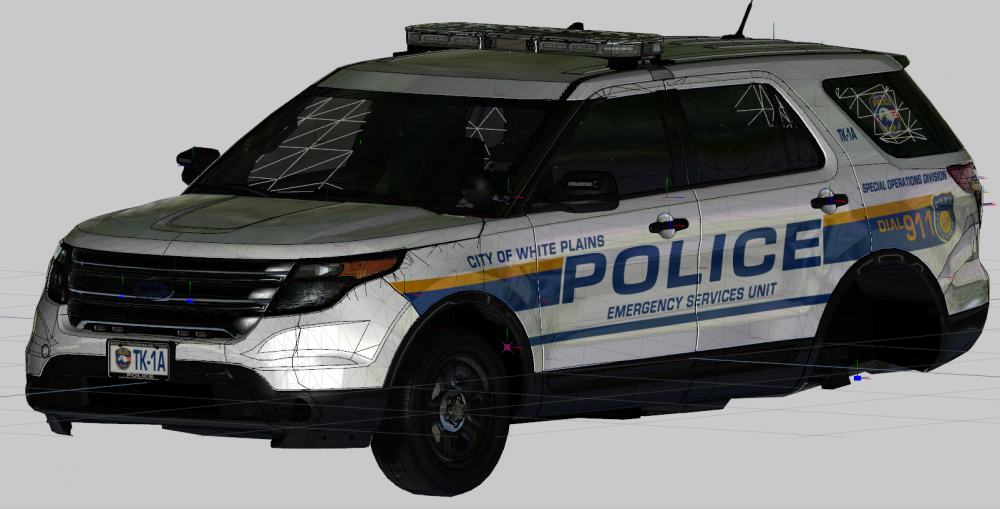
Project: White Plains Police Department Current Vehicles: Sooooooo wassup boys. I finished this entire pack... The total pack is 3 FPIS' and 2 FPIUs, which is the extent of their fleet. I did however, ditch the MPH ALPR equipped Legacy FPIS, and I made a slicktop/ghost/traffic FPIS which I sadly also had to ditch, it had wayyy too dim emissives on the inner edge, and rear everything which was pretty sad, so I just didnt do that... Planned Vehicles: So I finished this WPPD pack, and next up will be... WESTCHESTER COUNTY POLICE!!! Gorgeous NYSP-like pack, which will hopefully be at the same or similar scale of the NYSP variants. Anyway thanks bye. Car 446: Car 436: These are both RX2700 equipped cars, with Ions, and the ESU truck has an Avenger as well.

-
no u
-
 U L S T E R SO beautiful <3
 -
I'm actually not sure, sorry lol. @Slendis is more of a siren-knower maybe he knows.
-
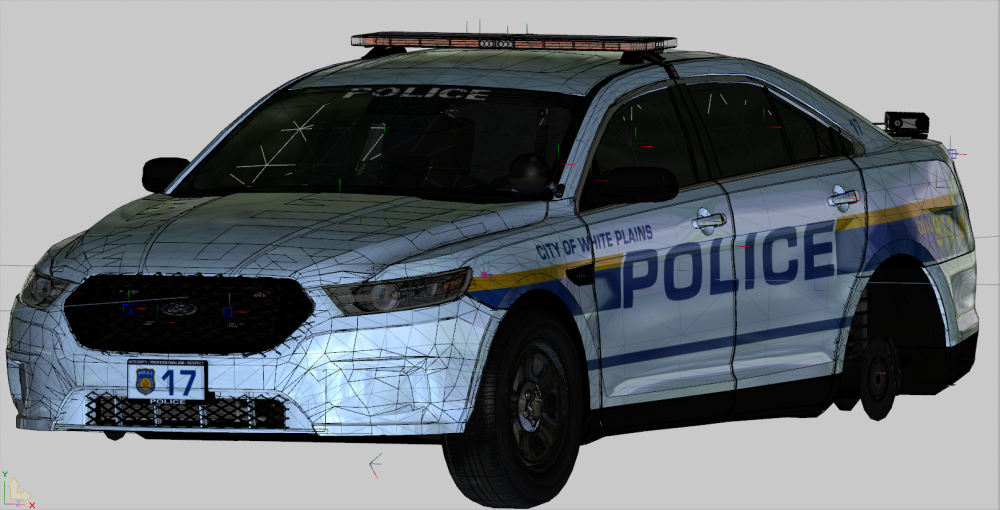
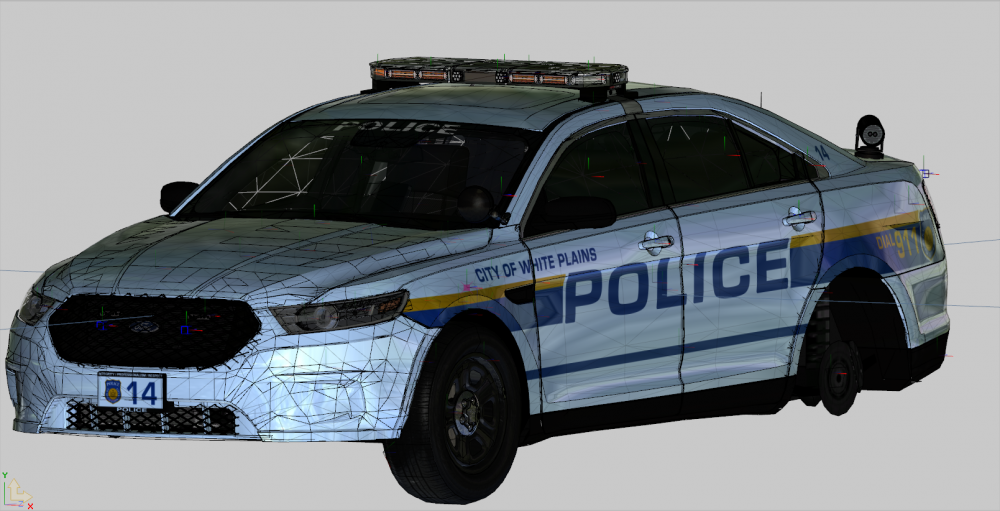
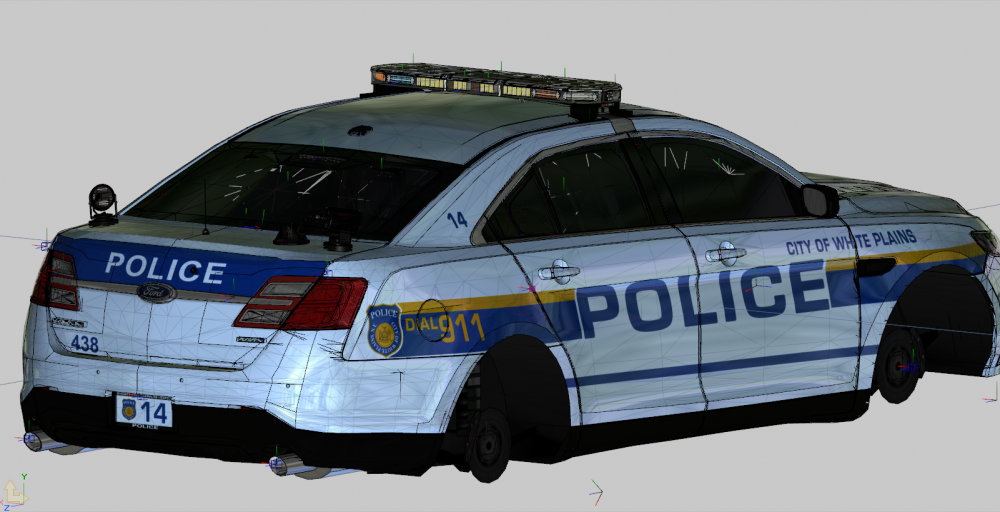
Project: White Plains Police Department Current Vehicles: I have 4 vehicles finished at the moment, but may be cutting that down to 3 with another two FPIS vehicles planned. The current cars I have are 419, 429, 438, and 462 which are all Ford Police Interceptor Sedans with the RX2700 variants with PiPS ALPRs, without PiPS ALPRs, the Legacy variants one with MPH ALPRs, one without although I may be switching out the ALPRs, or just removing them entirely from the Legacy variant. The ALPRs that White Plains uses I dont have, but I have contacted some scratch modelers to see if they can help me out, I may or may not be adding them to this pack, but my next pack also uses them which will be about 3 times the size of this one so it will go to better use. Planned Vehicles: I plan on adding several more vehicles, but just of their core fleet. I currently have 3 FPIS' with another Traffic one coming up with their Dominator, Ions, and Inner Edge XLP, with maybe a stealth livery. In addition to that, I have decided not to make their CVPIs as they are being phased out, like most departments and I will be making some of their 2014+ FPIUs, but I am not sure how many variants they have of that, so if it is just 1-2 I may add a CVPI or 2 in there who knows, regardless the pack will be made up of FPIS', FPIUs, and maybe some CVPIs, nothing more. Car 429: This vehicle will either be updated with accurate ALPRs, or removed completely but there will still be a version with this lightbar (Whelen Legacy) Car 438: This car has the accurate WPPD RX2700 thanks to Five0, and PiPS ALPRs, I also made a version without the ALPRs which is their most common vehicle.

-
Yes, soon. Depends on whether or not I decide to wait until I finish other packs from NY like White Plains, and (top secret pack im doing after) and then release them all at once or if I want to release them a few weeks apart. The NYSP I have done is all packaged up and ready for release whenever I am ready. No, sorry. Although I have used the same Liberty as I believe the vehicles you are referring to, the forward reds, and all other lights were all mapped to that single template, so you would only be able to make them all blue or all red, not red and blue, and regardless NYSP looks disgusting without forward reds, ruins the feel of it :(
-
Yes I chose the vehicles, regardless of being outdated on whether or not I liked the graphics, lighting, etc. better than their updated versions. About half of the vehicles I made may have been switched out, but I also made similar cars to what they were updated to be but just as different units. Also I did 2 more vics that were probably updated too lol. And yes all the windows break, like all my other packs. The goal was to make a unique, varied setup if I only made the most recent updates of vehicles they would all be pretty similar.
-
-
Maybe. Currently I am done with the cars i've been working on, but once I can have someone model the highrisers I will be making a little add on pack of 2016 Chargers and FPIUs, which may include some new 2015-17 Tahoes who knows :) (And maybe a stealth H FPIU test car)
-
Stana Katic <3
-
Minnesota did it better
-
Try putting it in patchday17/the most recent patch. Edit: nvm I see you said you put it in the most recent DLC idk then
-
Hi folks. I'm Aidan a.k.a t0y. Here is my Work in Progress thread, everything here is subject to updates, or even cancellations depending on my motivation at the time. My current project is the New York State Police and White Plains PD. I am from New York City, and I see at least NYSP all the time, and White Plains is just a beautiful department so I decided to do these. More updates, and information about each pack will be found below. In this thread I will occasionally post in game screenshots, but a majority of pictures will be from Zmod depending on the vehicle and pack I am making, and honestly things tend to look better in ZMod lol. If you have any questions about anything related to this thread, or these vehicles feel free to reply below, thanks :) All vehicles are as accurate as possible, so for these two NY departments, they do feature forward red lighting, and different inspection stickers depending on their vehicle years, etc. Also the NYSP cars all have different radar antenna positions, inspection stickers, and computer screens just to make it a bit unique. Although, about 10 cars in I realized there arent that many variations of 4 tabs on a computer screen I could make so I did need to reuse a few lol. Project: New York State Police Current Vehicles: I have 19 vehicles finished, yes it's a lot of variation but it only took about a month because it is only about 6-7 unique vehicles, I just made common variations of each vehicle, from different troops etc. accurate to their IRL counterparts. I have finished: 3G80, 3K35, 3M10, T203, 1K21, 3F80, 1B40, L106, 1A86, 1T20, 2T15, 2G66, 1T18, 1T19, 1T21, 1T51, 1T87, 2F42, 3B37. Each vehicle file has its own "About" note which will tell you the zone and troop it runs out of, its areas of patrol, equipment, and if it is still in service or not. Planned Vehicles: Not to give too much about it away, but I plan on adding about 10 more vehicles over the next month or two, these mostly depend on me having Robert or someone as talented scratch model me the NYSP Highrisers, and finish his current project which I wont say just in case he doesn't want me to spoil it, but I will make NYSP vehicles on that base. Zmodeler Pictures: (Some of these have been edited, scrapped, or redone since these pictures were taken, may vary in game as well) 1T18 1T87 1T19 1K21 T203 (CITE) 3G80 2G66 Ok, what the fuck. 4mb limit here too? Well then. I'll just spam more images later I guess? That's a bit annoying. Well then this will cut my thread down a lot that's fun. MORE PICTURES TO COME! Special thanks to: @CG Blaze @FRGamer @Slendis @RobertTM for various helping etc. And all being New Yorkers except Emil.

.thumb.png.0d91c8f99cd58e06f58a771d45ed1990.png)
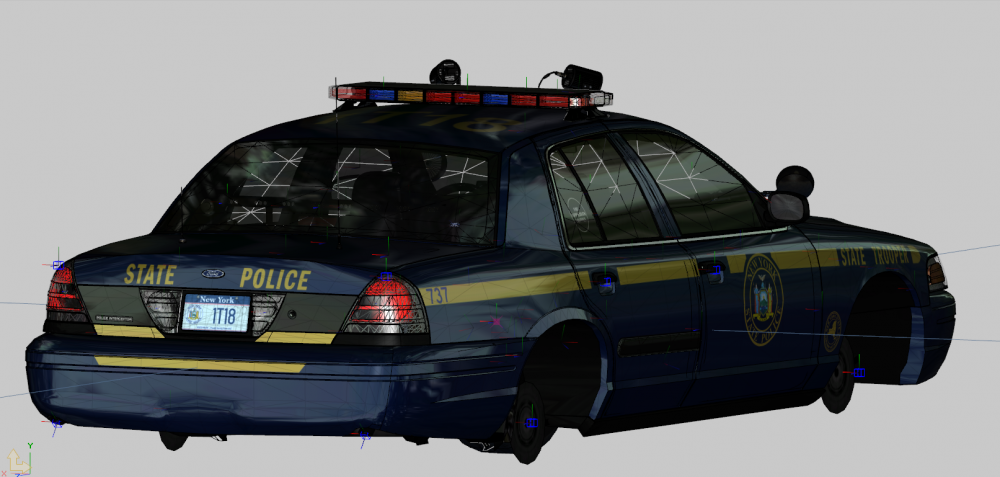
.thumb.png.15aad77f59d9a78dc5f287f6e96feb7c.png)
.thumb.png.efcf02929b307017977aaa6b801cc5f1.png)
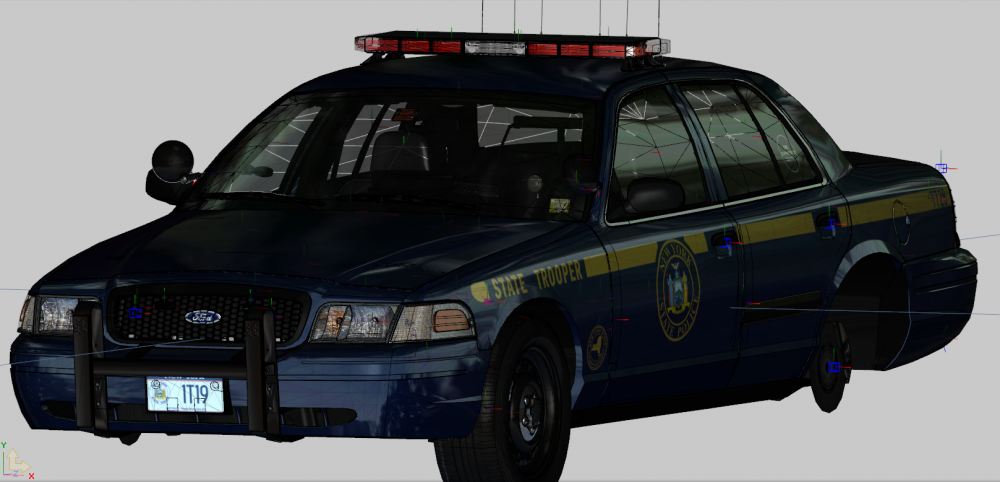
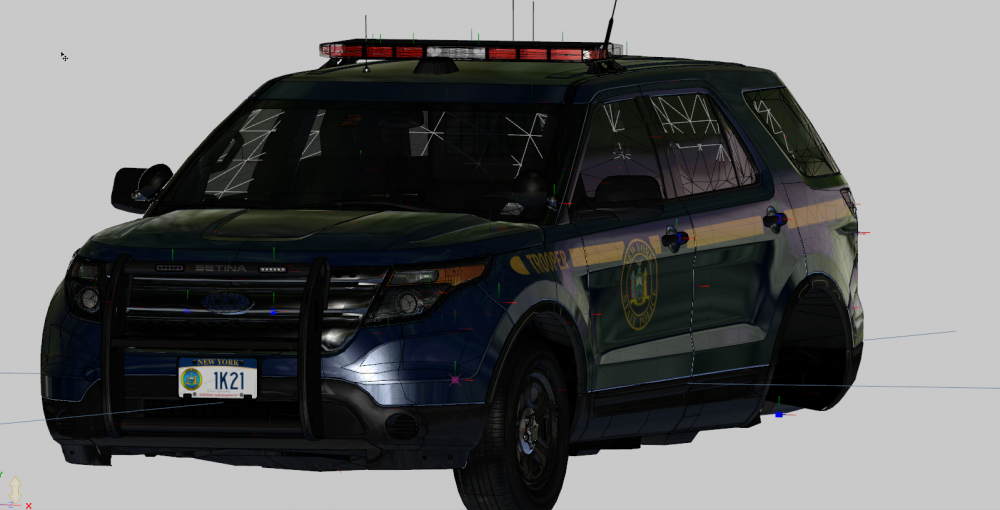
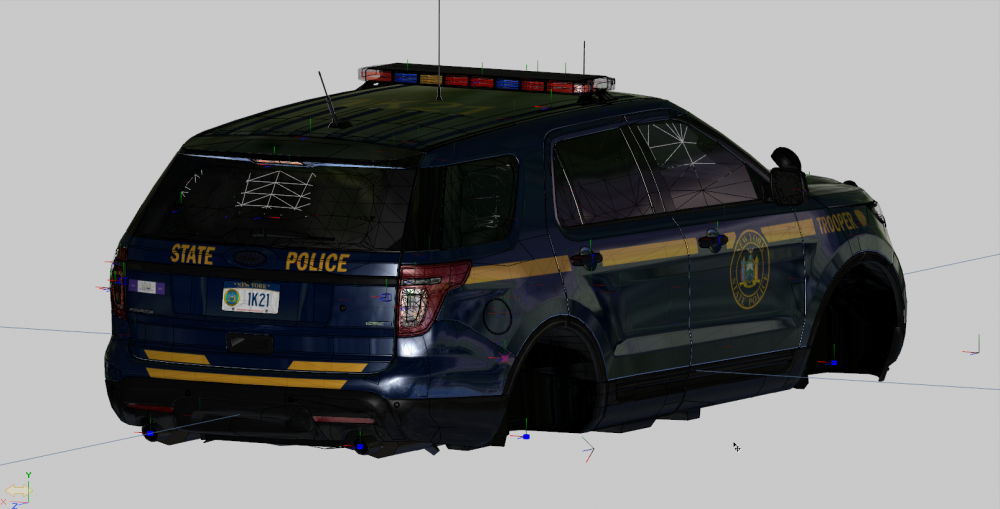
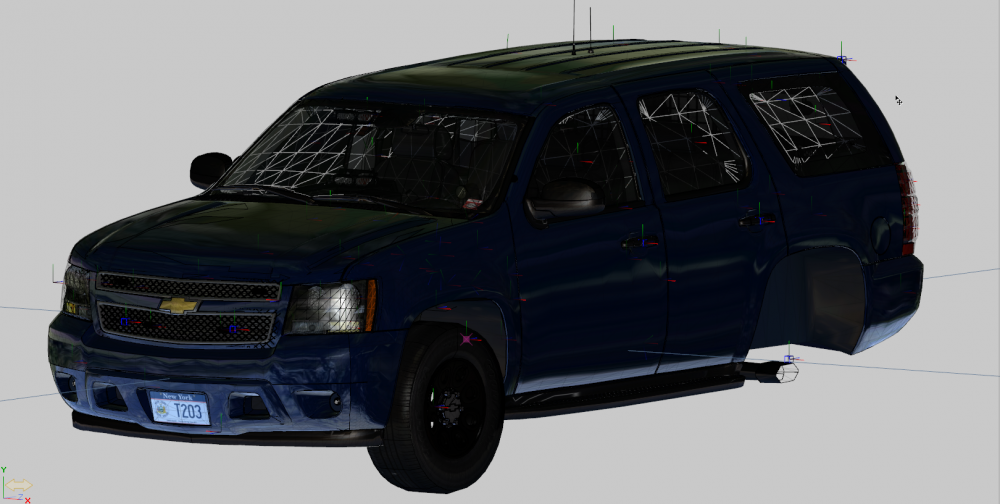
.thumb.png.44b613ae56ffea803b8c8265bc16f832.png)
.thumb.png.8d5ac3a79a89b4f29ee44764b3ce2d56.png)
.thumb.png.4421560588b454c6251277c841745981.png)
.thumb.png.b58d0a5d9ffa169d23d3f12a2ccd32f5.png)
-
Soon
-
Yeah I wish I lived in a desert looks real appealing (shaking my head emoji)
-
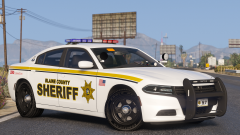
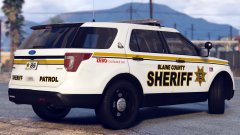 Yes Robert fuck me yes. And yes Belly fucking YES ULSTER COUNTY. Although the Blaine County is a bit rude :(
 -
Why wtf
-
Please exit at once.
-
3F80 is looking spicy as always eh?
-
 Hey gentlemen, sorry but the pack does not have ALPR cameras. Honestly, I would have added them if I had even thought about it beforehand but I never include ALPR cameras unless I am basing it off of a department that uses them. Sorry about that. And Brezza, adding them would require the unlocked models and ZMod.
- 283 comments
- 95 reviews
-
Hi everyone, So... I have been in this position before, but I completely hate my game's graphics and subsequent screenshots even after trying a few different graphics mods. The main issue is my screenshots though, they always seem to be ugly and hazed, much like a high ISO in photographs. For some reason I haven't figured out how to make my game and screenshots look good, so I have a few questions. First of all, could it be my settings? I personally don't believe so, I do have a GTX950, but I max out all of my settings above the suggested limit excluding MSAA until I am ready to take screenshots then I up it to 4x or 8x. Textures, shaders, etc. are all on Very High or whatever the highest section is. Or could it be the graphics mods? I am currently using VV and NVR, but I cant get it to look like I want it to. I have been comparing it to both the trailer which is beautiful, and other people's screenshots that use one or the other or both and I cant get the same quality. Finally, could it be the program? I was using Geforce, but after realizing it has high compression I have switched to ShareX and made the png settings as high as possible what programs do you guys use? Keep in mind, however I do not have Steam I have Retail so Steam screenshots are out of the picture. Thanks for the help :)
-
No, sorry I am past additions to the file, now I am just in a bug fixing stage sorry about that. In the ELS VCF set it to this: <ReverseLights DfltPattern="0" ColorL="white" ColorR="white" />
- 283 comments
- 95 reviews
-
Hi there, Can we remove that 4mb limit on gallery images? Most of my images wont even fit in the description, not even one of them. The entire purpose of the gallery is to post images, and limiting it to the thumbnail image honestly is just so dumb especially since you guys raised the storage size for all of us. It's basically just asking for gallery spam or terrible and compressed images, can we just go back to how it was, what was wrong with that, or just raise the limit to like 20mb so at least we can fit in 3 or 4 other pictures. Thanks, t0y
-








.png.753646441e178fedb29e5d260b23229d.png)

.png.5fad66be74b2e18d34fdd51b7d151116.png)
.png.dd88fbe6aa25887ab86154241d10c698.png)


.png.fc7390a21c14c5c40e91cfb8d3b44f38.png)
.png.8c409602657e60e07bb3a6c9fc5992e3.png)
.png.0fe2e9d85a1b4247844cbbcafbcef17a.png)
.png.1297c0233a45b3a0cb7c6e817244307f.png)
